Last Updated: 11 November 2026
Latest Update — 11 November 2026: In Rajasthan, ration card (Rajasthan Ration Card) work is now fully linked with Jan Aadhaar — a new ration card, adding a member or getting a name into NFSA, every task needs Jan Aadhaar first. This guide explains the full process of applying for a new ration card, adding your name in NFSA, checking the status and completing e-KYC. One thing to be clear about upfront — having a ration card and having your name in NFSA are two different things; free wheat comes only when your name is in NFSA.
In every village and town of Rajasthan, the ration card is the most important paper for families who take grain every month from the Fair Price Shop. But many families still do not know where a new ration card is made, why free ration is not coming even after the card is made, how a name gets added in NFSA, or how to check the status. Many people sit believing that ration will start as soon as the card is made — and when it does not, they think their card itself is wrong.
In this guide, you will learn what the Rajasthan Ration Card is, how AAY, PHH and APL cards differ, why Jan Aadhaar is needed, how to apply for a new ration card through SSO/eMitra, how to add your name in NFSA through the RRCC portal, how to check the status on the portal and by SMS, when and how to do e-KYC, and how to stay safe from fraud. You will also learn where to find the correct document list, so that your application is filled correctly the first time.
Rajasthan Ration Card 2026 — Key Facts
| Detail | Information |
|---|---|
| Issuing department | Department of Food and Civil Supplies, Rajasthan |
| Law | National Food Security Act (NFSA) |
| Official portal | food.rajasthan.gov.in |
| Portal for adding a name in NFSA | rrcc.rajasthan.gov.in (RRCC) |
| How to apply | Online — Rajasthan SSO portal (sso.rajasthan.gov.in) via eMitra, or at the nearest eMitra kiosk |
| Most important condition | Jan Aadhaar card — Jan Aadhaar is mandatory for every ration card task in Rajasthan |
| eMitra fee | ₹50 per service + ₹20 for print (kiosk service charge may apply separately) |
| Status check | food.rajasthan.gov.in/Form_Status.aspx with Ration UID or Form Number; also by SMS |
| eMitra helpline | 1800-180-6127 |
| ONORC | NFSA cardholders can take ration at any Fair Price Shop across India |
What is a Rajasthan Ration Card?
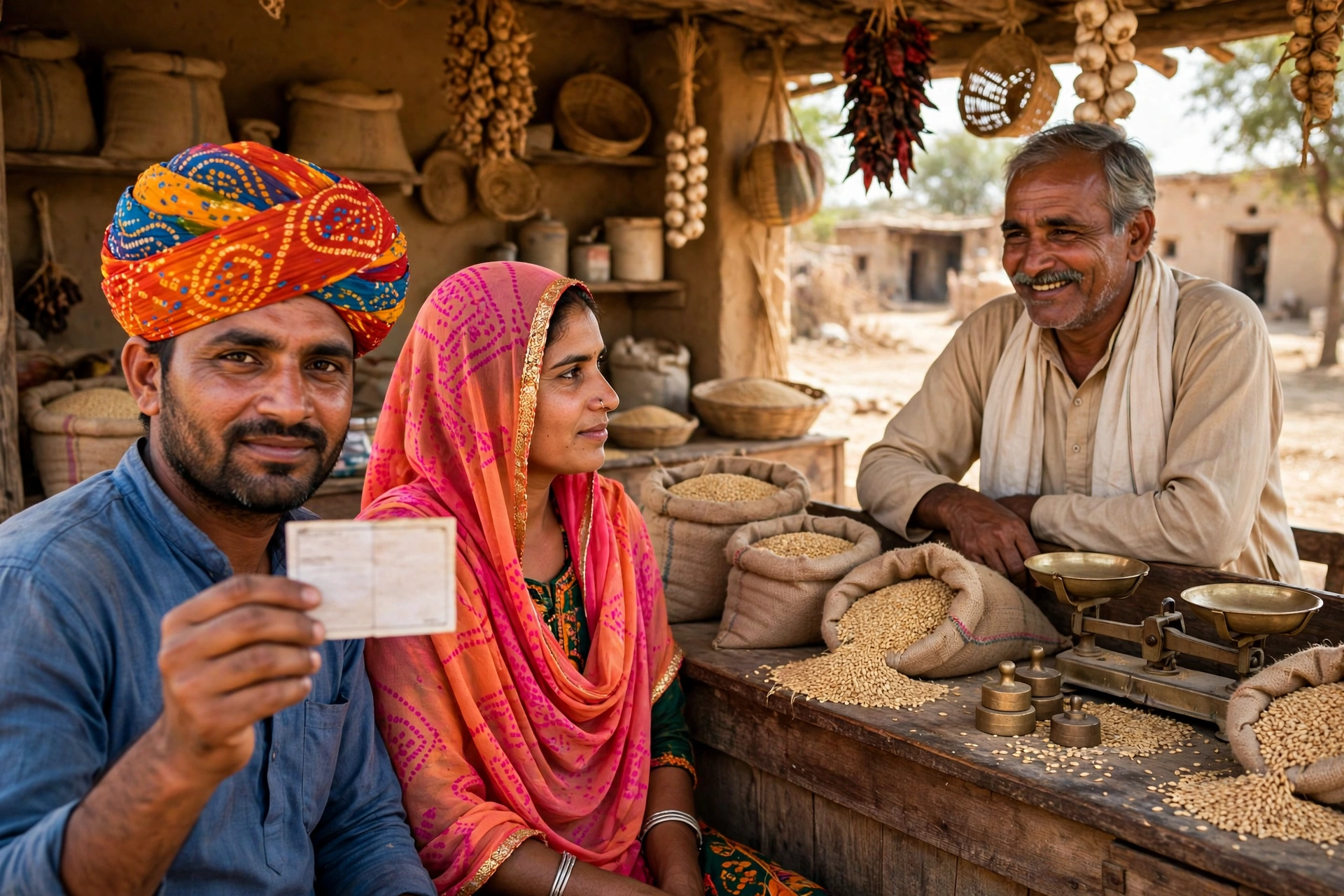
A ration card is an official document issued by the Department of Food and Civil Supplies, Government of Rajasthan. It is proof of a family’s identity and eligibility, with which the family can buy grain and essential items at cheap rates from a Fair Price Shop. The card works under the National Food Security Act (NFSA) and the state’s Public Distribution System (PDS).
A ration card is not only a paper for taking ration — in many places it also works as address and identity proof. But remember, having a ration card does not mean you will get free grain. Free or subsidised grain comes only when the family’s name is in the NFSA list. Understanding this difference is very important, because in Rajasthan thousands of families have a card but their name is not in NFSA — and they think their card is useless.
Types of ration cards — AAY, PHH, APL and State BPL
Rajasthan has several types of ration cards, and the grain given on each type is different. The colour of the card also shows its type.
| Card type | Card colour | Who it is for | Grain quantity |
|---|---|---|---|
| AAY (Antyodaya Anna Yojana) | Yellow | Poorest families — chosen by the Gram Sabha or municipal body | 35 kg grain per family per month |
| PHH (Priority Household) | Dark Pink | Families eligible under NFSA | 5 kg grain per person per month |
| State BPL | Dark Green | Families on the state BPL list | As per the state scheme |
| APL | Blue/Green | Families above the NFSA income limit but eligible under state schemes | As per the state scheme |
The AAY card goes to the poorest families and carries the highest subsidy. The PHH card goes to families eligible under NFSA — each person gets 5 kg of grain per month, so a family of four gets 20 kg. APL and State BPL cards are for families above the NFSA income limit but eligible under state schemes. Which type of card you get is decided by the department based on your income and eligibility — you cannot choose the card type yourself.
The difference between a ration card and NFSA — the most important point
This is the most important point of this guide, so read it carefully. Having a ration card and having your name in NFSA are two different things. A ration card is an identity paper — it tells who you are and how big your family is. NFSA (National Food Security Act) is a scheme — free or subsidised grain comes only when your name is in it.
If you have a ration card but your name is not in NFSA, you will not get free wheat. In that case you must apply separately to add your name in NFSA — on the RRCC portal. That application is legally treated as an appeal. After your name is added in NFSA, e-KYC must be done within 3 months.
The NFSA window reopened on 26 January 2025 after being closed for about two years, and the form was reported active in July 2026. But rules and dates can change — before applying, confirm on the RRCC portal that the form is still open.
Why is Jan Aadhaar needed?
Rajasthan is the only state in India where a Jan Aadhaar card is mandatory for every ration card task. A new ration card, adding a member, changing the address or adding a name in NFSA — every task is linked with Jan Aadhaar. Adding family members, updating the address and checking the category — all of these are synchronised automatically through the Jan Aadhaar database.
So before applying for a ration card, make sure your Jan Aadhaar is made and all family members are added in it. If Jan Aadhaar is not made yet, get it made first — read our Jan Aadhaar guide for it.
How to apply for a new Rajasthan Ration Card?
In Rajasthan, a new ration card is made through the SSO portal via eMitra, using Form-1. Read the steps below carefully.
Step 1 — Keep Jan Aadhaar ready
Before applying, keep the Jan Aadhaar ID and the Jan Aadhaar details of all family members ready. A ration card application is filled only after linking with Jan Aadhaar and Aadhaar. If you have moved to Rajasthan from another state, first get a surrender or cancellation certificate for your old state’s ration card — without it, a new card will not be made.
Step 2 — Login with your SSO ID
Go to sso.rajasthan.gov.in and login with your SSO ID. If you do not have one, first register as a Citizen and create an SSO ID. Without an SSO ID, eMitra’s online services are not available.
Step 3 — Choose the ration card service on eMitra
After login, you will see the eMitra tile on the dashboard. Click on it and search for and select the ration card service — a new ration card is made with Form-1. As soon as you select the service, the application form will open.
Step 4 — Fill the form and upload documents
Fill in the details of the head of the family and all members — name, age, Jan Aadhaar number, address and mobile number. Then upload the documents listed in the form. This is where the correct document list appears — follow only that list, and do not trust the list on any other website.
Step 5 — Pay the fee and save the receipt
After submitting the form, pay the fee — you can pay through UPI, net banking or a debit/credit card. The eMitra service fee is ₹50 + ₹20 for print. After payment you will get a Ration UID or Form Number — keep it safe, you will need this number to check the status.
Step 6 — The card is issued after verification
After the application is submitted, the department verifies your information. Once the verification is complete, the ration card is issued. Public guides say this usually takes 15–30 days, but the time can vary — one guide also mentions 30–45 days. So keep checking the status regularly after applying.
How to apply at an eMitra kiosk?
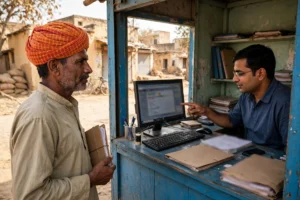
If you do not have a smartphone, computer or internet connection, or if filling the online form is difficult, visit the nearest eMitra kiosk. The operator at the kiosk will fill the online application for you — a new ration card, Form-4 corrections, adding a member and a duplicate card can all be done at a kiosk. You only need to carry your documents and information. Apart from the eMitra fee (₹50 + ₹20 for print), the kiosk may charge its own service fee — ask the charge before paying, and always take a receipt. Even when you apply from a kiosk, you will get a receipt with the Ration UID or Form Number.
How to add your name in NFSA? — The RRCC portal process
If you have a ration card but your name is not in NFSA, you must apply on the RRCC portal (rrcc.rajasthan.gov.in). This process is different from a new ration card — it is an application to add a name in NFSA, which is legally treated as an appeal.
Step 1 — Check your eligibility
The RRCC portal home page lists 32 inclusion categories and 8 exclusion criteria for NFSA. Before applying, match yourself against them — if you fall under any exclusion criterion, the application can be rejected.
Step 2 — Fill the form on RRCC
Open rrcc.rajasthan.gov.in and choose “Application form for the Food Security Scheme (NFSA)”. Enter your district and ration card number, then fill in the details asked in the form.
Step 3 — Track the status and complete e-KYC
After applying, track the status. Once your name is added in NFSA, e-KYC must be done within 3 months — if e-KYC is not done, ration can stop.
Once again — the NFSA window reopened on 26 January 2025 and the form was reported active in July 2026. Before applying, confirm on the RRCC portal that the form is still open, because rules and dates can change.
How to check your ration card status?
Checking the status after applying is easy. There are two ways:
On the portal: Go to food.rajasthan.gov.in and open Form_Status.aspx. Enter your Ration UID or Form Number — the status of your application will appear on the screen.
By SMS: From your mobile, send RCARD <Application Number> to 5616200. You will get the status information by SMS.
If you applied from a kiosk, you can also visit any eMitra kiosk with your Ration UID or Form Number to know the status.
Why is e-KYC needed and how to do it?
e-KYC means the identity of every member listed on the ration card is confirmed by biometric (fingerprint or eye scan). The government does this so that ration is not taken in the name of wrong or fake people. After a new name is added in NFSA, e-KYC must be done within 3 months.
A media report gave 30 June 2026 as the e-KYC deadline. That date has passed and no official order or extension was found, so confirm with your ration dealer. In some cases ration can stop if e-KYC is not done — so do not delay, and complete e-KYC at your nearest Fair Price Shop or eMitra kiosk.
How to add or remove a member, and make corrections?
Adding a new member: If a child is born, a daughter-in-law joins the family, or a member comes from outside, first add the person in Jan Aadhaar. Then apply on the RRCC portal to add the member, track the status, and complete e-KYC within 3 months for NFSA families.
Removing a member: If a member has died or has separated from the family, apply to remove the member through the RRCC portal or an eMitra kiosk — a wrong name remaining on the card can affect both the grain quantity and the eligibility.
Correction: If there is a mistake in the name, age, address or any other detail, apply for a correction with Form-4 — this can also be done at an eMitra kiosk.
Lost or damaged card: If the ration card is lost or damaged, apply for a duplicate card — this is also done through an eMitra kiosk or the SSO portal.
One Nation One Ration Card (ONORC) — ration in another state too
If you live in another state for work or study, your ration will not stop. Under the One Nation One Ration Card (ONORC) scheme, Rajasthan NFSA cardholders can take ration from any Fair Price Shop in India after biometric verification. There is also the Mera Ration app, in which you can see your entitlement and the nearest shop. This facility is very useful for migrant workers, students and families working outside. Remember — ONORC is only for NFSA cardholders.
What is the fee for a Rajasthan Ration Card?
| Service | Fee |
|---|---|
| eMitra service charge (per service) | ₹50 |
| Print charge | ₹20 |
| Kiosk service charge | Varies by kiosk — ask before paying |
When you apply for a ration card through eMitra, this is the service fee that applies. No separate card-issue fee is publicly fixed — if anyone asks you for thousands of rupees to make a card, that person is a fraud.
How long does a ration card take?
Public guides say a new ration card application usually takes 15–30 days, but the time can vary — one guide also mentions 30–45 days. So keep checking the status regularly on Form_Status.aspx or by SMS after applying. If the status does not change even after the expected time, check your registered mobile number — the department sometimes asks for extra information, and if that message is missed, the work stops. If the work still does not move, contact the eMitra helpline 1800-180-6127.
Beware of fraud
Whenever a government service goes online, fraudsters become active. Fake websites and agents also appear in the name of ration cards. Always remember these points:
- Use only the official portals: food.rajasthan.gov.in, rrcc.rajasthan.gov.in, sso.rajasthan.gov.in and emitra.rajasthan.gov.in — do not fill a form or pay money on any other website.
- No agent should charge extra: The fixed eMitra fee is ₹50 + ₹20 for print. If anyone asks for thousands of rupees to make a ration card or add a name in NFSA, that person is a fraud — refuse and complain at the nearest eMitra kiosk or Food Department office.
- Never share an OTP: No government officer asks for an OTP, bank account password or PIN on the phone. Anyone who does is a fraudster.
- Do not click WhatsApp links: Do not apply for a ration card through links received on WhatsApp or SMS — always type the portal address yourself and open it.
Frequently Asked Questions — Rajasthan Ration Card 2026
Where do I apply for a new Rajasthan Ration Card?
Login at sso.rajasthan.gov.in and fill Form-1 through the eMitra service, or apply at the nearest eMitra kiosk. Jan Aadhaar is mandatory for the application.
I have a ration card, so why is free ration not coming?
Because having a ration card and having your name in NFSA are two different things. Free grain comes only when your name is in NFSA. Apply to add your name in NFSA on the RRCC portal (rrcc.rajasthan.gov.in).
What is the difference between AAY and PHH cards?
AAY (yellow card) goes to the poorest families — 35 kg of grain per family per month. PHH (dark pink card) goes to NFSA-eligible families — 5 kg of grain per person per month.
How do I check my ration card status?
Open Form_Status.aspx on food.rajasthan.gov.in and enter your Ration UID or Form Number. Or send an SMS — type RCARD <Application Number> and send it to 5616200.
What do I have to do to add my name in NFSA?
Fill the “Application form for the Food Security Scheme (NFSA)” on rrcc.rajasthan.gov.in — it needs the district and ration card number. This application is legally treated as an appeal. After the name is added, complete e-KYC within 3 months.
How do I add a new member to the ration card?
First add the member in Jan Aadhaar, then apply on the RRCC portal to add the member. For NFSA families, e-KYC must be done within 3 months.
I have moved to Rajasthan from another state — how will my ration card be made?
First get a surrender or cancellation certificate for your old state’s ration card. Then apply fresh through SSO/eMitra with Jan Aadhaar.
Can I get ration in another state with a Rajasthan card?
Yes — under One Nation One Ration Card (ONORC), NFSA cardholders can take ration from any Fair Price Shop in India after biometric verification. You can see the nearest shop on the Mera Ration app.
Important links
| Work | Link |
|---|---|
| Food Department portal (status check — Form_Status.aspx) | food.rajasthan.gov.in |
| RRCC — adding a name in NFSA | rrcc.rajasthan.gov.in |
| Rajasthan SSO portal (login) | sso.rajasthan.gov.in |
| eMitra Rajasthan portal | emitra.rajasthan.gov.in |
| Jan Aadhaar portal | janaadhaar.rajasthan.gov.in |
| eMitra helpline | 1800-180-6127 |
| Rajasthan eMitra services — our hub page | Rajasthan eMitra Services |
| Jan Aadhaar card — full information | Rajasthan Jan Aadhaar Yojana 2026 |
| Certificates guide (Income, Caste, Birth, Domicile) | Rajasthan Certificate 2026 |
Getting a ration card in Rajasthan is much easier than before — keep Jan Aadhaar ready, open eMitra from SSO, fill Form-1 and save the Ration UID. And remember the most important thing — after the card is made, do check your name in NFSA, because free ration comes only when your name is in NFSA. If anyone asks for money or an OTP, understand that the person is a fraudster.
This article is prepared by a private information portal, not a government website. For the final and official information about ration cards, check food.rajasthan.gov.in or rrcc.rajasthan.gov.in, or contact your nearest eMitra kiosk.
Last Updated: 11 November 2026