If you are a farmer in Maharashtra and you receive PM-KISAN instalments, crop insurance or any benefit through the MahaDBT portal, there is one small but very important task you need to finish — getting your Farmer ID. In this guide we explain what the AgriStack Maharashtra Farmer ID is, why it matters, how to register on the MHFR portal, how to check your status, and what to do if something goes wrong. Read till the end, because we have also listed all the official links and answered the questions farmers ask most often.
The best part is that you can complete this registration from home on your own mobile phone, and if you do not have internet access, the CSC centre route is open for you too. Let us first look at the full picture at a glance.
AgriStack Maharashtra Farmer ID 2026: Quick Facts
| Detail | Information |
|---|---|
| Scheme / Portal name | AgriStack Maharashtra Farmer ID (MHFR — Maharashtra Farmer Registry) |
| Official portal | mhfr.agristack.gov.in |
| National portal | agristack.gov.in |
| Who it is for | All farmers of Maharashtra, especially PM-KISAN beneficiaries |
| What is Farmer ID | A unique identity number linking a farmer’s Aadhaar, 7/12 land record and bank account |
| Documents needed | Aadhaar card, Aadhaar-linked mobile number, 7/12 extract (Mahabhulekh) |
| How to register | Online (MHFR portal) or at the nearest CSC centre |
| Status check | By Aadhaar number or Farmer ID, verified with OTP |
| Fee | No fee is mentioned on the portal for registration |
| Last updated | 11 November 2026 (MHFR dashboard figures) |
What is AgriStack Maharashtra Farmer ID?
AgriStack is a major digital initiative of the Government of India under which a digital identity — the Farmer ID — is being created for every farmer in the country. In Maharashtra this work is done through the MHFR portal, the Maharashtra Farmer Registry, at mhfr.agristack.gov.in. The portal is run with the National Informatics Centre (NIC).
The Farmer ID is a unique number that links your Aadhaar card, your 7/12 land record and your bank account in one place. Earlier, a farmer’s identity was checked in different ways at different places — sometimes by Aadhaar, sometimes by 7/12, sometimes by bank account. With the Farmer ID, the government gets the farmer’s complete and correct information in one place, so scheme money reaches the right farmer faster.
The live figures on the MHFR portal dashboard show how fast this work is moving in Maharashtra. According to the dashboard figures seen on 11 November 2026, Maharashtra has 11,911,984 PM-KISAN beneficiaries, while total enrolment so far is 13,859,302 — that is 116.35% of the PM-KISAN beneficiary count. The number of approved Farmer IDs is 13,818,547, and only 3,123 enrolments are still waiting for Farmer ID generation and approval. New enrolments on that day stood at 435. These figures refresh every 5 minutes.
The message is clear: almost every farmer in Maharashtra has already got a Farmer ID. If you are among the few who have not, this guide is for you.
Why is Farmer ID important?
Many farmers ask: when we already have an Aadhaar card and a 7/12, why do we need a Farmer ID? The simple answer is that the government is now linking its farmer schemes to the Farmer ID.
1. For PM-KISAN instalments: Linking the Farmer ID has become necessary for farmers receiving PM-KISAN Samman Nidhi instalments. Without a Farmer ID, future instalments can get stuck, so farmers who have not registered yet should finish this work as soon as possible.
2. For the MahaDBT Farmer portal: Applications for Maharashtra government farmer schemes are made on the MahaDBT Farmer portal (mahadbt.maharashtra.gov.in/Farmer). The Farmer ID is used to log in and apply on this portal. With your Farmer ID and OTP login, you can apply for schemes and track your application status.
3. For crop insurance (PMFBY) and subsidies: Under the Pradhan Mantri Fasal Bima Yojana and subsidy schemes for seeds, fertiliser and equipment, the Farmer ID lets officials verify the farmer’s identity and land details instantly, which makes applications faster and more transparent.
4. The Fruits connection: Farmers in Maharashtra also search a lot for the “Fruits” portal and app. Fruits is part of the same farmer registry system — the same Farmer ID works on Fruits too. So if you were searching for Fruits, the answer is the Farmer ID created on MHFR.
In short, the Farmer ID has become a farmer’s digital identity — once made, it will be useful in every scheme.
Eligibility and documents needed for Farmer ID
There are no long conditions for getting a Farmer ID. Any farmer in Maharashtra who owns farmland can register for it.
What you need:
- Aadhaar card: Registration starts with Aadhaar e-KYC, so your Aadhaar number is essential.
- Aadhaar-linked mobile number: The OTP comes on this number. If your mobile number is not linked to Aadhaar, get it linked first.
- 7/12 extract: Your land record, available from the Mahabhulekh portal. Land details such as 7/12 and 8A have to be filled in during registration.
- Bank account details: The Farmer ID is also linked to your bank account, so that scheme money comes directly into your account.
Remember: fill in exactly the same information as recorded in your Aadhaar and 7/12. If the name or land details differ, the application can get stuck.
How to register for Farmer ID on the MHFR portal
The MHFR portal homepage is a login landing page. When checked on 11 November 2026, it showed options such as Dashboard, Check Enrollment Status, Login with CSC, Check Jansamarth KCC Status and View Farmer Details. There are two ways to register — online by yourself, and through a CSC centre.
Route 1: Registration through a CSC centre or camp
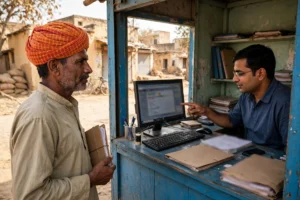
If you do not have a smartphone or internet, or you find online forms difficult, visit your nearest CSC (Common Service Centre). The operator there will create your registry using your Aadhaar and land papers. One important point: if your Farmer Registry was created through CSC or camp mode, you must first create your portal account before logging in. The portal clearly says: “If Your Farmer Registry Was Created Through CSC Or Camp Mode, You Must First Create Your Portal Account Before Logging In.” To do this, click “Create New User Account” in the login box and complete the one-time registration to activate your self-login access.
Route 2: Self-registration online (step by step)
- Open mhfr.agristack.gov.in on your mobile or computer.
- In the login box, under “Login as”, choose Farmer. You will now see fields for mobile number, password and captcha.
- If you do not have an account yet, click “Create New User Account”.
- The “Aadhaar e-KYC” page will open. Enter your Aadhaar number, tick the consent checkbox and click Submit.
- An OTP will come on the mobile number linked to your Aadhaar. Enter the OTP to confirm your identity.
- After e-KYC is complete, the portal will ask for your personal information and land details (7/12, 8A) — complete each step shown on the screen carefully and upload the required documents.
- After submitting the form, your enrolment is recorded, and your Farmer ID is generated after verification.
Once registration is complete, your Farmer ID is created. The approval work is moving very fast — as of 11 November 2026, only 3,123 enrolments were waiting for approval.
How to check Farmer ID status
If you have registered and want to know whether your Farmer ID is ready, the portal gives you two easy ways.
Method 1: Check Enrollment Status
- On mhfr.agristack.gov.in, click “Check Enrollment Status”.
- Under “Check Status Against”, choose Aadhaar Number (selected by default) or Farmer Id.
- Enter your Aadhaar number or Farmer ID.
- Click the OTP button — the OTP will be sent to the mobile number linked with your Aadhaar number.
- Enter the OTP and your enrolment and Farmer ID status will be shown.
Method 2: View Farmer Details
From the homepage, the “View Farmer Details” option also lets you see your details. Choose “Search By Farmer Aadhaar Number”, enter your Aadhaar number and confirm with OTP — your farmer details will appear on the screen.
How to link Farmer ID with the MahaDBT Farmer portal
After your Farmer ID is created, the next step is to link it with the MahaDBT Farmer portal so you can apply for state government schemes.
- Open mahadbt.maharashtra.gov.in/Farmer.
- Log in with your Farmer ID and OTP.
- From the list of schemes on the portal, choose the one you need — for example, an application for seeds, equipment, irrigation or another component.
- Fill in the application form, upload the required documents and submit.
- You can also track your application status on the same portal using your Farmer ID.
Remember, when you apply on MahaDBT, your Farmer ID, Aadhaar and bank details are already linked, which makes filling the form easier.
What to do if you face a problem in registration
OTP is not coming: First check whether your mobile number is linked to Aadhaar. The OTP comes only on the Aadhaar-linked number. If the number is not linked, visit the nearest Aadhaar centre and update your mobile number.
Mismatch in name or details: If the spelling of your name or your date of birth differs between Aadhaar and 7/12, e-KYC can get stuck on the portal. Get the correction done in Aadhaar or 7/12 first, then register.
Land record not found: Download your 7/12 extract from the Mahabhulekh portal (mahabhulekh.maharashtra.gov.in). If it is not available online, contact the Talathi office.
Registry made at CSC, but login fails: This is the most common problem. As per the portal’s instructions, after a CSC or camp-mode registry you must first create your portal account through “Create New User Account” — only then can you log in.
Delay in approval: According to the dashboard on 11 November 2026, only 3,123 enrolments were waiting for approval, which means approvals are happening very fast in most cases. If your application has been stuck for a long time, check its status through “Check Enrollment Status” and contact your nearest CSC or agriculture office.
Helpline: When checked on 11 November 2026, no helpline number or email was shown on the MHFR portal homepage, status pages or dashboard. For help, contact your nearest CSC centre or the taluka agriculture office.
Frequently Asked Questions (FAQ) — AgriStack Maharashtra Farmer ID
Q1: What is the AgriStack Maharashtra Farmer ID?
A: It is a unique digital identity number for farmers of Maharashtra, created on the MHFR portal (mhfr.agristack.gov.in). It links your Aadhaar, 7/12 land record and bank account.
Q2: Is it necessary to get a Farmer ID?
A: Yes, linking the Farmer ID has become necessary for PM-KISAN instalments, MahaDBT schemes and crop insurance benefits. Without it, future instalments or subsidies can get stuck.
Q3: How do I register for a Farmer ID?
A: On mhfr.agristack.gov.in, choose Farmer login, click “Create New User Account”, complete Aadhaar e-KYC, verify with OTP and fill in your details to submit the form. You can also register at your nearest CSC centre.
Q4: How can I check my Farmer ID status?
A: On the portal, click “Check Enrollment Status”, enter your Aadhaar number or Farmer ID, and verify with OTP — your status will be shown. “View Farmer Details” also shows your information.
Q5: How long does it take for a Farmer ID to be approved?
A: According to the MHFR dashboard (11 November 2026), 13,818,547 Farmer IDs have already been approved and only 3,123 enrolments are waiting for approval, so approvals are moving very fast.
Q6: Is there any fee for the Farmer ID?
A: No fee is mentioned on the MHFR portal for registration. If anyone asks you for money, it could be fraud — use only the official portal or a CSC centre.
Q7: What is the connection between the Fruits portal and Farmer ID?
A: Fruits is Maharashtra’s farmer system connected to the same registry. The Farmer ID created on MHFR also works as your identity on Fruits.
Important links
- MHFR portal (Maharashtra Farmer Registry): https://mhfr.agristack.gov.in/
- AgriStack national portal: https://agristack.gov.in/
- MahaDBT Farmer portal: https://mahadbt.maharashtra.gov.in/Farmer
- Mahabhulekh (7/12 extract): https://mahabhulekh.maharashtra.gov.in/
- PM-KISAN portal: https://pmkisan.gov.in/
Last updated: 11 November 2026. This article is published by a private information portal, not a government website. Information is based on the MHFR portal and official sources; please verify details on the official portal before taking any decision.