Last Updated: 11 November 2026
Latest Update — 11 November 2026: In Rajasthan, Income, Caste, Birth and Domicile certificates can now be applied for from home through eMitra. Applications go through the Rajasthan SSO portal, and birth certificates have a separate portal called Pehchan. This guide explains the full process, fee, status check and download for all four certificates. One thing to be clear about upfront — the exact document list for each certificate appears only on the application form after login, so this guide does not invent any list.
In any village or town of Rajasthan, sooner or later a family needs a piece of paper — an income certificate for a child’s scholarship, a caste certificate for a college admission, a domicile certificate for a job form, or a birth certificate for a school admission. Earlier, getting these papers meant repeated trips to the tehsil and the municipality office. Today most of the work is online, but people still do not know where to apply, which portal is the correct one, and how the certificate reaches them after the form is filled.
In this guide, you will learn what the Rajasthan Certificate service is, how to apply for Income, Caste and Domicile certificates through eMitra, how to get a Birth Certificate from the Pehchan portal, how much the fee is, how to check the status, and how to stay safe from fraud. You will also learn where to find the correct document list, so that your form is filled correctly the first time.
Rajasthan Certificate 2026 — Key Facts
| Detail | Information |
|---|---|
| Service name | eMitra Rajasthan — Certificate services (Income, Caste, Birth, Domicile) |
| Who can apply | Permanent residents of Rajasthan |
| How to apply | Online — Rajasthan SSO portal (sso.rajasthan.gov.in) via eMitra, or at the nearest eMitra kiosk |
| Birth certificate portal | Pehchan — pehchan.rajasthan.gov.in |
| eMitra fee | ₹50 per service + ₹20 for print (kiosk service charge may apply separately) |
| eMitra helpline | 1800-180-6127 |
| Pehchan helpline | 1800-180-6785 |
| Processing time | Usually 7–14 working days (caste certificate verification can take up to 21 days) |
| Status check | On the eMitra portal with the Transaction ID; on Pehchan with the Acknowledgement Number |
| Official websites | sso.rajasthan.gov.in, emitra.rajasthan.gov.in, pehchan.rajasthan.gov.in |
Which certificates are issued through eMitra?
eMitra is the Rajasthan government’s single-window service, with 600+ government services and around 80,000 kiosks. When it comes to certificates, four main certificates can be applied for through eMitra. The first is the Income Certificate — proof of family income, asked for scholarships, fee concessions and welfare schemes. The second is the Caste Certificate — proof of SC, ST or OBC status, needed for reservations and schemes. The third is the Domicile Certificate — proof that you live in Rajasthan, asked for state quotas and admissions. The fourth is the Birth Certificate — for which the Pehchan portal is also available, explained in detail below.
Apart from these, eMitra also offers Death Certificate, Marriage Certificate, Disability Certificate, OBC and EWS certificate services. This guide focuses on the four most commonly needed certificates.
Income Certificate — what is it used for?
An Income Certificate is the paper that states how much your family earns in a year. It is most often asked for scholarships — whether a school scholarship, a college fee waiver or the benefit of a government scheme. Many schemes have an income limit, so only families below a fixed income can get the benefit. In such cases, the Income Certificate is the proof that decides your eligibility.
To apply for an Income Certificate, use eMitra. The form asks for details of the family’s income, and the department verifies the information. Once the verification is complete, the certificate is issued, and you can download it from the eMitra portal or take a printout from a kiosk. Make sure the information in the form is correct — giving wrong information can get the application rejected.
Caste Certificate — who can get it?
A Caste Certificate is for people whose name is recorded in the SC, ST or OBC list issued by the Government of Rajasthan. This certificate is needed to claim reservation benefits, apply for government jobs, get scholarships and access many welfare schemes. To apply, you must be a permanent resident of Rajasthan.
The application for a Caste Certificate is also made through eMitra — either yourself through the SSO portal, or at the nearest eMitra kiosk. After the form is submitted, the department verifies it, and this can sometimes include a Patwari report or a field verification. That is why a caste certificate can sometimes take up to 21 days. While applying, keep your father’s caste certificate (if available), address proof and photograph ready — but remember, the correct and final list of documents appears only on the form after login.
Domicile Certificate — why is it needed?
A Domicile Certificate, also called a Mool Niwas certificate, proves that you are a resident of Rajasthan. It is asked for state-quota seats, admissions in government colleges, state government jobs and many state schemes. If you live in Rajasthan but do not have a domicile certificate, you may not be treated as a state resident in several places.
This certificate is also applied for through eMitra. The form asks for your address, how long you have lived in Rajasthan, and identity details. After verification, the department issues the certificate. Once made, this certificate is useful for a long time, so keep it safe and also save a digital copy.
Birth Certificate — how to get it from the Pehchan portal?
Rajasthan has its own portal for birth certificates — Pehchan (pehchan.rajasthan.gov.in). The portal is run by the Directorate of Economics and Statistics, Rajasthan, and handles birth, death and marriage registration. A birth certificate is needed for school admission, passport, Aadhaar and many government works.
First, search “Download Certificate” on the Pehchan portal to check whether the birth is already registered. If it is not, go to “Apply for Registration”, choose Birth Registration, and fill in the child’s date, time and place of birth along with the parents’ details. You can also apply at an e-Mitra kiosk or the local registrar (municipality or gram panchayat). After registration is complete, the digitally signed certificate can be downloaded from Pehchan or from DigiLocker.
Remember one important rule — a birth should be reported within 21 days. After that it becomes delayed registration. For a delay of 30 days to one year, written permission of the prescribed authority is needed, and for a delay of more than one year, an order of the Executive Magistrate / SDM is needed. So do not delay the birth certificate work after a child is born.
How to apply for a Rajasthan Certificate online through eMitra?
Applying online through eMitra is simple. Read the steps below carefully.
Step 1 — Login with your SSO ID
First, go to sso.rajasthan.gov.in. If you already have an SSO ID, login with it. If you do not have one, first register as a Citizen and create an SSO ID. Without an SSO ID, eMitra’s online services are not available, so this is the first and most important step.
Step 2 — Open the eMitra service
After login, you will see the eMitra tile (icon) on the dashboard. Click on it — the eMitra portal will open with your SSO login, and you will not need to login a second time.
Step 3 — Choose the certificate service
In the eMitra portal, services are grouped by department. Search for and select the certificate you need — Income, Caste or Domicile. As soon as you select the service, the application form will open.
Step 4 — Fill the form and upload documents
Fill in the details asked in the form — name, address, date of birth, mobile number and the details related to the certificate. Then upload the documents listed in the form. This is where the correct document list appears — follow only that list, and do not trust the list on any other website.
Step 5 — Pay the fee and save the receipt
After submitting the form, pay the fee — you can pay through UPI, net banking or a debit/credit card. After payment you will get a Transaction ID / Acknowledgement Number. Keep it safe — you will need this number to check the status and download the certificate.
Step 6 — Check the status and download the certificate
After a few days, go to the eMitra portal and check the status by entering the Transaction ID. Once the certificate is ready, download it or take a printout from the nearest eMitra kiosk.
How to apply at an eMitra kiosk?
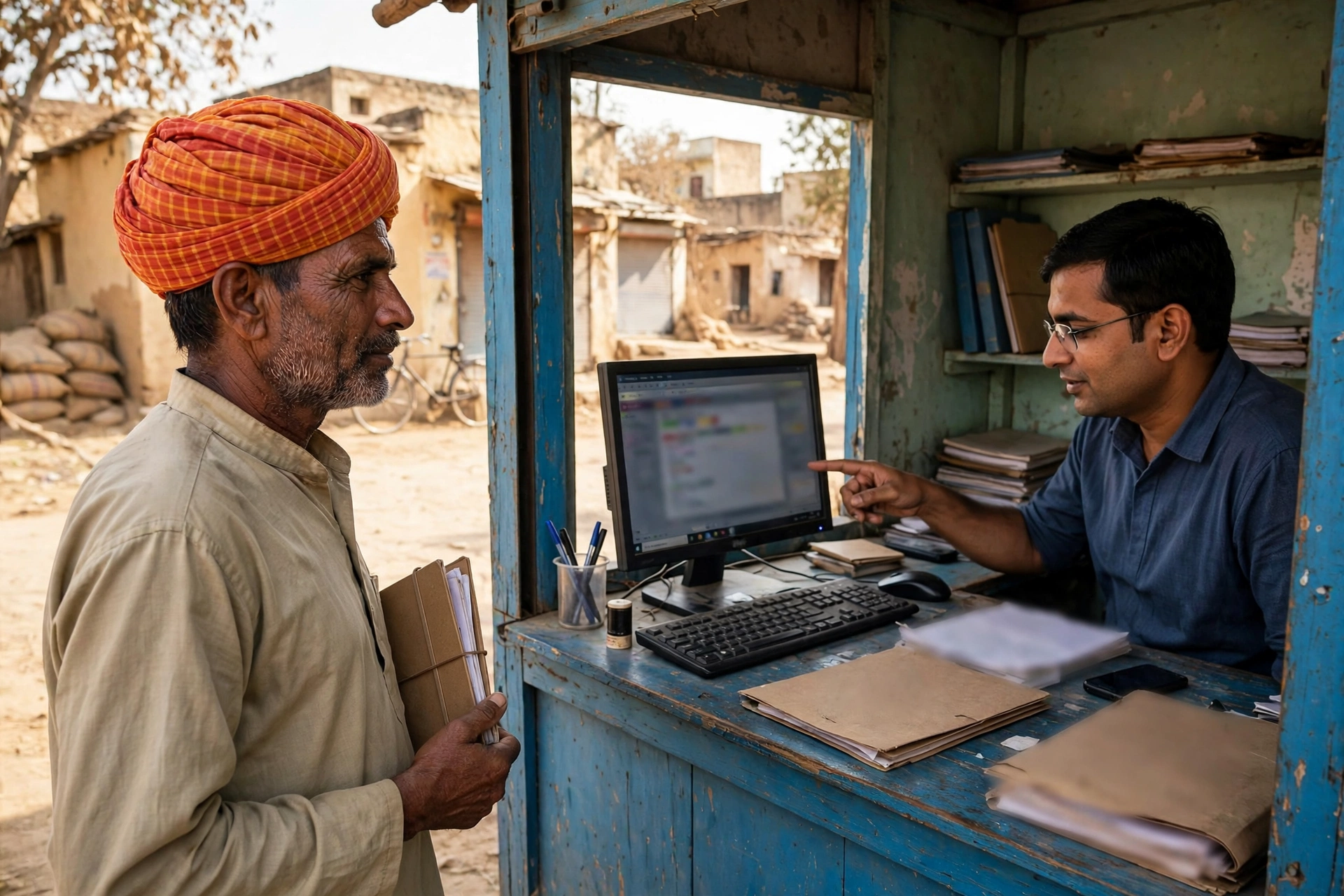
If you do not have a smartphone, computer or internet connection, or if filling the online form is difficult, visit the nearest eMitra kiosk. The operator at the kiosk will fill the online application for you. You only need to carry your documents and information. Apart from the eMitra fee (₹50 + ₹20 for print), the kiosk may charge its own service fee — ask the charge before paying, and always take a receipt. Even when you apply from a kiosk, you will get a receipt with the Transaction ID, with which you can check the status later.
Where will you find the correct document list?
This is the most important part of this guide. The correct and final list of documents for certificates appears only inside the application form on eMitra/SSO after login — that list is not published publicly anywhere. That is why this guide does not give any document list, so that wrong information does not get your application rejected.
As general preparation before opening the form, keep these basic papers ready — Aadhaar card, address proof (ration card, voter ID, electricity bill, and so on), and any old paper related to the certificate you are applying for (for example, your father’s caste certificate if you are applying for a caste certificate). But to repeat — this is only preparation, not the official list. Submit only the documents the form asks for.
The same rule applies to the Pehchan portal for birth certificates — the list shown in the form is the final one.
What is the fee for a Rajasthan Certificate?
| Service | Fee |
|---|---|
| eMitra service charge (per service) | ₹50 |
| Print charge | ₹20 |
| Kiosk service charge | Varies by kiosk — ask before paying |
| Birth certificate — registration within 21 days | No fee (indicative — confirm on the portal) |
| Birth certificate — delayed registration | ₹20 to ₹100 depending on the delay (indicative — confirm on the portal) |
| Correction in birth certificate | ₹50–₹200 (indicative — confirm on the portal) |
The birth certificate fees above are given only as an indication from public guides — check the real fee on the Pehchan portal, because the fee can differ by local body and can change.
How to check the status and download the certificate?
After applying through eMitra, checking the status is easy. Go to the eMitra portal (emitra.rajasthan.gov.in), enter the Transaction ID (Application ID) and click “Get result” — the status of your application will appear on the screen. Once the certificate is ready, you can download it from there. If you applied from a kiosk, you can also visit any eMitra kiosk with the Transaction ID to know the status.
For a birth certificate, go to the Pehchan portal — choose Citizen Services, then Birth Certificate, then Download Certificate. Enter the registration number, or the child’s name + date of birth + mother’s name, fill the captcha, and the digitally signed PDF will appear instantly. This digital certificate is valid for official work. If there is a mistake in the name, date or parents’ details on the birth certificate, choose “Correction in Birth Certificate” on the same portal and apply for a correction — in most urban bodies the correction is done within 7–15 working days.
How long does a certificate take?
Most certificates usually take 7–14 working days. A caste certificate can take longer — sometimes up to 21 days — because it may involve field verification, which means an officer may visit your address for checking. If the status does not change even after the expected time, check your registered mobile number and email — the department sometimes asks for extra information, and if that message is missed, the work stops. If the work still does not move, contact the eMitra helpline 1800-180-6127, and for birth certificates the Pehchan helpline 1800-180-6785.
Beware of fraud
Whenever a government service goes online, fraudsters become active. Fake websites and agents also appear in the name of certificates. Always remember these points:
- Use only the official portals: sso.rajasthan.gov.in, emitra.rajasthan.gov.in and pehchan.rajasthan.gov.in — do not fill a form or pay money on any other website.
- No agent should charge extra: The fixed eMitra fee is ₹50 + ₹20 for print. If anyone asks for thousands of rupees to get you a certificate, that person is a fraud — refuse and complain at the nearest eMitra kiosk or tehsil office.
- Never share an OTP: No government officer asks for an OTP, bank account password or PIN on the phone. Anyone who does is a fraudster.
- Do not click WhatsApp links: Do not apply for a certificate through links received on WhatsApp or SMS — always type the portal address yourself and open it.
Frequently Asked Questions — Rajasthan Certificate 2026
Where do I apply for a Rajasthan Certificate?
Login at sso.rajasthan.gov.in and apply for Income, Caste and Domicile certificates through the eMitra service. For a birth certificate, use the Pehchan portal (pehchan.rajasthan.gov.in). Both can also be done at an eMitra kiosk.
What is the fee for a certificate through eMitra?
₹50 per service + ₹20 for print. If you apply from a kiosk, the kiosk’s service charge may apply separately — ask before paying.
Which documents are needed for a certificate?
The correct and final document list appears only on the application form after login — it is not published publicly. As general preparation, keep your Aadhaar card and address proof ready, but submit only the documents the form asks for.
How long does a Rajasthan Certificate take?
Usually 7–14 working days. Caste certificate verification can take up to 21 days. Check the status on the eMitra portal with your Transaction ID.
How do I download a birth certificate online?
On the Pehchan portal (pehchan.rajasthan.gov.in), choose Citizen Services → Birth Certificate → Download Certificate. Enter the registration number, or the child’s name + date of birth + mother’s name — the digitally signed PDF will appear instantly.
What if I need a birth certificate late?
A birth should be reported within 21 days. For a delay of 30 days to one year, written permission of the prescribed authority is needed, and for a delay of more than one year, an order of the Executive Magistrate / SDM is needed. Apply through the Pehchan portal, an eMitra kiosk or the local registrar.
How do I check my certificate application status?
On the eMitra portal, enter your Transaction ID and click “Get result”. For a birth certificate, check the status on the Pehchan portal with your Acknowledgement Number.
Is Aadhaar made through eMitra?
No. Aadhaar is not an eMitra service — for Aadhaar you must visit the nearest Aadhaar Seva Kendra. Jan Aadhaar is a separate Rajasthan service; read our Jan Aadhaar guide for it.
Important links
| Work | Link |
|---|---|
| Rajasthan SSO portal (login) | sso.rajasthan.gov.in |
| eMitra Rajasthan portal | emitra.rajasthan.gov.in |
| Pehchan — birth/death/marriage registration | pehchan.rajasthan.gov.in |
| eMitra helpline | 1800-180-6127 |
| Pehchan helpline | 1800-180-6785 |
| Rajasthan eMitra services — our hub page | Rajasthan eMitra Services |
| Jan Aadhaar card — full information | Rajasthan Jan Aadhaar Yojana 2026 |
Getting a certificate in Rajasthan is much easier than before — open eMitra from SSO, choose the right service, fill the form and save the Transaction ID. Just remember one thing — the correct document list appears only in the form, so do not trust the list of any agent or fake website. And if anyone asks for money or an OTP, understand that the person is a fraudster.
This article is prepared by a private information portal, not a government website. For the final and official information about certificates, check sso.rajasthan.gov.in, emitra.rajasthan.gov.in or pehchan.rajasthan.gov.in, or contact your nearest eMitra kiosk.
Last Updated: 11 November 2026