
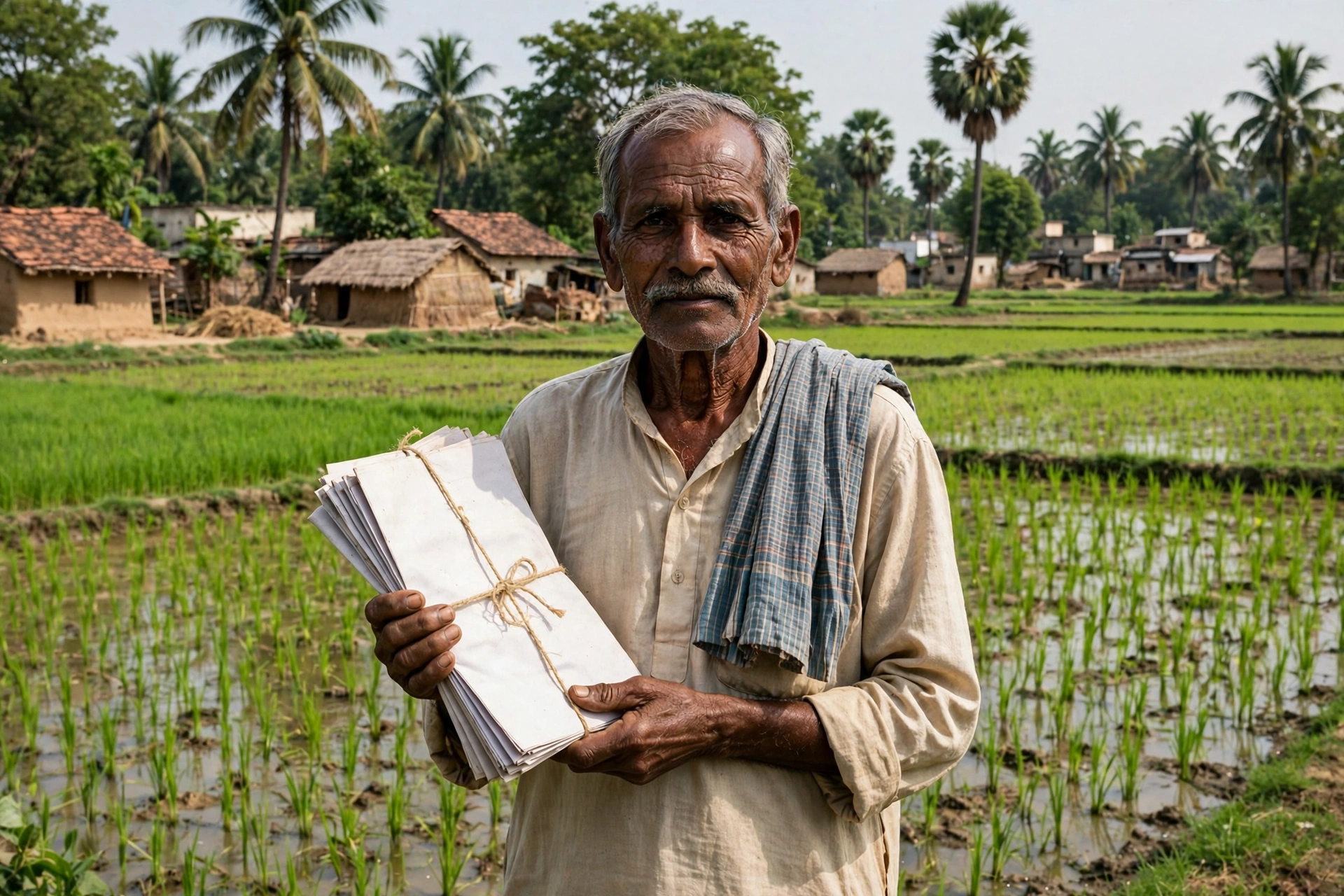
Bihar Jamabandi: The One Record That Decides Almost Every Land Decision
Bihar Jamabandi is the record that sits behind almost every land decision in Bihar. Whether you want to buy land, sell it, divide it in the family, use it for a bank or government process, or simply correct an old entry, the first question is always the same: does the jamabandi show the correct name, khata, khesra and area? When this record is correct, the rest of the work becomes much easier. When it has an error, even a small task can stay stuck for a long time.
The good news is that you no longer need repeated visits to the circle office just to see this record. The Revenue and Land Reforms Department of the Government of Bihar has made jamabandi records available to view online. In this guide, we walk you through the full journey from start to finish — what jamabandi means, what to keep ready before you search, how to search by khata number, khesra number, jamabandi number and owner name, how to read the entry, how to save the PDF, and what to do if you find a mistake.
The last part of this guide is the most useful. It covers the problems that trouble people most — khata or khesra showing as zero, spelling mistakes in the name, a record that cannot be found online, and old records that were never digitised. It also explains how to spot copycat websites. Read the guide to the end, and keep your old papers beside you so you can match the numbers as you go.
Quick Facts: Bihar Jamabandi at a Glance
| Item | Detail |
|---|---|
| Main portal | Bihar Bhumi — biharbhumi.bihar.gov.in (Revenue and Land Reforms Department, Government of Bihar) |
| Main service | View Jamabandi Register (linked to Register-2 / Panji-2) |
| Search methods | Khata number, khesra number, jamabandi number, raiyat (landholder) name, or the full mauza register |
| Fee to view | Viewing jamabandi is free; do not pay any agent for it |
| Correction portal | Parimarjan — parimarjan.bihar.gov.in |
| Land tax / receipt | Bhulagan — bhulagan.bihar.gov.in |
| Registration document search | Bhumi Jankari — bhumijankari.bihar.gov.in |
| Maps / survey | Directorate of Land Records & Survey — lrc.bih.nic.in |
What Is Jamabandi, and What Does It Contain?
In simple words, jamabandi is the account book of land for a mauza (revenue village). It records the land details of a raiyat (landholder) in that village. In Bihar it is often linked to Register-2, also called Panji-2. When you open a jamabandi entry, you will usually find the raiyat’s name, the father’s or husband’s name, the khata number, the khesra (plot) number, the jamabandi number, the rakba (area), the type of land, the lagan (land revenue) details, and the identity of the mauza and halka.
Khata, khesra and khatiyan are often spoken together, but they mean different things. A khata is an account number under which a raiyat’s land is recorded. A khesra is the survey number of one specific plot. A khatiyan is the record of rights prepared during an older survey, showing ownership details. In Bihar, the older CS (Cadastral Survey) and RS (Revisional Survey) khatiyans are also mentioned in correction documents. Jamabandi brings these threads together and shows the current position. That is why, before a land deal, you should not rely on a single slip of paper — match the jamabandi, the khesra details and the lagan receipt together.
When do you need jamabandi? Before buying or selling land to verify ownership, at the time of partition or succession, for dakhil kharij (mutation), for an LPC (Land Possession Certificate) application, for giving land proof in a bank or government process, and for settling a boundary dispute. If you are buying land, matching the seller’s numbers against the online jamabandi is your first layer of protection. If the numbers do not match, stop and understand why before you go further.
Before You Search: Keep These Details Ready for Your Bihar Jamabandi Online Check
Write these details on a paper before you start. It prevents repeated back-and-forth and reduces the chance of opening the wrong mauza or the wrong khata.
- District: the district where the land is located.
- Sub-division: this option may appear after you select the district.
- Circle / Anchal: the circle office under which the land falls.
- Halka: the revenue halka inside the circle.
- Mauza: the village / revenue mauza name. The same name can exist for more than one mauza, so confirm identity with the thana number or nearby villages.
- Search number: whichever you have — khata number, khesra number, or jamabandi number. If you have none of these, the correct name of the raiyat can also work.
- Old papers: an old receipt, a copy of the khatiyan, the sale deed (kewala), or a mutation order — these often carry the khata and khesra numbers.
One important caution about names: do not rush over spelling. The online record sometimes carries a name in a different spelling from the old paper. If a name search fails, try a khata or khesra search instead. A number search is more precise, because several people with similar names can live in the same mauza.
Method 1: View the Jamabandi Register on the Bihar Bhumi Portal (Main Method)
This is the most direct and most widely used method. Bihar Bhumi is the official portal of the Revenue and Land Reforms Department. The official Parimarjan portal page also states that the facility to view jamabandi records from all 534 anchals of Bihar is available on the departmental portal at biharbhumi.bihar.gov.in.
- Open the official address in your browser: biharbhumi.bihar.gov.in. Check the spelling carefully while typing — read the copycat-website section below.
- On the homepage, choose the View Jamabandi Register option.
- Select your District, then your Sub-division and Circle (Anchal).
- Select your Halka and Mauza.
- Now choose the search method — by khata number, by khesra number, by jamabandi number, or by raiyat name. If you have no number, you can also open the full register of that mauza.
- Enter the number or name asked for, fill in the security code (captcha), and click Search.
- Open your jamabandi entry from the list. The full register will appear on screen — raiyat name, khata, khesra, jamabandi number, rakba and lagan details.
- Use the portal’s view / download / print option to save a PDF of the record or take a printout. Save the PDF in a safe folder with your name and the date.
Remember: the jamabandi you see online is for information and reference. If a legal process, a bank or a registration office asks for a certified copy, ask the circle office about a certified copy. Do not treat the online view alone as the final legal proof.
How to Read a Jamabandi Entry
Once the record opens, do not skim it. Match each point below against your old papers, one by one:
- Raiyat name and guardian name: check the spelling and the father’s / husband’s name.
- Khata number and khesra number: these should match your sale deed, receipt or khatiyan.
- Jamabandi number: this number will be needed again and again for lagan payment and correction work. Note it down separately.
- Rakba (area): match the area in acre / decimal / hectare with your old papers.
- Land type and lagan: look at the lagan demand and any arrears shown.
- Bhag Vartman (part current) and page number: these are needed when you pay lagan.
If any column shows 0 or is blank, do not panic — read the troubleshooting section below. In many cases it is a digitisation error that can be corrected through Parimarjan.
Method 2: Search by Name — When You Have No Khata or Khesra Number
If you do not have a khata or khesra number, search by the raiyat’s name. After selecting the mauza, choose the name option and enter the name. You may find several people with the same name, so identify the correct entry using the father’s / husband’s name, the khata number or the rakba. If the name search does not return the right entry, open the full mauza register (Samast Panji-2) and look through the name-wise list. This method takes longer, but when you have no number it is the most reliable route.
One more caution for name search: old records sometimes carry a name in a shortened form or a different spelling. If the full name does not appear, try the first part of the name or a different spelling of the surname. If it still does not appear, read the record-not-found section below.
Method 3: Advanced Search for Registration Documents on Bhumi Jankari
Sometimes viewing jamabandi alone is not enough — you may also want to know whether a registered document exists for the land. For that, there is the Bhumi Jankari portal. This portal offers an Advance Search facility to search property details on different criteria, such as the deed serial number or the party name. It also lists options such as MVR (Minimum Value Register) and certified copy services.
One important update that appears on the Bhumi Jankari portal itself: the data for registered documents on this portal is available only up to 15 December 2024. Information about documents registered after 16 December 2024 is available through the certified copy module of the eNibandhan portal at enibandhan.bihar.gov.in. So if your document is recent and does not appear on Bhumi Jankari, use the eNibandhan route instead.
Method 4: Bhu Naksha — See the Land Map and Plot Boundary
Seeing correct numbers on paper is one thing; understanding where the plot sits on the ground is another. Bhu Naksha (land map) lets you see your plot’s boundary and the neighbouring plots. In Bihar, map-related services are linked to the Directorate of Land Records & Survey — the official portal is lrc.bih.nic.in. The Bihar Bhumi portal also gives access to map services through its Land Maps option.
When you view the map, select the district, sub-division, circle and mauza, then find the plot with your khesra number. The map shows the plot boundary, neighbouring plots and the position of roads. Where available, look for a Land Parcel Map (LPM) Report option, which brings khesra, boundary and map-related information together in one report. Remember: the online map is for viewing and understanding; for a boundary dispute, get the certified map confirmed from the circle / survey office.
Paying Lagan and Downloading the Online Receipt (Bhulagan)
After viewing jamabandi, the next task is often the lagan (land revenue) receipt. The official portal for this is bhulagan.bihar.gov.in. Here you can see your dues, pay lagan online, and download the receipt (rasid).
- Open bhulagan.bihar.gov.in and choose the Bhu-Lagaan option.
- Choose Pay Online.
- Fill in the details asked for — district, halka, circle, mauza, bhag vartman (part current) and page number. The part and page numbers come from the jamabandi register.
- Search by khata number, khesra number or raiyat name, and select your entry.
- Click View Dues to see past arrears and the current demand.
- Enter your name, address and mobile number, accept the terms, and click Pay Online. Choose the payment mode and bank, then complete the payment.
- After a successful payment, the receipt will appear on screen — save it as a PDF at once and keep a printout too. Keep the Transaction ID / Depositor ID safely.
If a payment gets stuck, or money is deducted but no receipt is generated, do not pay again in a hurry. First look for the pending / failed transaction option on the portal and check the status with your Transaction ID. If needed, contact the official contact given on the receipt.
LPC and Dakhil Kharij (Mutation) Status
Two tasks often come together with jamabandi — LPC and dakhil kharij. LPC (Land Possession Certificate) is a certificate of possession of land, asked for in many government and bank processes. The Bihar Bhumi portal lists the option to apply for LPC. Dakhil kharij (mutation) is the process by which the new owner’s name is entered in the record after a purchase, succession or partition.
If you have applied for dakhil kharij, check its status on the Bihar Bhumi portal itself. Keep your case number / application number safe, because you will need it to check the status. The record is complete only after the new name appears in the jamabandi — merely submitting the application is not enough. So after mutation, open the jamabandi again and check that the new name, khata and khesra are entered correctly.
If There Is an Error: How to Get It Corrected Through Parimarjan
If the jamabandi has an error in the name, khata, khesra, rakba, lagan or any other detail, do not leave it as it is. The official portal for correction is parimarjan.bihar.gov.in. The official Parimarjan page itself explains that this portal helps raiyats file an online request for correction of the jamabandi record, and that the circle officer verifies the facts against government records.
- Open parimarjan.bihar.gov.in and choose Post Your Application.
- Enter your name, email and mobile number, then verify with the OTP sent to your mobile.
- Fill in the property details — district, circle, mauza and land information.
- In Application Category, choose the category that matches your error — for example, correction of the raiyat name in the digitised jamabandi, correction of khata-khesra-chauhaddi-rakba, correction of the lagan amount, or digitisation of a missed jamabandi.
- Upload the supporting documents. The Parimarjan page lists documents by category — for example, the application in the prescribed format, a self-attested copy of the mutation order, a self-attested copy of the correction slip, a self-attested copy of the bhu-lagaan receipt, and a self-attested copy of the latest final khatiyan (CS/RS). Read your category’s list carefully on the portal itself.
- Submit the form and keep the Acknowledgement Number / Application ID safely.
- Use Track Your Application and enter the application ID to follow the status.
About timelines: under the Parimarjan Plus framework, correction timelines are given by category — shorter for small clerical / typographical errors, longer for technical details, and longest for complex cases needing field verification. The time taken by the applicant to respond is not counted in this calculation. So if the portal asks for a missing item or document, complete it quickly. If parimarjan.bihar.gov.in does not open directly, open biharbhumi.bihar.gov.in and use the Parimarjan link there — the correction application is connected to the same portal. If your error is of a type for which Parimarjan does not accept an application — for example, a khata / khesra / rakba error in a jamabandi created after disposal of an online mutation case — the portal’s own instructions may point you to the appeal route before the DCLR. Follow that route in such a case.
Troubleshooting: The Most Common Problems and Their Fixes
1. Jamabandi Shows Khata or Khesra as 0
This is a common digitisation error. First match the correct numbers from your old papers — khatiyan, receipt, or sale deed. If the old papers show the correct numbers and the online entry shows 0, file a correction application through Parimarjan. Upload documents that carry the correct numbers. A state jamabandi verification drive has also focused on correcting entries with zero area or zero rent, so file your application under the matching category.
2. Name Spelling Mismatch or Name Does Not Match
First check whether the problem is only spelling or the name is entirely different. If it is only a spelling error, choose the raiyat-name correction category in Parimarjan and upload identity and land documents. If a completely different person’s name appears, do not file a new application in a hurry — first confirm from the sale deed, khatiyan and mutation papers whose name the land should be in, then apply in the correct category.
3. Record Not Found Online
Check these points one by one: (a) district, circle, halka and mauza are selected correctly; (b) the khata / khesra number is typed correctly — try variations of the digits; (c) try a different spelling of the name; (d) open the full mauza register and look through the list. If it still does not appear, the record may not yet be digitised or may have been missed. In that case, look at the digitisation-of-missed-jamabandi category in Parimarjan, and also enquire at the circle office.
4. Old Record Not Digitised
An old CS / RS khatiyan or old jamabandi not appearing online is common. It does not mean the land right has ended. Keep the old papers safe, and apply for digitisation of the missed jamabandi as per the Parimarjan guidance. If the online route does not open, also enquire through the offline RTPS / circle office route, and always take a receipt for your application.
5. Portal Not Opening or Search Getting Stuck
Sometimes the portal is slow or the server is busy. Try again after some time, try a different browser, and refresh the page if there is a cache problem. Fill the captcha correctly — a wrong captcha will stop the search. If the same step keeps failing, keep a screenshot and show it at the circle office.
Beware of Copycat Websites — This Warning Matters Most
Several lookalike websites run in the name of viewing jamabandi. They look like the real site, but their aim may be to collect your name, mobile number or money. Follow these rules:
- Always check the address bar: the address should end in bihar.gov.in or bih.nic.in. These are the government domains.
- Viewing jamabandi is free — if any site or person asks for money to view it, stop.
- Never enter your Aadhaar number, OTP, bank details or password on an unknown site. A government portal asks for OTP only inside its own service, never through a forwarded link.
- Do not pay any agent who promises to “fix your jamabandi”. The official routes for correction are Parimarjan and the circle office.
- Open the portal only from an official link — do not trust a forwarded link.
Quick Checklist Before Buying Land in Bihar
- Match the seller’s khata, khesra and jamabandi numbers on Bihar Bhumi.
- Check the name, father’s / husband’s name, rakba and lagan in the jamabandi.
- Check registration-document information on Bhumi Jankari (for older documents), and remember the eNibandhan route for newer documents.
- Check the plot boundary on Bhu Naksha.
- Check the lagan arrears on Bhulagan — decide before the deal who will bear the arrears.
- If you see any error, pause the deal and get the correction done first through Parimarjan / the circle office.
Land records in Rajasthan work on the same khata-khesra idea — for comparison, see our guide Rajasthan Apna Khata Jamabandi.
Bihar Jamabandi — Frequently Asked Questions (FAQ)
Q1: How can I check Bihar Jamabandi online?
On the Bihar Bhumi portal (biharbhumi.bihar.gov.in), choose View Jamabandi Register, select district → sub-division → circle → halka → mauza, then search by khata number, khesra number, jamabandi number or raiyat name. Save the PDF once the record opens.
Q2: What do I need to check Bihar Jamabandi?
District, circle, halka and mauza details, plus any one of these — khata number, khesra number, jamabandi number, or the correct name of the raiyat. Old receipts or khatiyans often carry these numbers.
Q3: Is it free to download the Bihar Jamabandi PDF?
Yes, viewing jamabandi is free. Use the portal’s view / download / print option to save the PDF. Do not pay any agent for this.
Q4: What should I do if the jamabandi shows khata or khesra as 0?
Match the correct numbers from your old papers, then file a correction application on the Parimarjan portal (parimarjan.bihar.gov.in). Upload documents carrying the correct numbers and keep the Acknowledgement Number safe.
Q5: How do I correct a name error in the jamabandi?
On Parimarjan, choose Post Your Application, verify with OTP, select the correct category, upload supporting documents, and track the status with your application ID.
Q6: What if my record is not found online?
Recheck the district-circle-mauza selection and the number spelling, try a different name spelling, and open the full mauza register. If it still does not appear, apply for digitisation of the missed jamabandi through Parimarjan and enquire at the circle office.
Q7: Why does a new registration document not appear on Bhumi Jankari?
Bhumi Jankari carries data up to 15 December 2024. For documents registered after 16 December 2024, use the certified copy module of the eNibandhan portal.
Disclaimer: GramSuvidha is a private information portal, not a government website. This article is for information only. Before any final decision, please verify the facts on the concerned government portal or at the circle office.




1 thought on “Bihar Jamabandi Online Check: How to View and Download Your Land Record in Bihar”
Comments are closed.