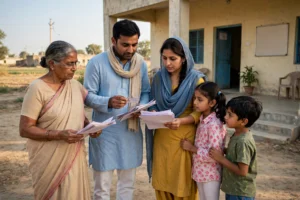
Picture a student in a village or small town in Madhya Pradesh. She has cleared Class 12, taken admission in college, and now the monthly fees, books and hostel expenses weigh heavily on her family. Someone tells her about a state scholarship called MPTAAS, meant for students exactly like her. She picks up her phone, types the name, and faces a wall of websites — some old, some copied from each other, and one or two that look official but are not official at all.
This guide untangles that confusion step by step. First, you will learn which path is genuine and how to avoid the fake ones. Then comes the full picture of eligibility, documents, registration, login and status check. After that, we cover renewal — the stage where the most students get stuck. Finally, you will get amounts, payment, rejection and appeal explained in one place, so you do not need to wander anywhere else.
CRITICAL WARNING — read this first: The only official MPTAAS portal is on the website of the Madhya Pradesh Department of Tribal Affairs and Scheduled Caste Welfare — tribal.mp.gov.in/MPTAAS. Check the address carefully: it must end in .gov.in. mptaas.info and any similar-looking site are NOT the official portal. Never enter your Samagra ID, Aadhaar details, password or bank details there. Some popular guides wrongly send readers to mptaas.info — this guide will not make that mistake. Every official link below goes only to tribal.mp.gov.in.
Quick Facts: MPTAAS Scholarship at a Glance
| Item | Detail |
|---|---|
| Portal name | MPTAAS — Madhya Pradesh Tribal Affairs Automation System |
| Department | Department of Tribal Affairs and Scheduled Caste Welfare, Government of Madhya Pradesh |
| Official portal | tribal.mp.gov.in/MPTAAS |
| Beneficiaries | SC, ST and OBC students of Madhya Pradesh (post-matric courses) |
| Main services | Registration, post-matric scholarship application, status check, renewal, hostel and coaching-related services |
| Payment method | DBT — direct transfer to the Aadhaar-linked bank account |
| Key identity | 9-digit Samagra ID + Aadhaar e-KYC |
| Application fee | No fee is reported for applying on the portal; never pay any agent |
This guide is published by a private information portal, not a government website. Always treat the official portal and the department notification as the final authority.
What Is the MPTAAS Scholarship?
MPTAAS stands for Madhya Pradesh Tribal Affairs Automation System. It is the project that computerises the schemes and processes of the Department of Tribal Affairs and Scheduled Caste Welfare in Madhya Pradesh. According to the department’s own official page, 18 modules were to be developed under this project, and beneficiaries receive Aadhaar-based DBT payments after a simple profile registration. Students can track their application status through their own dashboard.
For students, the most important part is the Post-Matric Scholarship (PMS). Post-matric study — Classes 11 and 12, graduation, post-graduation, diplomas, nursing, pharmacy, LLB, engineering, medical, management, MPhil and PhD in recognised institutions — falls in this scope. The portal is also linked to hostel management and coaching schemes such as Pratibha Yojana and Aakanksha Yojana. In other words, one profile can open the door to several departmental services.
Understand one thing clearly: MPTAAS is not a separate cash scheme that pays every student the same amount. It is a system — one place that brings application, verification, approval and payment together. Your amount depends on your course, whether you live in a hostel, and your eligibility. So seeing one figure somewhere and assuming you will get exactly that would be wrong.
One more important point: many existing guides are 200 to 400+ days old. They do not carry the fresh position for the 2026-27 session, new rules, or changes in the portal. That is why, wherever information can change, this guide clearly marks it as “check on the portal”, so your application does not get stuck on outdated information.
Who Can Apply for the MPTAAS Scholarship? Eligibility
The conditions below are drawn from various guides and general scheme information. Note that sources disagree on the income limit — so instead of hiding that disagreement, we state it openly in the next section.
- Domicile: The applicant must be a permanent resident of Madhya Pradesh. A domicile certificate may be required.
- Category: The student must belong to the SC, ST or OBC category and hold a valid caste certificate issued by the Government of Madhya Pradesh.
- Course: The student must be enrolled in a recognised post-matric course (Class 11 onwards).
- Samagra ID: A 9-digit Samagra ID is required, with correct name, date of birth, caste and income details. The portal pulls data from Samagra, so an error in Samagra becomes an error in the application.
- Aadhaar: Aadhaar e-KYC is reported as mandatory. The bank account must be linked to Aadhaar and active in NPCI, otherwise the DBT payment will not reach you.
- One-scholarship rule: Two scholarships cannot be held at the same time. If a second one is awarded, the student must choose one and inform the institution.
- Parents’ employment: Several guides state that parents should not be employed in a government institution. This condition can vary by category and scheme — read the portal’s current conditions before applying.
Income Limit: Sources Disagree Here — Be Careful
The income limit is the most confusing part of MPTAAS, and that is exactly why this guide does not present one figure as “confirmed”. Different seemingly reliable sources give different figures:
- One recent guide (Shiksha) reports full benefit up to ₹5 lakh for SC/ST and 50% benefit at ₹5–6 lakh.
- Another guide (Buddy4Study) reports ₹2.5 lakh for SC/ST and ₹1.5 lakh for OBC — which matches the older framework of the centrally sponsored Post-Matric Scholarship.
- Some other guides write up to ₹6 lakh for SC/ST and up to ₹2.5 lakh for OBC.
All three cannot be right at the same time. It is possible that different schemes, different sessions, or the full-versus-partial scholarship conditions have been mixed up across sources. Our advice: treat only the current session’s eligibility conditions shown on the official portal as final for the income limit. Before starting your application, save a screenshot or printout of the income limit shown for your category on the portal. If your income is right at the boundary, get your income certificate updated first and then apply.
Documents Checklist — Keep Everything Ready Before You Apply
Incomplete documents are the biggest reason applications get stuck midway. The list below is based on general guides; the documents the portal asks for will be final:
- Aadhaar card of the student (parents’ Aadhaar is also asked in some places)
- 9-digit Samagra ID (keep both the Family ID and Member ID safe)
- Caste certificate (SC/ST/OBC, issued by the Government of Madhya Pradesh; a digital copy is better)
- Income certificate (recent, issued by the competent authority)
- Domicile certificate (proof of permanent residence in Madhya Pradesh)
- Marksheet / passing certificate of the previous class
- Transfer certificate (TC), if asked
- College admission proof / fee receipt / bonafide certificate
- First page of the passbook of the Aadhaar-linked bank account, or a cancelled cheque
- Recent passport-size photo and student ID card
One golden rule: the spelling of your name, date of birth, father’s name and Samagra ID must match across all documents. Even a one-letter difference can cause delay or rejection. Scans must be clear, within the portal’s file-size limit, and you should keep a photocopy of every document with you.
MPTAAS Registration: How to Register as a New User
Registration is the foundation of your MPTAAS profile. Do not rush it. The steps below follow the general flow described in guides and on the portal; button names on the portal may differ slightly, but the order stays the same:
- Open the correct portal: Type tribal.mp.gov.in/MPTAAS in your browser. Proceed only after seeing .gov.in in the address bar. Do not click Google ads or lookalike sites.
- Choose new registration: On the homepage, choose the registration option for new beneficiaries. Read the instructions carefully and tick the consent checkbox.
- Enter Samagra ID and get OTP: Enter your 9-digit Samagra ID and click Get OTP. The OTP will come to the mobile number linked to Samagra / Aadhaar.
- Verify the OTP: Enter the OTP to complete verification. Never share your OTP with anyone — the department never asks for it.
- Fill personal details: Enter name, date of birth, father’s name, address, mobile number, marital status and so on, exactly as in Samagra and Aadhaar.
- Fill caste, income and domicile details: Enter father’s occupation, family income and domicile certificate details, and save.
- Create a password and submit: Read the whole form once again, then create a new password and submit.
- Save the User ID: After successful registration, a User ID will appear on the screen. Write it down safely — this will be your login name. The password may also arrive by SMS / email.
If the caste or income details in Samagra are wrong, get them corrected on the Samagra portal or through the concerned office first. MPTAAS takes data from Samagra, so a Samagra error will flow straight into your application.
MPTAAS Login and Status Check
After submitting your application, the most important job is to keep checking the status. Many students apply and forget, and learn about a rejection months later.
- Open the official portal: Go to tribal.mp.gov.in/MPTAAS.
- Choose MPTAAS Login: Click the login option.
- Enter User ID, password and captcha: Enter the User ID you received at registration and the password you created, fill the captcha, and log in.
- Open the dashboard: Your dashboard will open after login.
- From the PMS dropdown, choose Application Status: In the PMS (Post-Matric Scholarship) option, click Application Status.
- Choose session and Application ID: Select the academic year and your Application ID. Your status, sanctioned amount, payment details and NPCI status will be shown.
What Does Each Status Mean?
Status labels on the portal can vary slightly at different times. The table below gives the general meaning; treat the detail and reason shown on the portal as final:
| Status | General meaning | What you should do |
|---|---|---|
| Submitted / Pending | Application submitted, waiting for verification | Wait; keep documents ready |
| Pending for Verification / Under Verification | Institute or district office is checking it | Stay in touch with the institute nodal officer |
| Pending for Sanction | Verification done, waiting for sanction | Wait; do not file a fresh application |
| Approved / Sanctioned | Application approved, amount in release process | Check bank account and NPCI status |
| Disbursed / Payment Processed | Money has been sent | Check account in 2–3 working days; watch for SMS |
| Rejected (with reason) | Application rejected — reason shown on the portal | Read the reason and follow the appeal / correction process below |
| On Hold / Failed | Application held or payment failed | Check bank / Aadhaar linking and details; contact the office |
Practical tip: keep a screenshot or printout every time you check the status. That record will help you during an appeal or an office visit.
MPTAAS Renewal 2026-27: How to Continue Next Year’s Scholarship
Renewal does not happen automatically. A fresh renewal application must be filed every year. And this is where most students get stuck — because renewal opens only when the previous year’s marks are already updated on the portal.
- Log in: Log in to the official portal with your existing User ID and password.
- In PMS, choose Apply Application / Renewal: Open the application option in the PMS section of the dashboard.
- Choose Admission Year: Select the same Admission Year in which you first applied. In Application Type, choose Renewal.
- Choose Course Year and look for the Success message: Select the Course Year you want to apply for. If your previous exam result is already synced, a Success message will appear and you can click Go for Apply.
- If Success does not appear — go to your college first: It means your result has not been updated on the portal yet. You must ask your college nodal officer to update your data on the MSM (Marksheet Management) portal. Only after the marks sync on MSM will the renewal form open. Skipping this step means you cannot renew.
- Check the auto-filled information: Your current session, previous income certificate and other details will appear auto-filled. According to several guides, there is no option to change the income certificate during renewal — so read what is shown very carefully.
- Check allowance and fees: Your scholarship amount — annual fees plus maintenance allowance — will be shown. Read it carefully before proceeding.
- Tick the declaration and submit: Tick the declaration checkbox and click Submit. When asked for confirmation, choose Yes.
- Save the new Application Number: After successful submission, you will get a new Application Number. Note it down and keep tracking through Track Application / Payment Status.
Remember two renewal rules: the scholarship continues only while the student is promoted to the next class each year. Changing course or institution without approval can cancel the scholarship. If you failed an exam, ask your institute nodal officer which renewal rule applies in your case — different groups are reported to have different rules.
MPTAAS Scholarship Amount: How Much Do You Get?
Amounts also differ across sources, so treat the table below as widely reported indicative rates, not department-confirmed rates. Your final amount will be the sanctioned amount shown in your application on the portal. For post-matric courses, several guides carry the same Group-wise table:
| Group | Course examples | Hosteller (₹/month, reported) | Day scholar (₹/month, reported) |
|---|---|---|---|
| Group I | Management, Engineering, Medical, PhD, MPhil, UG/PG | 1,500 | 550 |
| Group II | Nursing, Pharmacy, LLB, UG/PG (except business courses) | 820 | 530 |
| Group III | General graduation courses such as BA, BSc, BCom | 570 | 300 |
| Group IV | Classes 11 and 12 | 380 | 230 |
Tuition fee and exam fee reimbursement is also reported. For pre-matric (Classes 9–10), some older guides mention day-scholar ₹150–250 and hosteller ₹300–500 bands, but these come from older sources — do not treat them as confirmed rates. Some places also quote higher bands for technical / professional and medical / engineering courses, which probably reflect total benefit including fee reimbursement. So instead of trusting a single figure, check your sanctioned amount on the portal.
One more important point: monthly allowance and fee reimbursement are two different things. The allowance may come monthly and the fee amount in a separate instalment. Check both separately in your payment details.
How Does Payment (DBT) Arrive?
After approval, the amount is sent by DBT to your Aadhaar-linked bank account. The department’s official information also describes Aadhaar-based DBT as the main payment method. In practice, this means:
- The bank account must be linked to Aadhaar and active in NPCI — otherwise the payment can fail.
- After Disbursed appears, the money can take 2–3 working days to show in the account — this is a commonly reported normal time, not a guarantee.
- An SMS may arrive on transfer. Even if no SMS arrives, the portal status and bank statement are the real proof.
- If payment shows Failed, first get the Aadhaar linking and account number / IFSC checked at the bank, then contact the institute nodal officer.
What If Your Application Is Rejected? Appeal and Correction Process
Do not panic on rejection — first read the reason. Re-applying without knowing the reason wastes time.
- Read the reason code: Read the reason written with Rejected on the portal carefully. The reason will tell you whether the fault is in documents, income, bank / Aadhaar, or institute verification.
- Common rejection reasons: Wrong or incomplete documents; income mismatch; bank account not linked to Aadhaar; name / date-of-birth difference between Samagra and the application; verification not done by the institute.
- Meet the college nodal officer: Correct the documents as per the reason and ask the nodal officer about re-verification / data correction / re-submission. Many corrections happen at the institute level itself.
- Contact the District Tribal Welfare office: If the institute level does not resolve it, visit the district Tribal Welfare office with a printout of your Application ID and status.
- Keep records: Keep your Application ID, status screenshots, copies of submitted documents, and the date of every conversation at the office, written down.
Never pay anyone to “fix a rejection”. The correction process runs through the portal and the office only, not through any agent.
Forgot Your Password? Password Reset and Recovering User ID
- If you forgot the password: On the login page, choose Forgot Password, enter your User ID or Profile ID, and follow the on-screen instructions. After OTP verification, create a new password.
- If you forgot the User ID: Guides report that the User ID can be recovered from the login page via the Forgot User ID option using the registered mobile number, Profile ID, or Samagra ID + caste certificate. The options shown on the portal will be final.
- Security: Never share your password. If you log in from a public computer or cyber cafe, always log out afterwards.
Common Mistakes That Stall an Application
- Entering details on the wrong portal (sites like mptaas.info) — the biggest and most dangerous mistake.
- Applying with wrong caste / income details in Samagra.
- Not linking the bank account to Aadhaar, or NPCI not active.
- Name / date-of-birth spelling differences across documents.
- Trying to open the renewal form without getting marks updated on MSM.
- Not checking status — learning about rejection too late.
- Paying an agent or sharing OTP.
Related Scholarship Guides
If you want to know about national-level scholarships alongside MPTAAS, see our National Scholarship Portal 2026-27 guide. Students from defence and paramilitary families may also find our PM Scholarship Scheme 2026 guide useful. Every scheme has different eligibility, so check each scheme’s conditions separately before applying.
Contact and Help
Several guides report the Tribal Welfare Department toll-free number as 1800-2333-951. We had not verified it on the department’s official MPTAAS page at the time of writing, so match it against the current contact details shown on the portal before dialling. The most reliable help will come from your college nodal officer and the district Tribal Welfare office — carry a printout of your Application ID and status when you visit.
Frequently Asked Questions (FAQ) — MPTAAS Scholarship
Q1: What is the official portal for the MPTAAS Scholarship?
A: Only tribal.mp.gov.in/MPTAAS. The address must end in .gov.in. mptaas.info is not the official portal — do not log in or upload documents there.
Q2: Who can apply for the MPTAAS Scholarship?
A: Permanent residents of Madhya Pradesh from SC, ST or OBC categories studying in a post-matric course (Class 11 onwards) in a recognised institution. Samagra ID and Aadhaar e-KYC are reported as essential. For the income limit, check the portal’s current conditions, because sources disagree.
Q3: How do I check my MPTAAS Scholarship status?
A: Log in on the official portal → PMS dropdown → Application Status → select session and Application ID. Sanctioned amount, payment details and NPCI status may also be shown.
Q4: Why is the Success message not appearing in MPTAAS Renewal?
A: Usually because the previous year’s marks have not synced to the portal yet. Ask your college nodal officer to update your data on the MSM (Marksheet Management) portal. The renewal form opens only after the sync.
Q5: How much is the MPTAAS Scholarship amount?
A: It depends on the course group and hosteller / day-scholar status. Widely reported rates run from ₹1,500 / ₹550 in Group I to ₹380 / ₹230 in Group IV, with tuition and exam fee reimbursement also reported. These are indicative rates — check your sanctioned amount on the portal.
Q6: What should I do if my MPTAAS application is rejected?
A: First read the rejection reason shown on the portal. Then correct the documents and get re-verification done through the college nodal officer. If it is not resolved, visit the District Tribal Welfare office with your Application ID and status printout.
Q7: When does the MPTAAS money arrive?
A: After approval, the amount is sent by DBT to the Aadhaar-linked bank account. After Disbursed appears, it can take 2–3 working days to show in the account (commonly reported normal time). If payment shows Failed, check Aadhaar linking at the bank.
Q8: Can OBC students also apply for MPTAAS?
A: Yes, guides include OBC students in the scope, but their income limit and conditions are reported differently. Check the current conditions for OBC on the portal before applying.
Disclaimer: This article is published by a private information portal, not a government website, for general information only. Amounts, income limits, dates and processes can change as per the department notification. Always check the latest information on the official portal tribal.mp.gov.in/MPTAAS before applying. Never pay any agent, and never share your OTP with anyone.