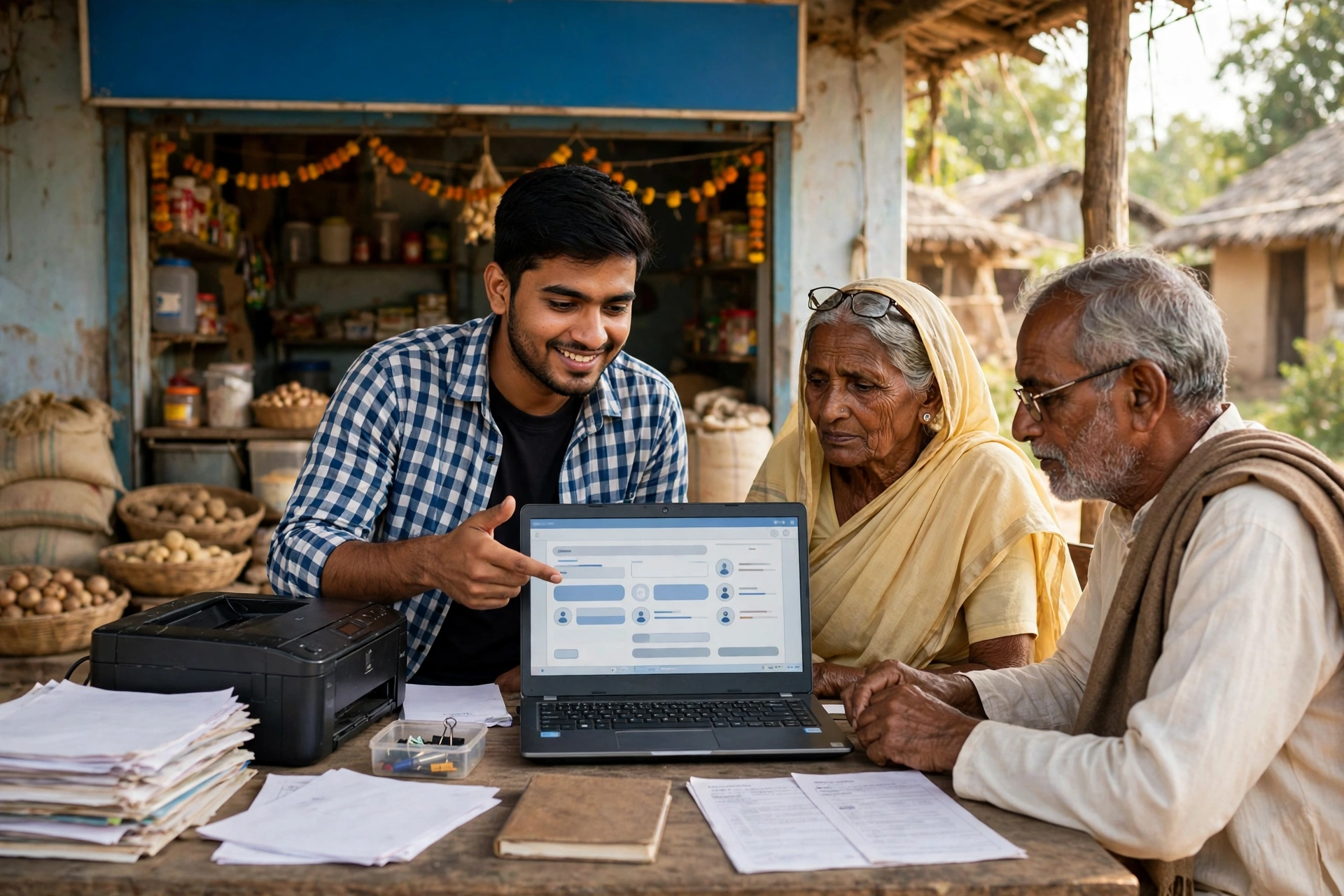
Every resident of Maharashtra needs a government document sooner or later. Sometimes it is an income certificate, sometimes a caste certificate, sometimes a birth certificate, and sometimes a 7/12 land extract. In the past, getting these documents meant visiting different offices, standing in long queues and making repeated trips to the same department. Things have changed now. The Government of Maharashtra has built a single portal where citizens can access many government services in one place. Its name is CSC Mahaonline. In this guide, we explain everything you need to know about this portal, step by step, in simple language.
By the end of this guide, you will know what CSC Mahaonline is, which services are available on it, how to register as a new user, how to do the citizen login, what VLE login is and how it differs from the citizen login, how to check the status of your application, which documents are needed, how fees work, how to find the nearest CSC centre, and how to stay safe from fake websites. This is a fresh English guide written for citizens of Maharashtra and for anyone who needs to use the state’s online citizen services.
CSC Mahaonline at a Glance (Quick Facts)
| Detail | Information |
|---|---|
| Portal name | CSC Mahaonline |
| State | Maharashtra |
| Purpose | Online citizen services of the Maharashtra Government |
| Official website | https://www.mahaonline.gov.in/ |
| Citizen login portal | Aaple Sarkar portal – https://aaplesarkar.mahaonline.gov.in/ |
| Established | 2010 (a joint venture of the Maharashtra Government and TCS) |
| Operated with | CSC e-Governance Services India Ltd (a Special Purpose Vehicle under the Ministry of Electronics and IT) |
| Helpline | 1800 120 8040 (24×7, listed on the Aaple Sarkar portal) |
| Office | MahaOnline Limited, 5th Floor, Trade World, D Wing, Kamala City, Senapati Bapat Marg, Lower Parel, Mumbai 400 013 |
What is CSC Mahaonline?
CSC Mahaonline is the Maharashtra Government’s online citizen-services portal. Through this portal, residents of the state can apply online for many government services from home. The portal was started in 2010 as a joint venture of the Maharashtra Government and TCS (Tata Consultancy Services). It is operated with CSC e-Governance Services India Ltd, a Special Purpose Vehicle under the Ministry of Electronics and Information Technology.
The biggest strength of this portal is that it brings services from different departments together in one place. You do not need to go to one office for an income certificate and another office for a caste certificate. With a single login, you can apply for several services, track the status of your applications and download certificates once the concerned department issues them.
One thing is very important to understand: when you click “Citizen Login” on the CSC Mahaonline portal, you are redirected to the Aaple Sarkar portal. Aaple Sarkar is the Maharashtra Government’s citizen-services portal, and the citizen login for CSC Mahaonline works through it. So whenever you hear about login or registration for this portal, remember that the actual work happens on the Aaple Sarkar portal. We explain this in detail below. We also have a separate guide on the Aaple Sarkar portal, which you can read here: Aaple Sarkar Portal 2026: Login, Registration and Services – Complete Guide.
CSC stands for Common Service Centre. These are centres in villages and small towns that help citizens access government services. They are also called Maha e-Seva Kendra or Jan Seva Kendra. People who do not have their own computer, smartphone or internet connection can visit these centres and apply with assistance. The CSC Mahaonline portal connects these centres with citizens who apply online themselves.
Services Available on CSC Mahaonline
Many kinds of services are available on CSC Mahaonline. The table below lists the main services. Please note that the availability, eligibility, fees and timelines of any service are decided by the concerned department, so always check the latest information for that service on the portal before applying.
| Service Category | Examples |
|---|---|
| Certificates | Income certificate, Domicile certificate, Caste certificate, Non-Creamy Layer certificate, Nationality certificate |
| Land Records | 7/12 extract, 8A extract, Property Card (through the relevant land-record portals) |
| Birth and Death | Birth certificate, Death certificate |
| Identity Cards | PAN card application, Aadhaar enrolment |
| Pension Schemes | Services linked to various pension schemes |
| Utility and Travel | Utility bill payments, Railway ticket booking |
| Banking and Agriculture | Banking services, Agriculture-related services |
| Housing (MHADA) | MHADA services, such as no-dues / no-objection certificates |
The 7/12 extract is one of the most important land documents in Maharashtra. You can read our detailed guide on it here: Mahabhulekh 7/12 2026: How to Get It Online – Complete Guide. For ration card information in Maharashtra, this guide is also useful: Maharashtra Ration Card List 2026: How to Check Your Name.
How to Register as a New User on CSC Mahaonline
If you are using the CSC Mahaonline or Aaple Sarkar portal for the first time, you must register first. The registration process is as follows:
Step 1: Open the Official Portal
Open the official website in the browser on your mobile phone or computer. Always use only the official portal.
Step 2: Click on New User / Register Here
On the login page, you will find the option “New User” or “Register Here”. Click on it.
Step 3: Enter Your Mobile Number and Verify the OTP
Enter your mobile number. Your mobile number must be linked with Aadhaar, because OTP validation happens on this number. Enter the OTP received on your mobile to verify the number.
Step 4: Fill in Your Details
After the OTP is verified, fill in the details asked in the form, such as your name and other required information.
Step 5: Create Your User ID and Password
Create a User ID of your choice and a strong password. Choose a password that you can remember but that nobody else can guess easily. Never share your password with anyone.
Step 6: Complete the Registration
After submitting the form, your registration is complete. You can now log in with your User ID and password. Where Aadhaar-authenticated login is offered, use it, because it is more secure.
One thing to remember while registering: an Aadhaar-linked mobile number is required. If your mobile number is not linked with Aadhaar, get it linked first, otherwise the OTP validation will not complete.
How to Do CSC Mahaonline Citizen Login (Step by Step)
Citizen login is for ordinary citizens who want to apply for a service for themselves. The steps to log in are:
Step 1: Open the Official Website
Open https://www.mahaonline.gov.in/ in your browser. This is the official website of CSC Mahaonline.
Step 2: Click on Citizen Login
On the homepage, you will find the “Citizen Login” option. Click on it. As soon as you click, you will be redirected to the Aaple Sarkar portal (https://aaplesarkar.mahaonline.gov.in/). Do not worry, this is the correct process. The citizen login works on the Aaple Sarkar portal.
Step 3: Enter Your Username or Email and Password
On the Aaple Sarkar login page, enter your registered username or email and your password.
Step 4: Complete the Captcha
Fill in the captcha code shown on the screen correctly. A captcha is a security check that confirms a real person is logging in.
Step 5: Choose Your District
Choose your district during login. Choosing the correct district is important, because many services are given district-wise.
Step 6: Click on Login
After filling in all the details, click on the login button. Once logged in, you will reach your dashboard, from where you can select a service and apply for it.
After logging in, find the department and service name on the dashboard, fill in the form, upload the required documents and submit the application. After submitting, you will receive an application ID. Keep it safe, because you will need it to check the status of your application.
What is VLE Login? (Clearly Different from Citizen Login)
This section is very important, because many people confuse citizen login with VLE login. They are not the same.
VLE stands for Village Level Entrepreneur. A VLE is an authorised Common Service Centre operator who runs a CSC centre and helps other citizens apply for services. VLE login is only for these authorised operators, not for ordinary citizens.
On the Aaple Sarkar portal, there is a separate “VLE Login” option for VLEs. If you are an ordinary citizen and want to apply for yourself, you must always use Citizen Login, not VLE Login. If you try to log in through VLE Login by mistake, you will not be able to log in, because it needs the separate identity and authorisation of a VLE.
In simple words: Citizen Login is for an ordinary citizen applying for himself or herself. VLE Login is for a CSC centre operator helping others. When applying for yourself, always choose Citizen Login.
How to Check Your Application Status on CSC Mahaonline
After submitting an application, the biggest question is where it has reached and whether it has been approved. The steps to check the status are:
Step 1: Open the Aaple Sarkar Portal
Open the Aaple Sarkar portal in your browser.
Step 2: Click on Track Your Application
On the portal, you will find the option “Track your application”. Click on it.
Step 3: Enter the Department, Service and Application ID
Enter your department, service and application ID. The application ID is the number you received when you submitted the application.
Step 4: View the Status
After submitting, the current status of your application will appear on the screen. From this, you can see which stage your application has reached.
Keeping your application ID safe is very important for checking the status. As soon as you apply, take a screenshot of it or write the number down somewhere safe. Checking the status without the application ID can be difficult.
Documents Needed for CSC Mahaonline
The documents needed are different for each service, because each service belongs to a different department. Below are the common documents that are often asked for. Before applying, always check the list of documents asked for that particular service on the portal.
- Aadhaar Card – as proof of identity and address
- Mobile number – linked with Aadhaar, needed for OTP
- Passport size photo – asked for in many services
- Address proof – such as an electricity bill or ration card
- Income proof – for an income certificate, such as a salary slip or income affidavit, as the department asks
- Caste proof – for a caste certificate, where applicable
- Date of birth proof – birth certificate or school certificate, where needed
- Land-related papers – survey number and other land details for 7/12 or 8A
- Service-specific documents – every service has its own list, check it on the portal
While uploading documents, make sure the scan or photo is clear and all the information is readable. A blurred photo or a torn document can delay your application or cause it to be sent back.
What Are the Fees on CSC Mahaonline?
There is no single straight answer to this question, and it is important to understand why. CSC Mahaonline is a portal, a platform that delivers services from different departments. The fee for each service is decided by the department linked to that service. Some services may be free, some may carry a department fee, and if you take help at a CSC centre, the centre may also charge a service fee.
That is why we are not writing any single fee amount here, because it could be wrong. Before applying, check the latest fee and timeline for that service on the portal itself, on that service’s page. The Aaple Sarkar portal shows the fee and the time needed along with every service. If anyone asks you for a very large amount of money for a service, first check the actual fee on the portal and only then make any payment.
How to Find the Nearest CSC Centre (Maha e-Seva Kendra)
If you cannot apply online yourself, you can visit your nearest CSC centre. A CSC centre is also called a Maha e-Seva Kendra or Jan Seva Kendra. The operator there will help you fill in the application.
To find the nearest centre, you can look for the centre-search option on the CSC Mahaonline or Aaple Sarkar portal, or you can ask around in your village or town. When you go to the centre, carry your required documents and the mobile phone linked with your Aadhaar, so that the OTP can be verified at once.
Even after applying at a centre, make sure you get your application ID and keep it safe. You can check the status of your application online yourself, so there is no need to visit the centre again and again for that.
How to Stay Safe from Fake Websites and Fraud
This is the most important part of this guide. Many fake websites in the name of government services and fake links shared on WhatsApp are circulating on the internet. To stay safe from them, remember these points:
- Apply only on the official portals: https://www.mahaonline.gov.in/ and https://aaplesarkar.mahaonline.gov.in/
- Never enter your Aadhaar number or OTP on any link received on WhatsApp, SMS or social media.
- There is no need to pay any agent to apply. You can apply yourself online or through a CSC centre.
- No government officer or portal ever asks you on the phone for your OTP, password or bank details. If you receive such a call, be alert at once.
- Check the website address carefully. The official website addresses are given above. Any other address that looks similar may be fake.
- If you face any problem or have any doubt, call the citizen helpline 1800 120 8040. This helpline is available 24×7 and is listed on the Aaple Sarkar portal.
Frequently Asked Questions (FAQ) about CSC Mahaonline
1. What is CSC Mahaonline?
CSC Mahaonline is the Maharashtra Government’s online citizen-services portal. Citizens can apply online for certificates, land records, birth and death certificates, PAN card, Aadhaar enrolment, pension and many other government services on it. The portal was started in 2010 as a joint venture of the Maharashtra Government and TCS.
2. How do I do the CSC Mahaonline citizen login?
Open the official website https://www.mahaonline.gov.in/ and click on “Citizen Login”. You will be redirected to the Aaple Sarkar portal. There, enter your registered username or email and password, fill in the captcha, choose your district and log in.
3. How do I register as a new user on CSC Mahaonline?
On the login page, click on “New User / Register Here”, enter your Aadhaar-linked mobile number, verify it with the OTP, fill in the details asked and create your User ID and password. After that, you can log in.
4. What is the difference between citizen login and VLE login?
Citizen login is for ordinary citizens who want to apply for themselves. VLE login is only for authorised CSC operators (Village Level Entrepreneurs) who help other citizens apply. An ordinary citizen should always use Citizen Login.
5. How do I check my application status on CSC Mahaonline?
On the Aaple Sarkar portal, click on “Track your application”, then enter your department, service and application ID. The current status of your application will appear on the screen.
6. What is the CSC Mahaonline helpline number?
The citizen call centre number is 1800 120 8040. This helpline is available 24×7 and is listed on the Aaple Sarkar portal.
7. Which services are available on CSC Mahaonline?
The portal offers income, domicile, caste, Non-Creamy Layer and nationality certificates, land records such as 7/12 and 8A, birth and death certificates, PAN card applications, Aadhaar enrolment, pension schemes, utility bill payments, railway ticket booking, banking and agriculture services and MHADA services. The availability and conditions of each service are decided by the concerned department.
8. What are the fees on CSC Mahaonline?
The fee for each service is decided by the department linked to it, so the fee can differ from service to service. Before applying, always check the latest fee for that service on its page on the portal.
Official Links
- CSC Mahaonline (Official Website): https://www.mahaonline.gov.in/
- Aaple Sarkar Portal (Citizen Login): https://aaplesarkar.mahaonline.gov.in/
GramSuvidha is a private information portal, not a government website.