
Last Updated: 28 November 2026
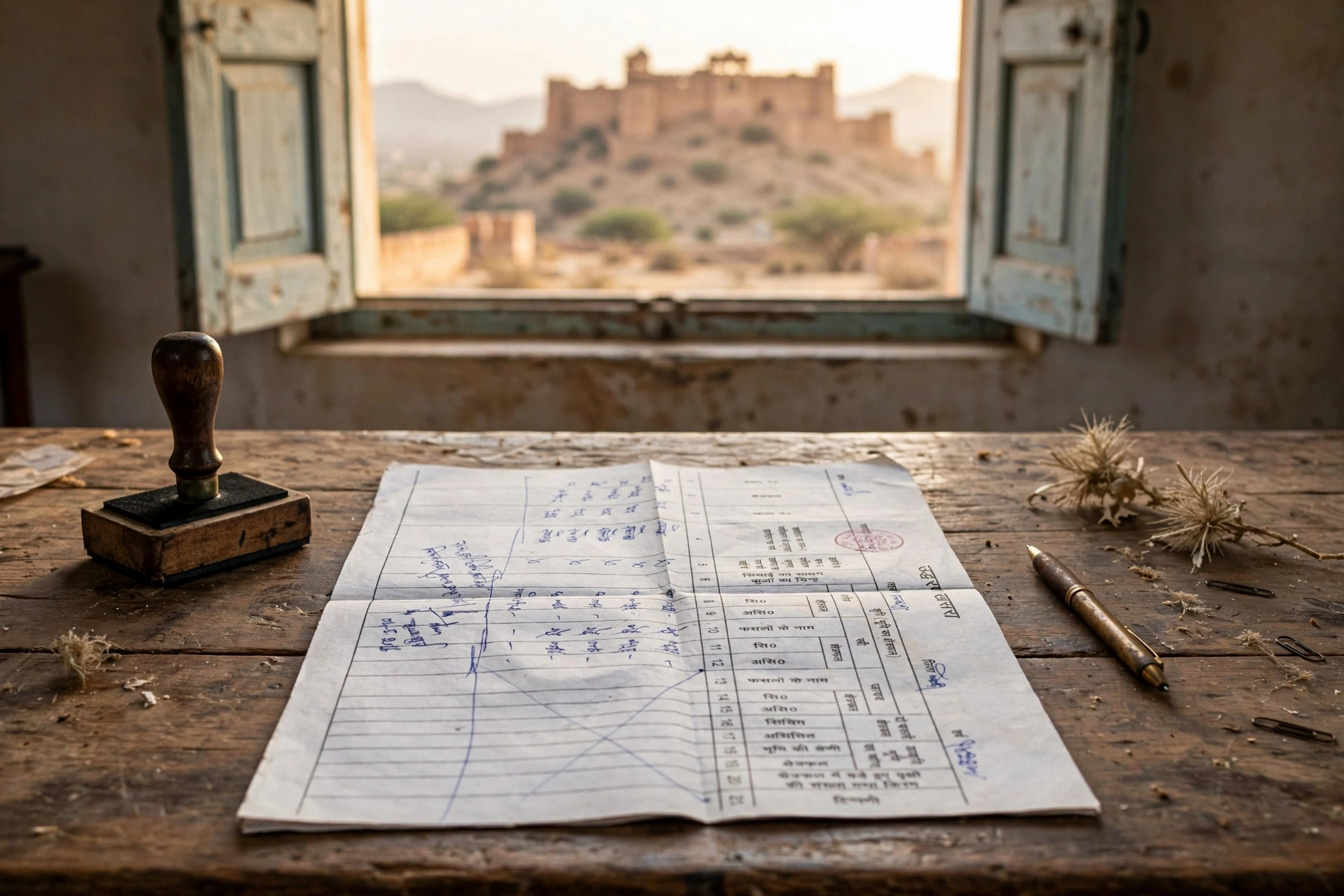
Latest update: Apna Khata is now running version 5.0, and the portal address has changed. The old address apnakhata.raj.nic.in no longer loads — use apnakhata.rajasthan.gov.in only. Rajasthan also has 41 districts now, not 50: nine of the districts created in 2023 were cancelled in December 2024, and eight new ones survive. This guide has been fully rewritten for the current portal and the current district map. In Rajasthan, checking land records no longer needs rounds of the patwari. On the Apna Khata portal (apnakhata.rajasthan.gov.in), Jamabandi Nakal, Khasra-Khatauni, Bhu Naksha — everything is available online. Mutation applications are also filed online here. In this detailed guide, we explain in simple language — what the Apna Khata portal is, what Jamabandi Nakal means, how to view and download your land record online, how to read every column of a jamabandi, how to get a certified copy from an e-Mitra kiosk, how to apply for mutation, and how to avoid fake websites. Answers to 15 essential questions are given at the end.
Rajasthan Apna Khata: Key Facts at a Glance
| Point | Details |
|---|---|
| Portal | apnakhata.rajasthan.gov.in (Apna Khata 5.0, also called e-Dharti) |
| Run by | Revenue Department, Rajasthan (Board of Revenue) |
| Main record | Jamabandi Nakal — the Record of Rights (Khasra-Khatauni) |
| Search methods | Khata number / Khasra number / owner name / USN / GSN |
| Coverage | All 41 districts and all revenue villages of Rajasthan |
| Viewing the record | Free — informational copy (Nakal Suchanarth) |
| Certified e-signed copy | Small official fee (about Rs 10-20) — from an e-Mitra kiosk or online through SSO |
| Other services | Mutation (Namantaran) application and status, Bhu Naksha, registry deed search, consensual partition, boundary demarcation (Seemagyaan) |
| Land map portal | bhunaksha.rajasthan.gov.in |
| Helpline | 0145-2627725 / 0145-2627726 (working days, 10:00 AM to 5:00 PM) |
| Old portal address | apnakhata.raj.nic.in — no longer works; do not use it |
What Is the Apna Khata Portal?
Apna Khata is the official online land records portal of the Rajasthan Revenue Department, run by the Board of Revenue as part of e-Dharti — Rajasthan’s part of the Digital India Land Records Modernisation Programme (DILRMP) of the Government of India. Its objective is simple: make land records digital and transparent, so every citizen can access their land information from home instead of visiting the patwari or tehsil office for every small check.
The portal’s homepage leads with three lists — the district list, the tehsil list and the village list — alongside direct links to Jamabandi Nakal, online mutation (Namantaran) applications, consensual partition (Sehmati Vibhajan) applications, boundary demarcation (Seemagyaan) applications, and status tracking for anything already filed. It also links out to the Bhu Naksha cadastral-map service and to girdawari (the periodic crop-survey record).
One important limit is printed on the portal itself: the copies shown are for general information only, and some mutations may not be updated immediately. An online copy can therefore lag behind a recent sale or inheritance. That is why the portal itself tells you to apply at a designated kiosk for a certified or authorised copy — the free online copy is not a certified copy, and it cannot be used as one in any court or office.
What Is Jamabandi Nakal?
Jamabandi is the village land record — the Record of Rights. It is a periodic statement of who holds which land, on what terms, of what class, and what liabilities attach to it. It is prepared and maintained through the patwari and renewed on a cycle. Nakal means a copy of that record. So a Jamabandi Nakal is a copy of the village Record of Rights for a particular holding.
Three words confuse almost everyone at first, so here they are plainly:
- Khasra is a piece of land. It is the survey number of one plot or field in a village. A khasra number is unique only inside its own village — the same number exists in hundreds of other villages, which is why every search starts by picking district, tehsil and village first.
- Khata is an account. It is the account number that groups all the khasra plots held by one person (or one set of joint holders) in a village, on the same terms. One khata commonly contains several khasras scattered around the village.
- Khatauni is the record of that account — the owner-wise statement. In Rajasthan the khatauni is commonly called Jamabandi or Nakal, and the portal’s Jamabandi Nakal is the combined khasra-khatauni Record of Rights.
A short way to remember it: a khasra is a plot, a khata is the account that holds your plots, and the jamabandi is the register that lists them all together with who owns them, who cultivates them, how big they are and what revenue they carry.
Which Portal Does What: Apna Khata vs Bhulekh vs e-Mitra vs Bhu Naksha
Search results use several names for Rajasthan land records, and they are not all the same thing. This table clears up the confusion:
| Name | What it is | Use it for |
|---|---|---|
| Apna Khata (apnakhata.rajasthan.gov.in) | The Revenue Department’s land records portal, also called e-Dharti | Jamabandi Nakal, mutation application and status, partition, demarcation |
| Bhulekh Rajasthan | Another name people use for the same Apna Khata / e-Dharti system | Same as Apna Khata — if a site calling itself “Bhulekh Rajasthan” is not on a .gov.in address, it is not the official portal |
| Bhu Naksha (bhunaksha.rajasthan.gov.in) | The cadastral map service | The map of your plot — boundaries, shape, area and neighbouring plots, by khasra number |
| e-Mitra | Government-authorised service kiosks (and the e-Mitra online service) | Certified e-signed copies, help with forms, mutation applications for people without internet |
| e-Panjiyan | The registration department portal | Registered sale deeds and registry records |
| Rajasthan SSO (sso.rajasthan.gov.in) | The state’s single sign-on for citizen services | Logging in to apply for a digitally signed jamabandi and other services |
The rule that protects you: only apnakhata.rajasthan.gov.in is the official Apna Khata portal, and viewing information on it is free. Any other site with a similar name that asks for money to “show” your record is not the government portal.
How to Check Jamabandi Nakal Online: Step by Step
Every search on Apna Khata starts the same way — district, tehsil, village — because a khasra number means nothing without its village. Follow these steps:
1. Open apnakhata.rajasthan.gov.in on your phone or computer. Do not use the old apnakhata.raj.nic.in address — it no longer loads. 2. Click “Jamabandi Nakal” on the homepage. 3. Select your district from the map or the list. The list now has 41 districts, including the eight new ones that survived the December 2024 reorganisation — Balotra, Beawar, Deeg, Didwana-Kuchaman, Khairthal-Tijara, Kotputli-Behror, Phalodi and Salumbar. If you pick an old district name from before 2023, you may land in the wrong tehsil list. 4. Select your tehsil. 5. Select your village. You can jump through the village list by its first letter. 6. Choose your search method — khata number, khasra number, owner name, USN (Unique Survey Number) or GSN — and fill in the details. 7. Choose the copy type: current copy (the latest record), past copy, or a copy from a date (an older record). 8. Press “Nakal Prapt Karein” (Get the Nakal) at the bottom. The Jamabandi Nakal appears on screen. Download it as a PDF or take a printout.
### Which search method should you use?
| Method | Use it when | Watch out for |
|---|---|---|
| By khasra number | You know the plot survey number — the most precise method | The number is unique only inside the village; pick the right village first |
| By khata number | You know the owner’s account number | One khata lists several khasras — check you are reading the right plot |
| By owner name | You know neither number | Type the name in Hindi, exactly as recorded; names are often spelled more than one way, so try spelling variants |
| By USN / GSN | You have a survey number from a newer record | Not every village record carries these numbers |
If a name search finds nothing, do not assume the land has no record. First check the Hindi spelling of the name, then check that the district, tehsil and village are right, then try the khata or khasra number instead of the name. Name spelling is the most common reason a search fails.
How to Read Your Jamabandi: Every Column Explained
Most people look only at the name on the jamabandi and stop. The name is the least interesting part. Here is what each column records, and what to check in it:
| Column | Hindi | What it records | What to check |
|---|---|---|---|
| Khata number | खाता संख्या | The account number grouping one holding | Does it match the khata on your old papers? |
| Khasra number | खसरा संख्या | The individual plot numbers in that khata | Does the khasra match the plot you mean? |
| Holder’s name | काश्तकार का नाम | Name with father’s or husband’s name, often with caste or village, for identification | Spelling, father’s name, and whether there are several joint holders |
| Class of tenant | किस्म काश्तकार | Khatedar, gair-khatedar or up-khatedar | Check this before anything else — it decides what rights the holder has |
| Share | हिस्सा | Where the holding is joint, the fraction each holder has | A parcel with six recorded share-holders is a very different transaction from one with a single holder |
| Area | रकबा | Area of each khasra, in bigha-biswa-biswansi or in hectares and ares in metric records | Add up the areas; compare with the Bhu Naksha map |
| Class of land | किस्म ज़मीन | Chahi (irrigated), nehri (canal), barani (rain-fed), banjar (uncultivated), gair mumkin, and grade | Land class decides what the land can do and affects ceiling calculations |
| Land revenue | लगान | The revenue assessed on the holding | Small in money terms today, but its presence confirms the holding is assessed and recorded |
| Remarks / other rights | कैफ़ियत / अन्य अधिकार | Mortgages, mutation references, court orders, restrictions, tenancy notes, corrections | The most important column on the page — read it first, not last |
### A worked example
Suppose the jamabandi for a village shows khata number 142, holder Ram Singh son of Mohan Singh, with khasra numbers 45, 46 and 78, total rakba 6 bigha 12 biswa, land class barani, and a remarks entry noting a mortgage (rehannama) against khasra 46. What you have learned: one account, three plots, the owner’s identity and share, the size and type of each plot — and, from the remarks column, that one plot carries a loan. A buyer who skipped the remarks column would have missed the only fact that changes the deal.
### The remarks column decides the deal
Red-ink entries in the remarks column are mutations (intkal) — changes recorded but possibly not yet fully incorporated. Mortgages, court matters and government charges also sit here. This is the column sellers hope you skim. Before any purchase, read every line of it, and if anything in it is unclear, ask the patwari or tehsil office what it means before paying any advance.
Informational Copy vs Certified Copy: Which One Do You Need?
| Copy | Where to get it | Fee | Valid for |
|---|---|---|---|
| Informational copy (Nakal Suchanarth) | Apna Khata portal, free download | Rs 0 — the portal homepage says all copies are free | Checking your own record, screening a plot before a deal |
| E-signed authorised copy | e-Mitra kiosk, or online through Rajasthan SSO / e-Mitra | About Rs 10 for a jamabandi nakal (up to 10 khasras); some SSO/e-Mitra routes charge Rs 20 — confirm at the kiosk before paying | Bank loans, Kisan Credit Card, court and government work |
| Certified copy from the tehsil | Tehsil office / patwari | Nominal official fee; ask at the office | Court and government work |
The portal itself does not publish the certified-copy fee, and different guides report Rs 10 or Rs 20, so treat the figure above as a guide and confirm the exact amount at the kiosk. What is certain is that viewing and downloading the informational copy on the portal costs nothing — anyone who asks you to pay to “view” your jamabandi online is not the official portal. At an e-Mitra kiosk the total you pay is usually Rs 15 to Rs 25, which is the government fee plus the kiosk service charge.
How to Get a Certified Copy at an e-Mitra Kiosk
If you do not have internet or a printer, or you need the copy for a bank or court, use an e-Mitra kiosk. There are e-Mitra centres in villages, towns and cities across Rajasthan, including at Gram Panchayat offices and Rajiv Gandhi Seva Kendras.
1. Go to your nearest e-Mitra centre. 2. Tell the operator: “Mujhe Jamabandi Nakal ki certified copy chahiye.” 3. Give your district, tehsil, village and khasra number (or khata number). 4. Pay the fee — usually Rs 15 to Rs 25 in total, government fee plus service charge. 5. The operator prints the e-signed certified copy with a digital signature and official stamp, carrying a QR code you can verify.
You can also apply online: log in at sso.rajasthan.gov.in, open the e-Mitra service, search for “Issue of Digitally Signed Jamabandi”, select your district, tehsil and village, enter your khata number, pay the nominal fee by UPI or net banking, and download the PDF with the government’s digital seal and QR code. Banks do not accept an ordinary informational copy for a loan — they need this e-signed copy.
How to View Bhu Naksha (Land Map)
The jamabandi tells you whose name the land is recorded under. The map tells you where the land sits and what its boundary is. The khasra number is the only thing joining them, so check both before any transaction.
1. Open bhunaksha.rajasthan.gov.in. 2. Select your district, tehsil, RI (Revenue Inspector circle), halka, village and sheet. 3. Find the khasra number on the map, or enter it in the search box. 4. The cadastral map highlights your plot — showing its boundaries, shape, area and adjacent plots. 5. Download the map PDF. A map copy costs about Rs 20 at an e-Mitra kiosk.
Now compare: the area shown on the Bhu Naksha against the rakba in the jamabandi. A large difference can mean a sub-division, an encroachment, or a record that has not been updated — all three are reasons to ask the patwari before you proceed. Also check the neighbours on the map against the plot you were shown on the ground.
How to Apply for Mutation (Dakhil Kharij / Namantaran)
After buying land, after an inheritance, or after a gift, mutation — recording the new name in the records — is essential. Until mutation is done, the jamabandi still shows the old name, and the old name is what banks and buyers will see.
### Mutation types you can apply for
| Type | When it applies |
|---|---|
| Inheritance (Virasat) | The owner has died and the heirs take over |
| Sale | Land bought through a registered sale deed |
| Gift | Land received as a gift |
| Relinquishment | A co-owner gives up their share |
| Bank loan / mortgage | A loan is taken against the land, or a mortgage is released |
| Minor to major | A minor holder becomes an adult |
| Allotment | Land allotted by the government |
| Court order | A court has ordered the change |
| Consensual partition | Joint holders agree to divide the land |
| Boundary demarcation (Seemagyaan) | The boundary of the plot must be fixed on the ground |
### Steps to apply online
1. On the Apna Khata homepage, click “Apply for Mutation” (नामांतरण के लिये आवेदन करें). 2. Fill in the applicant name, father’s name, village, district and contact details. Information is entered in Hindi. 3. Select the mutation type and upload the supporting documents as a single PDF. 4. Pay the mutation application fee of about Rs 20. 5. Submit. The application goes to the concerned revenue authority — if everything is correct, the mutation is approved; if something is off, it is rejected and you are notified.
You can also file the application at an e-Mitra kiosk, where the operator will help with the form and the document upload.
How to Track Mutation Status
1. Open the Apna Khata portal and click “Mutation Status” (नामान्तरण की स्थिति) on the homepage. 2. If you are logged in, the status of your applications appears automatically. 3. Without login, you can still check by entering the application number, khasra number or khata number.
Remember the portal’s own warning: some mutations are not updated immediately, so a jamabandi downloaded the day after a mutation is approved may still show the old name. If your mutation was approved some time ago and the record still shows the old name, ask the patwari to confirm the update.
Girdawari: The Record Buyers Often Skip
Girdawari is the seasonal crop inspection record. It shows what was actually cultivated on the land, season by season. A field described as productive whose girdawari shows years of nothing is telling you something the seller is not. The portal links to girdawari information, and it is worth asking for it alongside the jamabandi when you are buying agricultural land — the jamabandi says who owns the land, the girdawari says what the land has actually been doing.
All 41 Districts of Rajasthan (Since December 2024)
Rajasthan had 33 districts for years, then 50 for a short period in 2023-2024, and now has 41 districts in 7 divisions. The change came from a state cabinet decision on 28 December 2024, which cancelled nine of the new districts and three new divisions. Eight districts created in 2023 survive: Balotra, Beawar, Deeg, Didwana-Kuchaman, Khairthal-Tijara, Kotputli-Behror, Phalodi and Salumbar. Many older guides still say 50 districts — that figure is out of date.
| Division | Districts | Count |
|---|---|---|
| Ajmer | Ajmer, Beawar, Bhilwara, Didwana-Kuchaman, Nagaur, Tonk | 6 |
| Bikaner | Bikaner, Churu, Hanumangarh, Sri Ganganagar | 4 |
| Bharatpur | Bharatpur, Deeg, Dholpur, Karauli, Sawai Madhopur | 5 |
| Jaipur | Jaipur, Alwar, Dausa, Kotputli-Behror, Khairthal-Tijara, Jhunjhunu, Sikar | 7 |
| Jodhpur | Jodhpur, Barmer, Balotra, Jaisalmer, Jalore, Pali, Phalodi, Sirohi | 8 |
| Kota | Kota, Bundi, Baran, Jhalawar | 4 |
| Udaipur | Udaipur, Banswara, Chittorgarh, Dungarpur, Pratapgarh, Rajsamand, Salumbar | 7 |
| Total | 41 |
If the district list on the portal surprises you — a familiar name missing, or a new name you do not recognise — this table is why. Pick the district the village belongs to today, not the one it belonged to before 2023.
Common Problems and How to Fix Them
| Problem | What to do |
|---|---|
| Name search finds nothing | Check the Hindi spelling, try spelling variants, check district / tehsil / village, then try khata or khasra number instead of the name |
| Record does not match or looks old | Check whether you opened the current copy, not a past copy or a copy from a date; remember some mutations are not updated immediately |
| Name spelling is wrong in the record | Search by khata or khasra number to find the record, then apply for a correction at the tehsil office or an e-Mitra kiosk |
| The portal does not load | Check the address — use apnakhata.rajasthan.gov.in, not the dead apnakhata.raj.nic.in; try again later, or use an e-Mitra kiosk |
| The record shows a name that is not yours | Check district, tehsil and village first — the same khasra number exists in many villages |
| Very old records are missing | Records from before 1920 are not on the portal; visit the tehsildar’s office in person for those |
| Someone asks for money to “show” the record | Do not pay — viewing on the official portal is free; report the site and use apnakhata.rajasthan.gov.in |
What If the Record Has an Error?
If the name, khasra number or area in the record is wrong, apply for a correction through the tehsil revenue office or an e-Mitra kiosk, with the documents that prove the correct entry. Do not pay an agent who promises to “fix” the record online for a large fee — corrections go through the revenue office, and the portal itself does not offer a paid correction service.
Beware of Fake Websites
Many fake websites use names like Apna Khata and charge money for land records. Only apnakhata.rajasthan.gov.in is the official portal, and viewing information on it is free. Check three things before you trust a site: the address ends in .gov.in, the site never asks for payment just to view a record, and the site is linked from rajasthan.gov.in or the Board of Revenue. If a site fails any of these, close it and use the official portal or an e-Mitra kiosk.
Frequently Asked Questions (FAQs)
Q1: What is Jamabandi Nakal? A: A copy of the village land record (Record of Rights) — it lists the owner, the khasra plots, their area and land type, the revenue assessed, and any mortgages or court orders noted in the remarks column.
Q2: What is the difference between khata and khasra? A: A khasra is a plot of land, identified by its survey number. A khata is the account that groups all the khasra plots held by one person in a village. One khata usually contains several khasras.
Q3: Is the online nakal valid as proof in court or for a bank loan? A: No. The free copy from the portal is for general information only — the portal says so itself. For court, government work or a bank loan, get the e-signed certified copy from an e-Mitra kiosk or through Rajasthan SSO.
Q4: How do I check Jamabandi Nakal on Apna Khata? A: Go to apnakhata.rajasthan.gov.in, click Jamabandi Nakal, select your district, tehsil and village, then search by khata number, khasra number or owner name, and download the copy.
Q5: What is the fee to view a nakal? A: Viewing and downloading the informational copy on the portal is free. A certified e-signed copy costs about Rs 10-20, and the total at an e-Mitra kiosk is usually Rs 15 to Rs 25 including the service charge.
Q6: How many districts does Rajasthan have now? A: 41 districts in 7 divisions, since the December 2024 reorganisation. Older guides that say 50 districts are out of date.
Q7: What is the old Apna Khata website address? A: apnakhata.raj.nic.in was the old address. It no longer loads. Use apnakhata.rajasthan.gov.in.
Q8: How do I apply for mutation? A: On the portal, click “Apply for Mutation”, fill the form in Hindi, upload documents as a single PDF and pay about Rs 20. You can also apply at an e-Mitra kiosk.
Q9: How do I check mutation status? A: In “Mutation Status” on the portal homepage, enter the application number, khasra number or khata number. If you are logged in, your applications appear automatically.
Q10: Where do I get the Bhu Naksha (land map)? A: On bhunaksha.rajasthan.gov.in — select district, tehsil, RI, halka, village and sheet, then enter the khasra number. A map copy costs about Rs 20 at an e-Mitra kiosk.
Q11: What is USN and GSN search? A: They are survey-number search options the portal offers alongside khata, khasra and name search. USN is the Unique Survey Number. Use them when you have a survey number from a newer record.
Q12: What is girdawari? A: The seasonal crop inspection record — it shows what was actually cultivated on the land, season by season. Buyers check it alongside the jamabandi.
Q13: What if the record has an error? A: Apply for a correction at the tehsil revenue office or an e-Mitra kiosk with documents proving the correct entry. Do not pay an agent who promises to fix it online.
Q14: Why does my jamabandi still show the old name after mutation? A: The portal says some mutations are not updated immediately. If the mutation was approved some time ago and the record still shows the old name, ask the patwari to confirm the update.
Q15: Is this site a government website? A: No. GramSuvidha is a private information portal. The official portal is apnakhata.rajasthan.gov.in, run by the Rajasthan Revenue Department.
Important Links
- Apna Khata portal: apnakhata.rajasthan.gov.in
- Bhu Naksha (land map): bhunaksha.rajasthan.gov.in
- Rajasthan SSO (for e-signed copies): sso.rajasthan.gov.in
- Apna Khata helpline: 0145-2627725 / 0145-2627726 (working days, 10:00 AM to 5:00 PM)
Disclaimer: GramSuvidha is a private information portal (not a government website). The information above is based on official sources — before any legal work related to land records, please confirm with the tehsil/revenue department.

1 thought on “Apna Khata Rajasthan: Check Jamabandi Nakal Online 2026”
Comments are closed.