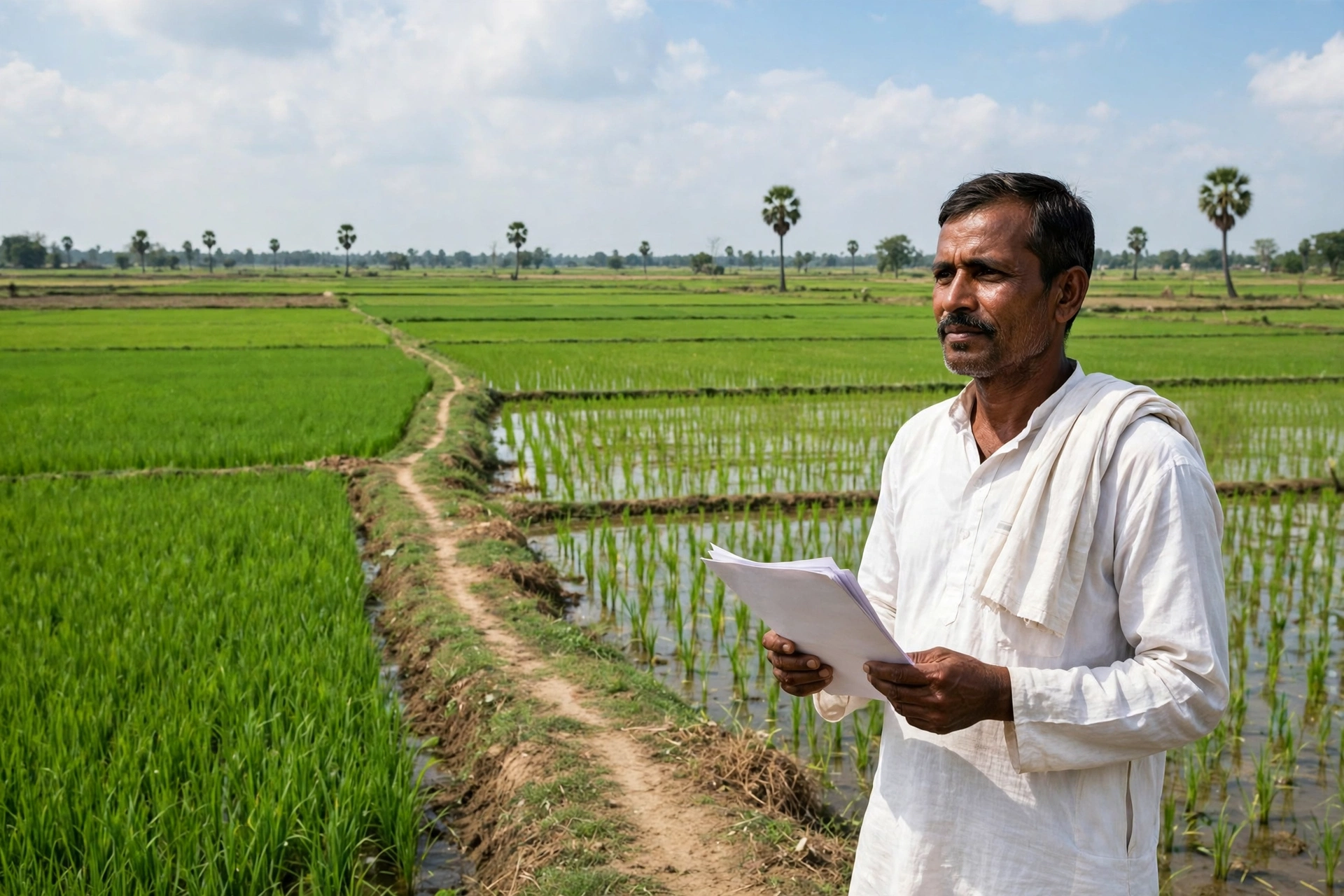
In Odisha, a small piece of land is often a family’s biggest asset. It grows the paddy, it holds the house, and when money is needed, its papers unlock a bank loan. For years, seeing those papers meant a trip to the Tahasil office and a long wait in line. Today the same work takes a few minutes on a phone, from home.
This guide explains how to check your land record on the Bhulekh Odisha portal – by Khata number, by plot number, or by the owner’s name. You will also learn how to view the plot map, pay land revenue online, and check whether a plot has a court case pending on it before you buy. Read till the end: the FAQ section answers the questions people ask most often.
What Is Bhulekh Odisha?
Bhulekh Odisha is the official land records portal of the Government of Odisha. It is run by the Revenue and Disaster Management Department. The portal gives free public access to the Record of Rights (RoR) – called Khatiyan in Odisha – for revenue villages across all 30 districts of the state.
The RoR, also known locally as Patta, is the document that records who owns a plot, how large it is, what type of land it is, and whether anything is pending against it. Banks ask for it before sanctioning a loan, buyers check it before a purchase, and government schemes ask for it when you apply for benefits.
Odisha runs on a Real Time RoR system. When the Tahasildar approves a mutation – a change of ownership – the new owner’s name appears in the online record soon after, without months of waiting. That makes Bhulekh Odisha one of the more current land record systems in India.
Quick Facts
| Detail | Information |
|---|---|
| Portal name | Bhulekh Odisha |
| Official website | bhulekh.ori.nic.in |
| Managed by | Revenue and Disaster Management Department, Government of Odisha |
| Coverage | All 30 districts, 317 Tahasils |
| Fee to view RoR | Free – no login required to view or download a normal RoR |
| Search methods | By Khatiyan (Khata) number, by Plot (Dag) number, by Pattadar (owner) name |
| Toll-free helpline | 1800-121-8242 (10:00 AM to 5:30 PM on working days) |
| Plot map | bhunakshaodisha.nic.in |
| Online land revenue payment | odishalandrevenue.nic.in (e-Pauti) |
| Revenue court case status | rccms.odisha.gov.in (RCCMS) |
Services Available on the Bhulekh Odisha Portal
The portal does much more than show records. From one place you can:
- ROR View: view and download the Record of Rights by Khatiyan, plot, or owner name.
- Map View (Bhu Naksha): see the cadastral map of your plot – its shape, boundaries, and neighbouring plots.
- Unique Plot ID Search: find a plot directly by its unique encrypted code.
- e-Pauti: pay land revenue (Khajana) online and get a digital receipt.
- RCCMS: check the status of revenue court cases linked to land.
- Mutation: apply for a change of ownership after a sale, inheritance, or partition, and track the application.
- Tahasil Info: look up information for every Tahasil in your district.
Each of these is explained below in detail. We start with the RoR, because that is what most people come for.
How to Check RoR / Khatiyan Online
To view an RoR you need only three things – the district, the Tahasil, and the village name. After that you can search by Khatiyan number, plot number, or owner name. No login or registration is needed, and viewing is free.
Open bhulekh.ori.nic.in and click “ROR View” on the homepage. In the “Select Location for ROR” section, pick your district, then your Tahasil, then the RI Circle and the village. RI Circle means Revenue Inspector Circle – a sub-division inside a Tahasil. If you do not know your RI Circle, try each option in turn; your village will appear under the right one.
Once the location is set, three search options appear – Khatiyan, Plot, or Tenant (Pattadar). The three methods are explained separately below.
Method 1: Search RoR by Khata (Khatiyan) Number
If you have the Khatiyan number, this is the simplest method. A Khatiyan works like an account number: it groups all the plots held by one owner in a village under a single number.
- Open bhulekh.ori.nic.in and click “ROR View”.
- Select your district, Tahasil, RI Circle, and village.
- Choose the “By Khatiyan” search option.
- Enter your Khatiyan number from the list and click Submit.
- Your RoR appears on screen. “RoR Front Page” shows the owner name, Khata number, and list of plots. “RoR Back Page” shows land type, area, and other details.
- To save a copy, use your browser’s Print option and choose “Save as PDF”.
The RoR shows the Pattadar name, Khata number, Dag (plot) numbers, area in decimal and acre, land type, co-owners, and the date of the latest mutation (Dakhil Kharij). In Odisha, 1 acre equals 100 decimals, which helps when you read the area figures.
Method 2: Search RoR by Plot (Dag) Number
Sometimes people have only the plot number – for example, a sale deed usually lists the Dag number but not the full Khatiyan. This method covers that case.
- Open bhulekh.ori.nic.in and click “ROR View”.
- Select district, Tahasil, RI Circle, and village.
- Choose the “By Plot Number” search option.
- Enter the Dag (plot) number and click Submit.
- The RoR for that plot opens – owner name, Khatiyan number, area, and land type.
This method is very useful before buying land. Take the Dag number of the plot you plan to buy, check its RoR first, and confirm that the seller is the recorded owner and that no other claim appears on the record.
Method 3: Search RoR by Pattadar (Owner) Name
If you have neither the Khatiyan number nor the plot number, only the owner’s name, search by name.
- Open bhulekh.ori.nic.in and click “ROR View”.
- Select district, Tahasil, RI Circle, and village.
- Choose the “By Tenant Name” search option.
- Type the owner’s name exactly as it appears in the village register. A partial name also works – the system lists all matching records in that village.
- Click the correct name to view the full RoR.
Note that the name search works within one village at a time. If a person owns land in several villages, repeat the search for each village. Spelling matters: even a small difference from the register spelling can return no result, so try a shorter form of the name or search under a family member’s name if needed.
Search by Unique Plot ID
Every plot in Odisha also carries a Unique Plot ID – a special code that identifies that plot alone. You can find this code on an old RoR document, on an e-Pauti payment receipt, or in Tahasil office records.
On the portal, use the “View Plot Details by Unique Plot ID” option and enter the code to see the plot’s details directly. This is handy when a search by Khatiyan or plot number is not working.
Bhu Naksha Odisha: How to View the Plot Map
Bhulekh gives you the written record – who owns a plot and how big it is. But the real shape of the land, its boundary, and which plots sit next to it can only be seen on the map. That map lives on a separate portal, Bhu Naksha Odisha (bhunakshaodisha.nic.in). You can also reach it from the “Map View” tab on the Bhulekh portal.
- Open bhunakshaodisha.nic.in.
- Select your district and click Submit.
- Choose Tahasil, RI Circle, village, and Sheet Number.
- The area map loads. Find your plot number on the map and click it.
- The plot number, area, and owner name appear. Use “Show Report PDF” to download a Single Plot Report or a report of all plots held by the same owner.
The map is a vector drawing, so you get precise boundary lines and plot numbers, but no satellite photo background. Before buying land, check both the Bhulekh RoR and the Bhu Naksha map together. If the area on paper and the area on the map do not match, it may point to a sub-division or an encroachment. Confirm with the Tahasil office before going ahead.
Smart RoR with QR Code: The 2026 Update
In February 2026, the Odisha government announced Smart RoRs. Revenue Minister Suresh Pujari shared the plan on 12 February 2026. Under this system, RoR documents carry a unique QR code.
When you scan the QR code with a phone, the land details are fetched live from the Bhulekh database – owner name, past transactions, and mutation status. That makes it much harder to pass off a forged paper RoR, because the QR code points to the government’s own live record rather than to a piece of paper.
For a buyer, a bank, or a lawyer, this turns verification into a one-minute job. If someone shows you a photocopy of an RoR, scan its QR code and check that the record is genuine. This work is part of the Digital India Land Records Modernisation Programme (DILRMP). The rollout is happening in stages, so not every old RoR will carry a QR code yet – download a fresh RoR to see one.
Odisha’s digitisation is nearly complete. The state has computerised about 1,99,86,487 land records, and cadastral maps have been prepared for nearly 51,742 of its 51,802 villages. Under DILRMP 3.0, which runs from April 2026 to March 2031, land records, maps, and registration data are being linked into one interoperable system.
e-Pauti: How to Pay Land Revenue Online
e-Pauti is Odisha’s online system for paying land revenue, called Khajana. Land revenue is a small annual tax on land, and paying it on time keeps the records updated.
- On bhulekh.ori.nic.in, click “Payment of Land Revenue”. You can also go directly to odishalandrevenue.nic.in.
- Click “PAY LAND REVENUE”.
- Select district, Tahasil, and village, then enter the Khatiyan number or plot number.
- The outstanding revenue due appears on screen.
- Pay online by UPI, debit card, or net banking.
- A digital e-Pauti receipt is generated. Download and save it.
The e-Pauti receipt is proof that land revenue has been paid. It is asked for in some government scheme applications and loan applications. Your plot’s Unique Plot ID may also be printed on this receipt.
RCCMS: How to Check for Pending Court Cases on a Plot
Checking the owner’s name is not enough before a purchase. You also need to know whether a revenue court case is pending on the land. That check is done on RCCMS, the Revenue Court Case Monitoring System (rccms.odisha.gov.in). You can reach it from the “RCCMS” option on the Bhulekh portal.
- Open RCCMS from the Bhulekh portal, or go directly to rccms.odisha.gov.in.
- Click “Case Status” in the left-hand menu.
- Enter the court type, case type, case number, or party name.
- Click “View Status”. If any pending case is linked to the land, its status appears below.
If a case is pending on a plot, stop the purchase and take a lawyer’s advice first. Buying land under litigation can lead to serious legal trouble later.
Mutation (Dakhil Kharij): Updating the Owner Name After a Purchase
Registering a sale deed alone does not change the name in the RoR. After a sale, inheritance, or partition, a separate step called mutation – Dakhil Kharij – updates the record. Without mutation, the new owner cannot legally sell the land or take a loan against it.
You can apply for mutation online through the Bhulekh Odisha portal. The application needs the registered sale deed, the old RoR copy, and the new owner’s Aadhaar, among other documents. After submission you receive a reference number, and you can track the application status on the portal using that number.
The local Revenue Inspector and the Tahasildar verify the application. Once approved, the new Pattadar’s name appears in the Bhulekh record. If the application is held up, contact your Tahasil office with the reference number.
5-Step Checklist Before Buying Land in Odisha
Buying land in a hurry can be costly. Complete these five checks before paying any advance:
- Check the RoR on Bhulekh: confirm the seller’s name is in the Khatiyan and note the land type.
- Check the map on Bhu Naksha: confirm the plot boundary and area match the paper record.
- Get an Encumbrance Certificate from IGR Odisha: on igrodisha.gov.in, check whether the land carries a mortgage or an earlier sale.
- Check case status on RCCMS: make sure no revenue court case is pending on the plot.
- Confirm at the Tahasil office: this matters most in scheduled areas, because transfer of tribal land is restricted under the Odisha Scheduled Areas Transfer of Immovable Property (OSATIP) Act. A non-tribal buyer generally cannot buy land from a tribal seller in a scheduled area without government permission.
The first three portals – Bhulekh, Bhunaksha, and IGR – together form the complete title check for Odisha land. Never pay an advance without running all three.
Common Problems and Fixes
No result for a name search: the name must match the register spelling closely. Try a shorter form of the name, or search under a spouse or family member’s name. If that fails, search by Khatiyan or plot number instead.
You do not know the RI Circle: every Tahasil has several RI Circles. Try them one by one – your village will appear under the correct one.
An error in the record: mistakes in name, area, or land type cannot be fixed online. Apply for a correction at your Tahasil office. The record is corrected there first, and only then does the portal show the change.
Area differs between paper and map: this may signal a sub-division or an encroachment. Verify with the Tahasil office and Bhu Naksha before buying.
Portal not loading: the site can be slow at peak hours. Try again after some time, or check in the morning.
Offline Method: Getting an RoR from the Tahasil Office
If you need a certified copy – required for court filings, registration, or a bank loan – visit the Tahasil office. The RoR from the portal is for information; a certified copy carries the Tahasildar’s stamp and signature.
- Visit your district Tahasil office.
- Collect and fill the RoR application form.
- Attach identity proof, address proof, and any land ownership documents you hold.
- Pay the prescribed fee and keep the acknowledgement receipt.
- After verification, the certified copy is issued.
A small fee applies for a certified copy. Confirm the current fee at your Tahasil office, as it can change from time to time.
Land Record Portals in Other States
Each state has its own land records portal. In Uttar Pradesh, records are checked on UP Bhulekh; in Madhya Pradesh, on MP Bhulekh; and in Maharashtra, the 7/12 extract is viewed on Mahabhulekh. We have detailed guides for all three on this site.
Frequently Asked Questions
How do I check Bhulekh Odisha RoR online?
Open bhulekh.ori.nic.in, click “ROR View”, select district, Tahasil, RI Circle, and village, then search by Khatiyan number, plot number, or Pattadar name. No login is required.
Is checking RoR on Bhulekh Odisha free?
Yes, viewing and downloading a normal RoR is free. Only a certified copy from the Tahasil office carries a small fee.
What is the difference between Khatiyan and RoR?
There is none. In Odisha, RoR, Khatiyan, and Patta are different names for the same document.
What is the Smart RoR QR code?
Announced in February 2026, it is a QR code printed on the RoR. Scanning it with a phone fetches the land details live from the Bhulekh database, so forged paper documents can be caught at once.
Where can I see the Bhu Naksha Odisha map?
On bhunakshaodisha.nic.in, or through the “Map View” tab on the Bhulekh portal. Select district, Tahasil, village, and Sheet Number, then click your plot on the map.
What is e-Pauti?
e-Pauti is the online payment of land revenue (Khajana). From bhulekh.ori.nic.in, click “Payment of Land Revenue” to reach odishalandrevenue.nic.in and pay by UPI, debit card, or net banking.
How do I check whether a court case is pending on a plot?
On the RCCMS portal (rccms.odisha.gov.in), open “Case Status” and enter the case number or party name. Always run this check before buying land.
What should I do if the RoR has an error?
Corrections cannot be made online. Apply at your Tahasil office. The record is fixed there first, and the portal shows the change afterwards.
Official Links
- Bhulekh Odisha (RoR, map, mutation): bhulekh.ori.nic.in
- Bhu Naksha Odisha: bhunakshaodisha.nic.in
- e-Pauti (land revenue payment): odishalandrevenue.nic.in
- RCCMS (court case status): rccms.odisha.gov.in
- IGR Odisha (Encumbrance Certificate): igrodisha.gov.in
- Revenue Department, Government of Odisha: revenue.odisha.gov.in
- Helpline (toll-free): 1800-121-8242
Disclaimer: This article is published by a private information portal, not a government website, for information only. Please verify all details on the official portal bhulekh.ori.nic.in before taking any decision.
Last Updated: 14 November 2026