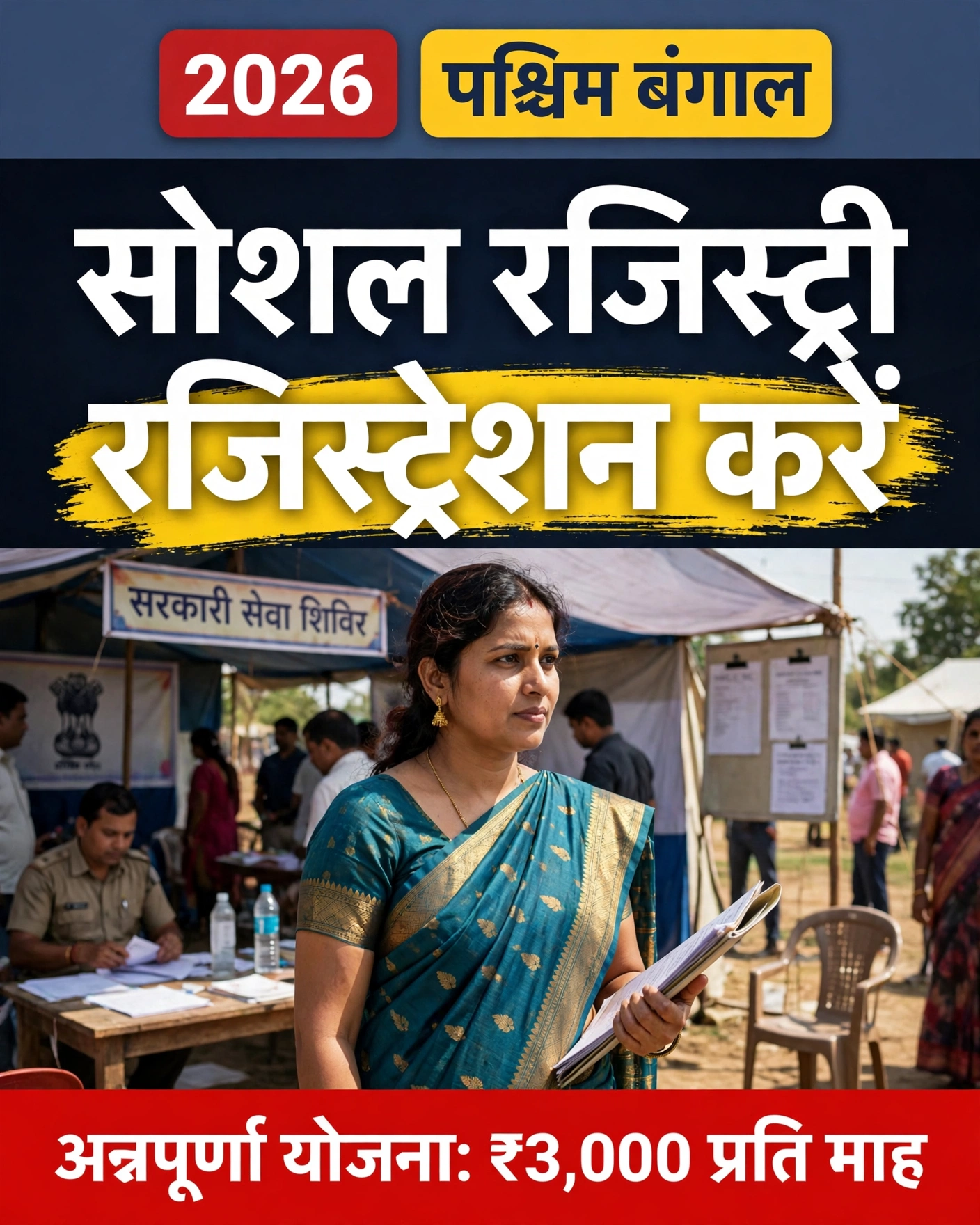
For lakhs of families living in West Bengal, Social Registration has now become a very important task. The state government has started a unified portal called the Social Registry, where the details of families are recorded in one place. It is on the basis of this registry that the government decides whether a family will get the benefit of a government scheme or not. If you are a resident of West Bengal and you have not registered yet, this article is for you. Here we will answer, in simple language, what the Social Registry is, who can register, which documents are needed, how to register online and offline, how to check your status, and what the helpline number is.
The official portal of the Social Registry is socialregistry.wb.gov.in. This portal is run by the Finance Department of the Government of West Bengal and has been designed by the National Informatics Centre (NIC). Its full name is the Family Level Data Collection Portal — a portal that collects information at the level of the family. On this portal, citizens can log in with their mobile number and an OTP, fill in their family form, see the status of their application, and file a grievance if there is any mistake.
The biggest advantage of this registry is that you no longer have to submit separate forms and separate documents again and again for every scheme. Once a family’s details are recorded in the Social Registry, the same details can be used for many schemes. The registration and verification of beneficiaries under the state’s biggest women’s assistance scheme, the Annapurna Yojana, is being done through this very registry. So, if you want to take the benefit of any government scheme, Social Registration is the first and most important step.
Social Registration 2026: At a Glance
| Detail | Information |
|---|---|
| Portal name | Social Registry — Family Level Data Collection Portal |
| Official website | socialregistry.wb.gov.in |
| Old website | socialsecurity.wb.gov.in (now redirects to the new portal) |
| Run by | Finance Department, Government of West Bengal |
| Designed by | National Informatics Centre (NIC) |
| Login method | Select district, enter mobile number, log in with OTP |
| Main linked scheme | Annapurna Yojana — Rs 3,000 per month to eligible women |
| Registration fee | Completely free — no fee at all |
| Helpline | 82820 82820 (Monday to Saturday, 9 AM to 6 PM) |
What Is the Social Registry?
The Social Registry is a centralised digital system of the Government of West Bengal in which the details of the state’s families are kept safely in one place. Its purpose is for the government to know correctly which families live in the state, what their economic and social condition is, and which schemes they are eligible for. When a new scheme is announced, the government can identify eligible families from the data in this registry. This way, the benefit of schemes reaches the right people quickly and without any middleman.
Earlier, a separate survey and a separate form had to be filled for every scheme. Because of this, the details of the same family were scattered in many places, and mistakes also happened. The Social Registry removes this problem. In it, family identity, ration card, bank account, occupation, income, assets, social status, education, and benefits received under other government schemes — all of this information is recorded in a single form. That is why it is called the Family Level Data Collection Portal.
This registry is not meant for only one scheme. It is becoming a shared database of families for all the welfare schemes of the state. In the coming time, more schemes may also be linked to this registry. So, families that have not registered yet may face difficulty in taking the benefit of any scheme in the future. Registration is free and does not take much time.
Why Is Social Registration Important?
There are many benefits of doing Social Registration. The first benefit is that the registration and verification of the Annapurna Yojana, a major scheme, is happening through this portal. Under the Annapurna Yojana, eligible women get Rs 3,000 every month directly into their Aadhaar-linked bank account. This scheme started on 3 June 2026 and replaced the old Lakshmir Bhandar scheme. In the first phase, 28,25,769 women received the first instalment of Rs 3,000 on 3 June 2026 itself. By September 2026, about 1.58 crore verified women were receiving this amount. If your family is not recorded in the Social Registry, the benefit of such schemes will not be able to reach you.
The second benefit is that after registration, you can see the status of your application online. You do not have to visit offices again and again. By logging in to the portal, you can know whether your form has been accepted, is under verification, or has some mistake in it. If there is a mistake in the form, you can also correct it and file a grievance.
The third benefit is that the details recorded in the registry tell the government which family needs which scheme the most. This way, schemes reach the people who really need them. At the same time, it also becomes easier to identify people who are taking benefits in a wrong way, so that government money is used in the right place.
Eligibility for Social Registration — Who Can Register?
Registration in the Social Registry happens at the level of the family, which means the details of the whole family are recorded together. For registration under the Annapurna Yojana, the woman applying must be a permanent resident of West Bengal and her age must be between 25 and 60 years. Apart from this, the applicant must not be an income taxpayer and must not be a government employee. Women who are already receiving the state widow pension will not get the benefit of the Annapurna Yojana, because only one benefit can be taken at a time.
The form is filled in the name of the head of the family or an adult woman of the family. The details of all the members of the family have to be given in the form. This information must be correct and complete, because verification is done on its basis. If the information is found to be wrong, the application can be rejected. So, while filling the form, match the details with your documents.
Please remember that registering in the Social Registry alone does not guarantee the benefit of any scheme. After registration, the concerned department verifies your details, and the benefit is given only according to the eligibility rules. So, think of registration as the first step, not the last step.
Documents Required for Registration
Before filling the Social Registration form, keep the documents given below ready. This will save time while filling the form and will also reduce the chance of mistakes.
| Document | Why It Is Needed |
|---|---|
| Aadhaar card | For identity and linking with the bank account — mandatory document |
| Voter card (EPIC) | As proof of identity and residence — mandatory document |
| Mobile number | For OTP login and receiving information |
| Ration card | For family details and member information |
| Bank passbook or account details | For sending the amount directly to the account — the account must be Aadhaar-linked |
| Application number or acknowledgement | The receipt received after submitting the offline form — useful for checking status |
Apart from these documents, the form also asks for the family’s income, occupation, assets, education, and benefits received under other government schemes. So, before filling the form, write down the basic details of all the members of the family on a piece of paper. While filling the online form, keep your Aadhaar card and voter card with you so that the numbers are not entered wrongly.
How to Register Online — Step by Step
For online registration, you only need a mobile phone and the internet. Follow the steps given below one by one.
Step 1: Open the official portal socialregistry.wb.gov.in in the browser of your phone or computer. Remember that the website address must end with .wb.gov.in — this is the real government portal.
Step 2: On the home page, look for the Citizen / Family Login or Citizen Portal option. Click on it.
Step 3: Select your district. The portal gives a list of districts — choose your district from it.
Step 4: Enter your 10-digit mobile number — the same number you used in your application. Then fill the security code (captcha) shown on the screen and click on Send OTP or Request OTP.
Step 5: You will receive a 6-digit OTP on your mobile. Enter it in the portal to log in. This OTP is visible only to you — do not share it with anyone.
Step 6: After logging in, the Family Level Data Collection form will open. In it, carefully fill in the family details — name, date of birth, category, Aadhaar number, voter card details, ration card, and bank account information.
Step 7: After filling in all the details, read the form once again, check it, and then submit it. After submitting, you will get an application number or acknowledgement — keep it safely.
If you have already applied, then after logging in, your application and its current status will be shown on the dashboard. The window for new applications closed on 31 July 2026. Women whose forms were rejected can see the reason and correct the mistake and resubmit the form from 20 August 2026. New applications will be taken again at Jan Kalyan camps in November and December 2026. So, if you have not applied yet, get information about the camp in your area from your block or panchayat office.
How to Register Offline
People who do not have internet or a smartphone can also register through the offline method. For this, the state government organises Duare Sarkar camps from time to time. In these camps, you can take the form free of cost, fill it, and submit it there itself. The Annapurna Yojana form is available in three languages — English, Bengali, and Hindi.
Apart from this, you can also submit the form by going to your nearest Block Development Office (BDO), municipality office, or panchayat office. While submitting the form, take your original documents with you so that the officer can verify them. After submitting the form, you will get an acknowledgement or application number — keep it safely, because it will be needed to check the status. Seva Setu Abhiyan camps were also held from 2 to 4 October 2026, where people got help in checking their application status and filling forms.
How to Check Social Registration Status
The easiest way to know the status of your application is to log in to socialregistry.wb.gov.in through the Citizen / Family Login. Select your district, enter the same mobile number with which you applied, and log in with the OTP. After logging in, your application and its current status will appear on the screen.
One thing to remember — the status shown on the portal tells you at which stage your application is. It is not proof that the money has reached your bank account. To confirm the payment, check your bank passbook or the SMS from your bank. If the status does not change for a long time, you can file a grievance from the portal itself, or you can visit your Block Development Office (BDO) or SDO office and ask there.
The approved beneficiary lists of the Annapurna Yojana are also put up at block, gram panchayat, and municipality offices. The state government has not released any single statewide name-list PDF for download. The list is refreshed every seven days, because as more applications clear verification, new names keep getting added. So, if your name is not in the first list, do check the next list.
Correct Mistakes and File a Grievance
If you have made a mistake in your form, do not worry. By logging in to the portal, you can see the status of your application as well as the reason for rejection. For women whose forms were rejected, the facility to correct the mistake and resubmit the form has been open since 20 August 2026. For this, go inside with the same login, fill in the correct information, and submit the form again.
If you feel that your record has been wrongly excluded or the family details have been recorded wrongly, you can file a claim or grievance from the portal itself. The Citizen Login has a grievance option inside it. While filing a grievance, do write your application number and the correct information. If you do not get any reply from the portal, you can ask for information from the Public Information Officer of the concerned department under the Right to Information Act, 2005.
Important Dates and Events
| Date | Event |
|---|---|
| 11 May 2026 | State Cabinet approved the Annapurna Yojana |
| 19 May 2026 | Formal notification of the scheme was issued |
| 27 May 2026 | Annapurna Yojana application form was released |
| 1 June 2026 | New applications started; the scheme replaced Lakshmir Bhandar from 1 June 2026 |
| 3 June 2026 | Formal launch of the scheme; first instalment — Rs 3,000 to 28,25,769 women |
| 1 July 2026 | Second instalment — payment to more than 1 crore women |
| 31 July 2026 | Window for new applications closed; a total of 2.16 crore applications received |
| 17–20 August 2026 | Third instalment paid |
| 20 August 2026 | Facility to correct rejected forms and resubmit started |
| 17 September 2026 | September instalment (Annapurna Divas) — payment to about 1.58 crore women |
| November–December 2026 | New applications to be taken again at Jan Kalyan camps |
Helpline Number and Contact
If you are facing any difficulty in registration or checking status, use the official contact methods given below. At the time of the launch of the scheme, the Chief Minister had issued the helpline number 82820 82820 for grievances. This helpline works from Monday to Saturday, from 9 AM to 6 PM. A grievance can also be sent by email — the email address is asap@wb.gov.in.
Apart from this, the helpline of the Department of Women and Child Development and Social Welfare, 1800-345-5505 (toll-free), and the department desk number 033-23341563 are also reported as available for help. The Chief Minister Connect grievance cell numbers are 1971 and 1800-3456-851. If online help is not available, go to your nearest Block Development Office (BDO), SDO office, or ward office and ask directly — the officers there can help you. Please note that the portal itself does not display any helpline number, so it is good to verify the numbers given above once against the official portal or the department.
Stay Safe from Fraud — Important Precautions
Social Registration and the Annapurna Yojana are very popular, so fraud is also happening in their name. Always remember a few important things. First, registration is completely free — no government officer or agent will ask you for money to fill the form. If someone asks for money, that person is a fraud. Second, do not tell your OTP, bank PIN, or password to anyone — neither on the phone nor by message. A government department never calls to ask for an OTP.
Third, use only the official website socialregistry.wb.gov.in. Remember that the address of a real government portal ends with .gov.in. Websites with similar-looking names ending in .com, .in, or .org are private — do not enter your details on them. Fourth, if any person claims to be a government officer and asks you for money or information, immediately complain about it at your block office or on the helpline.
Frequently Asked Questions (FAQ)
Question: What is the Social Registry?
Answer: The Social Registry is the Family Level Data Collection Portal of the Government of West Bengal, running at socialregistry.wb.gov.in. In it, the details of families are recorded in one place, so that the benefit of government schemes can reach the right people.
Question: Which documents are needed for Social Registration?
Answer: Aadhaar card and voter card (EPIC) are mandatory. Apart from these, a mobile number, ration card, and the details of the Aadhaar-linked bank account are also needed.
Question: Is there any fee for Social Registration?
Answer: No, registration is completely free. If someone asks for money, it is fraud — complain immediately.
Question: How much money is given under the Annapurna Yojana?
Answer: Under the Annapurna Yojana, eligible women get Rs 3,000 every month directly into their bank account. This scheme has been in force since 3 June 2026 and has replaced the Lakshmir Bhandar scheme.
Question: When will new applications be taken again?
Answer: The window for new applications closed on 31 July 2026. New applications will be taken again at Jan Kalyan camps in November and December 2026. Rejected forms can be corrected and resubmitted from 20 August 2026.
Question: How do I check my status?
Answer: Log in to socialregistry.wb.gov.in through the Citizen / Family Login with your district, mobile number, and OTP. After logging in, the status of your application will be shown.
Social Registration has become a necessary step for every family in West Bengal. Once registration is done, getting the benefit of schemes like the Annapurna Yojana becomes easier, and your application can be seen online. So, if you have not registered yet, register as soon as possible by visiting the official portal socialregistry.wb.gov.in or by going to the nearest Duare Sarkar camp. While filling the form, enter all the details correctly, keep your documents safely, and do not tell your OTP to anyone. Before applying, do check the official notification of the concerned department.
This article is prepared by a private information portal, not a government website.