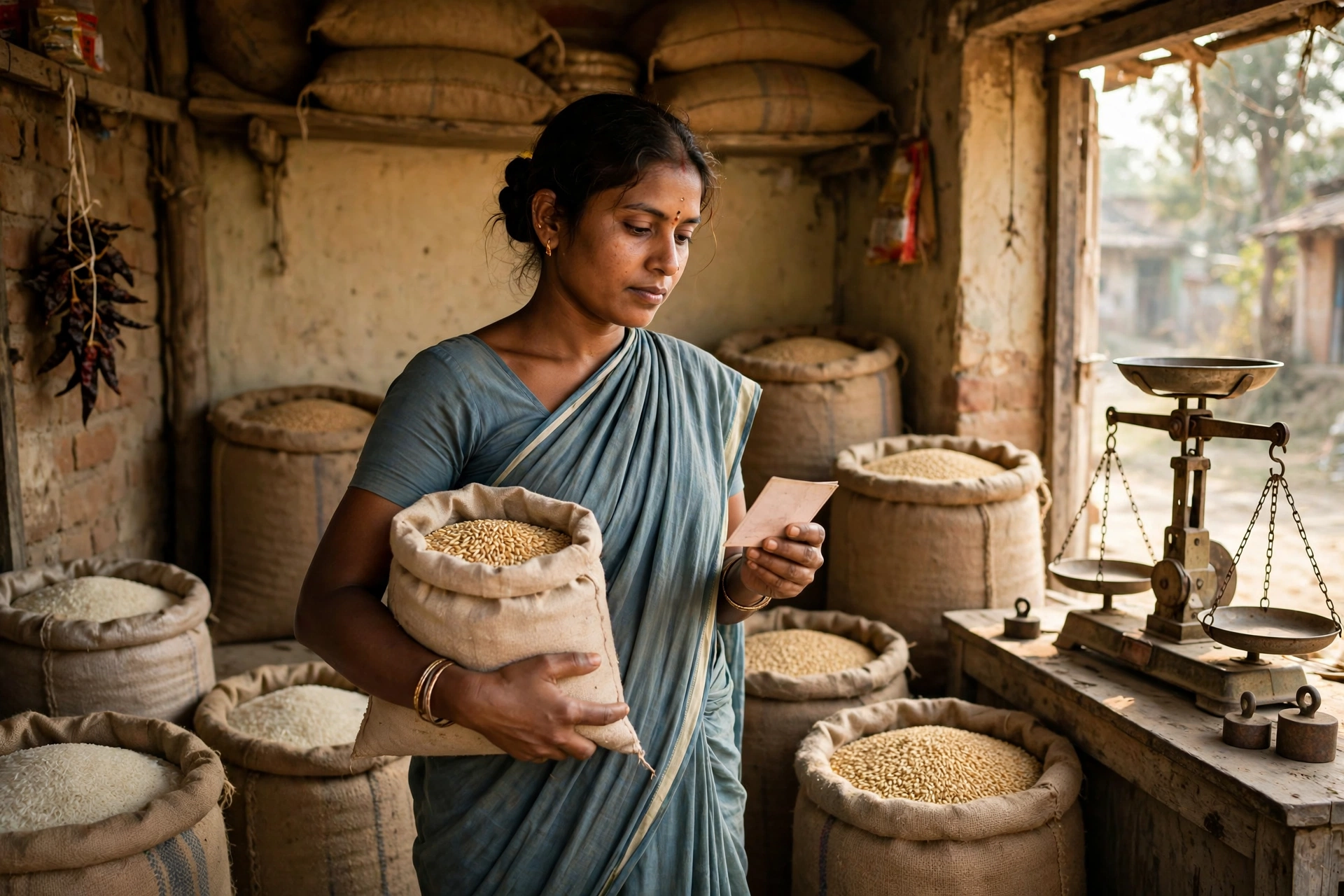
Every month, when you go to the ration shop to collect your foodgrains, a question comes to mind – am I getting my full share? Is my name still on the list? How much grain did I take last month? And if the shopkeeper gives a wrong account, where do I complain? The answer to all these questions is available at one place, and that is what this guide is about.
For crores of ration card holders in Bihar, the state government has built an online system called AEPDS Bihar. On this portal, you can check your ration card details, the record of the grain you have taken, and the information of your Fair Price Shop – all from your home. There is no need to visit any government office again and again, and no need to pay any agent.
In this article, we will explain step by step what AEPDS Bihar is, how to check your ration card details on it, how to see your transaction history, how to find your FPS dealer details, and what to do if an old link on the portal does not work. Some common questions are also answered at the end, so do read the article till the end.
What is AEPDS Bihar?
AEPDS stands for Aadhaar Enabled Public Distribution System. It is the digital system of the Food and Consumer Protection Department, Government of Bihar, through which ration is distributed across the state. Its biggest job is to bring transparency to ration distribution – meaning, who the cardholder is, how much grain they should get, and how much they actually received should all be visible online as a record.
The special feature of this system is that ration is given only after the cardholder’s identity is verified through Aadhaar-based biometric authentication (fingerprint verification). This stops fake cards and duplicate distribution, and the real beneficiary gets their grain. The portal offers facilities such as ration card details, date-wise transaction history, FPS monitoring, and challan status. An Android mobile app is also reported to be available, through which records can be checked on a mobile phone.
It is important to understand that AEPDS Bihar is not a separate scheme that you need to apply for. It is the digital part of the same Public Distribution System (PDS) under which you have received your ration card. If you hold a Bihar ration card, you can use this portal.
AEPDS Bihar – Quick Facts
| Information | Details |
|---|---|
| Portal name | AEPDS Bihar (Aadhaar Enabled Public Distribution System) |
| Official portal | epds.bihar.gov.in (ePDS Bihar) / aepds.bihar.gov.in |
| Managed by | Food and Consumer Protection Department, Government of Bihar |
| Beneficiaries | Ration card holders under NFSA and State Schemes in Bihar |
| Main services | RC Details, Transaction History, FPS Details, Challan Status |
| Login needed? | Usually no login is needed to view RC Details – only the ration card number; OTP may be required for downloading the card |
| Fair Price Shops | More than 48,000 FPS in Bihar |
| Districts | 38 |
| Toll-free helpline | 1800-3456-194 |
| New application portal | rconline.bihar.gov.in (with MeriPehchaan / JanParichay login) |
What can you check on AEPDS Bihar?
The portal gives you many kinds of information. The first is RC Details – the complete details of your ration card: the card type (PHH or AAY), the names of family members, the quantity of grain you are entitled to, and the name of your FPS dealer. The second facility is Date-wise Transactions – here you can see on which date you took how much grain, at what rate, and from which FPS.
The third facility is FPS Monitoring – through this you can see the stock and distribution record of your Fair Price Shop. The fourth is Challan Status, which gives information about the transportation of foodgrains. You can also check the Aadhaar Seeding status, that is, whether your Aadhaar is linked to your ration card or not.
Another important feature is the RCMS Report on the portal, in which district-wise ration card numbers and category-wise reports can be seen. This is useful for people who want to search for their name in the list without knowing their ration card number.
How to check Ration Card Details on AEPDS Bihar?
Checking your ration card details is very easy. Follow the steps given below carefully:
Step 1: Open the official portal epds.bihar.gov.in on your mobile or computer. Make sure you type the address correctly, because there are many fake websites with similar names.
Step 2: On the homepage, find the RCMS or Ration Card Details / RC Details option and click on it.
Step 3: You will now be asked whether you are from a Rural or Urban area. Select the correct option.
Step 4: Select your district and enter your ration card number. Urban ration cards are usually 21 digits long – while searching, you are asked to skip the 9th digit and enter the remaining 20 digits. For rural cards, enter your full card number.
Step 5: Click the Search button. The complete details of your ration card will appear on the screen – card type, family member names, entitlement (how much grain you will get), and your FPS dealer information.
After seeing the details, check them carefully. If any family member’s name is wrong, a name is missing, or the card type is shown incorrectly, apply for a correction immediately. Leaving wrong details as they are can cause problems later.
How to check AEPDS Bihar Transaction History?
Transaction history is the record that tells you when, how much, and at what rate you took grain. This record becomes very useful when the shopkeeper claims you already received your grain when you did not, or when you were given less than your share.
Step 1: Open the official portal epds.bihar.gov.in and go to the Ration Card or RC Details section.
Step 2: Enter your ration card number or Aadhaar number, as the portal asks. On some pages, a Family ID may also be asked for.
Step 3: After your ration card details open, you will find the transaction details or ration card status and transaction details option on the same page. Click on it.
Step 4: You will now see a date-wise list – in which month, on which date, how much rice and wheat was taken, and at what rate. Note this record down in your diary or on your mobile.
If you see an entry in the transaction history for grain you never collected, it is a serious matter. Complain immediately on the toll-free number 1800-3456-194 or file a written complaint at your Anchal (Block) office.
How to check FPS Details? (Your Fair Price Shop information)
Your ration comes from your allotted Fair Price Shop (FPS), commonly called the ration shop or PDS dealer. Knowing which FPS is written on your card and what its record looks like is your right.
Step 1: Open the official portal epds.bihar.gov.in and go to the FPS-related report or the FPS Management section.
Step 2: Select your district, Anchal (Block), Panchayat, and village. This will show the list of FPS dealers in that area.
Step 3: Find your dealer name in the list and click on it. You will get the FPS details – dealer name, shop address, FPS ID, and the number of cardholders linked to that shop.
There is another way too – when you open your RC Details, the name and ID of your FPS dealer are also shown on the same page. If the dealer has changed or a wrong shop is shown, contact your Anchal office.
How to check your name in the Bihar Ration Card List?
Even if you do not have your ration card number, you can still search for your name in the list. The method is:
Step 1: On the official portal, click on RCMS Report.
Step 2: Select your district, then Block (Anchal), Gram Panchayat, and village.
Step 3: The village list will open. Find your name and click on the ration card number written against it. The complete details of your card will open.
In the same way, you can also see the list of your entire village or panchayat. To know more about the Bihar Ration Card List in detail, also read our article: Assam Ration Card List 2026 – Check Name and Download (for the same process in another state) and the Hindi Bihar list guide on our site.
How to apply for a new Ration Card and check its status?
Checking ration card details on the AEPDS Bihar portal is one thing, and getting a new ration card made is another. Applications for a new ration card are filed on the online portal rconline.bihar.gov.in, where login runs through the government’s common JanParichay / MeriPehchaan single sign-on.
Steps to apply online: First, visit the official portal and click on “Apply for Online RC”. You will need to sign up on JanParichay / MeriPehchaan – enter your mobile number, name, date of birth, gender, and password. After registration, you will get a user ID and password. Log in, click “New Apply”, select Rural or Urban, fill the form, and upload the required documents. After submitting the form, you will receive an RTPS number – this is the reference number of your application, keep it safe.
Status check: To see the status of your application, go to the RCMS Application Status page, select your district and sub-division (Anumandal), and enter your RTPS number. The current status of your application will be shown. To apply offline, you can visit your nearest Circle Office or RTPS Centre.
How much ration do you get? Complete entitlement details
Under the National Food Security Act (NFSA), there are two types of ration cards in Bihar. The entitlement for both is given in the table below:
| Card type | How much grain | Rate |
|---|---|---|
| Priority Household (PHH) – White card | 5 kg per person per month | Rice Rs. 3/kg, Wheat Rs. 2/kg |
| Antyodaya Anna Yojana (AAY) – Yellow card | 35 kg per family per month | Lowest subsidised rate |
Apart from this, eligible families also get free foodgrains under the Pradhan Mantri Garib Kalyan Anna Yojana (PMGKAY). To know more about PMGKAY in detail, read: PM Garib Kalyan Anna Yojana 2026 – Free Ration Eligibility and Benefits. Please note, entitlements can change from time to time, so always check the latest information on the official portal.
Smart PDS 2.0 update – what to do if the old link does not work?
This is the most important part of this article, which is usually not found in other articles. The Bihar government is shifting ration card management to the Smart PDS 2.0 portal. Because of this change, the facility to check and download the ration card list on the old ePDS portal has been removed, and the new portal link is not yet fully functional – this information was updated around October 2026.
This means that if you open an old link and it does not open, do not worry – it is not your fault. In such a case, do this: first, open the epds.bihar.gov.in homepage and use the latest link given there; second, try the steps given above to check RC Details and transactions; third, if the portal does not open at all, call the toll-free helpline 1800-3456-194 or contact your Anchal office. As soon as the new Smart PDS 2.0 link becomes active, we will update this article.
How to download your Ration Card?
To download your ration card as a PDF, the portal offers the RC-PRINT or RC Details option. From RC Details, first select Rural/Urban and your district, then enter your ration card number. After the details open, click Print or Download to save the PDF. Please note – while downloading directly, an OTP (One-Time Password) may be asked for to protect your identity. The OTP will come only on your registered mobile number. Never share your OTP with anyone.
You can also download your ration card through the DigiLocker app. Open your Aadhaar-linked account on DigiLocker and search for the ration card document.
How to file a complaint?
If you receive less ration, the dealer refuses to give grain, or a wrong transaction appears in your name, filing a complaint is your right. First, call the toll-free helpline 1800-3456-194. Apart from this, you can file a written complaint at your Anchal (Block) office or the District Food Supply office. While complaining, always mention your ration card number, the FPS dealer name, and the date. If you get a complaint reference number, note it down and keep it safe.
AEPDS Bihar – Important Links
| Facility | Official Link |
|---|---|
| ePDS Bihar Portal (RC Details, RCMS Report) | https://epds.bihar.gov.in/ |
| AEPDS Bihar Portal | https://aepds.bihar.gov.in/ |
| New Ration Card Apply (Online) | https://rconline.bihar.gov.in/ |
| Food and Consumer Protection Department, Bihar | https://state.bihar.gov.in/fcp |
| FPS Management | http://epds.bihar.gov.in/FPS/ |
| Helpline (Toll-Free) | 1800-3456-194 |
AEPDS Bihar – Frequently Asked Questions (FAQ)
Q1. What is AEPDS Bihar?
AEPDS Bihar, meaning Aadhaar Enabled Public Distribution System, is the online portal of the Bihar government where ration card holders can check their card details, transaction history, and FPS information. It is run by the Food and Consumer Protection Department, Government of Bihar.
Q2. How to check ration card details on AEPDS Bihar?
Visit the official portal epds.bihar.gov.in, click on RCMS or RC Details, select Rural or Urban, enter your district and ration card number, and click Search. The complete details of your card will appear on the screen.
Q3. How to see transaction history on AEPDS Bihar?
After opening your ration card details, you will find the transaction details option on the same page. There you can see date-wise how much grain was taken on which date and at what rate.
Q4. Is login or OTP required to view details on AEPDS Bihar?
Usually no login is needed to view RC Details – only the ration card number is enough. But an OTP may be asked while downloading the ration card. A JanParichay / MeriPehchaan login is required to apply for a new ration card.
Q5. How to find FPS dealer information on AEPDS Bihar?
On the portal, you can select your district, Anchal, Panchayat, and village to see the FPS dealer list. Your RC Details also show your FPS dealer name and FPS ID.
Q6. The old ePDS link is not working, what should I do?
The Bihar government is shifting ration card management to the Smart PDS 2.0 portal, so some old links are not working right now. Check the epds.bihar.gov.in homepage, call helpline 1800-3456-194, or contact your Anchal office. As soon as the latest link is available, we will update this article.
Q7. How much ration do you get in Bihar?
On a PHH (Priority Household) card, 5 kg per person per month is given, and on an AAY (Antyodaya) card, 35 kg per family per month is given. Apart from this, eligible families also get free foodgrains under PMGKAY. Always check the latest entitlement on the official portal.
Finally – one advice
The AEPDS Bihar portal has been built for you, so that there is no problem in getting your share of grain. After collecting your ration every month, do check your transaction history once. If something looks wrong, do not stay silent – complain on the helpline. And remember, never share your ration card number and OTP with any unknown person.
The information in this article was checked from the official portal and available sources on 7 November 2026. Changes keep happening on the portal, so before taking any step, do check the latest status on the official portal. If you found this guide useful, share it with your family and people in your village.
Disclaimer: GramSuvidha is a private information portal, not a government website. This article is for information only. Please confirm the information on the official portal before filing any application or making any decision.
Last Updated: 7 November 2026