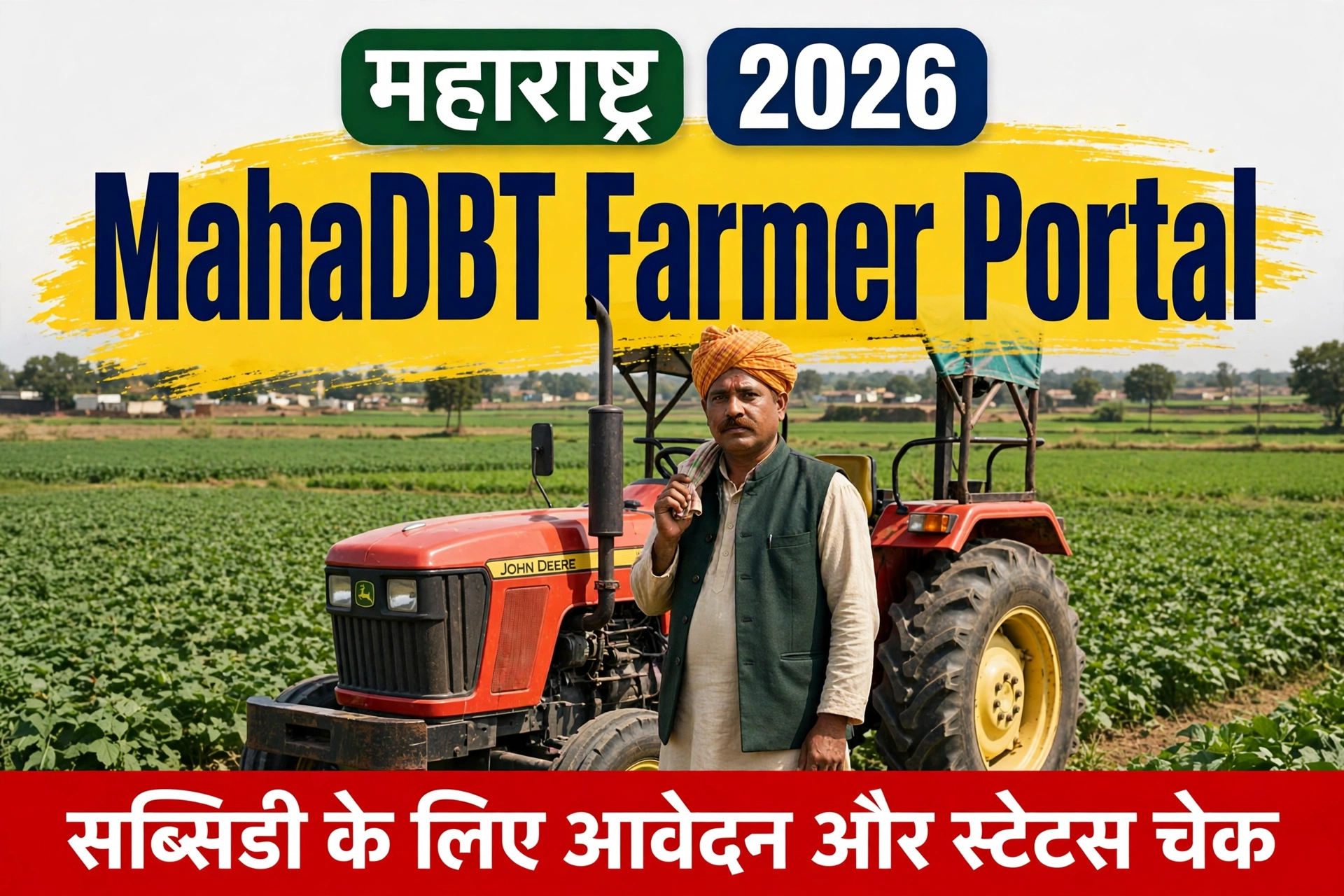
For farmers in Maharashtra, almost every agriculture subsidy now passes through one single portal: the MahaDBT Farmer Portal. Whether it is drip irrigation, a tractor or farm implements, horticulture or a farm pond, applications for nearly all Agriculture Department schemes are made on this portal. In this article we explain in simple words what the MahaDBT Farmer Portal is, how to log in with your Farmer ID, how to apply for a component, how to check your application status, and how selection works on a First Come First Served (FCFS) basis. Read till the end, because the helpline number and answers to common questions are given at the bottom.
| Information | Details |
|---|---|
| Portal name | MahaDBT Farmer Application Portal |
| Official website | mahadbt.maharashtra.gov.in/Farmer |
| Who it is for | Farmers of Maharashtra (individual farmers and farmer groups) |
| How to log in | Farmer ID (AgriStack) and OTP |
| What you get | Subsidy on Agriculture Department scheme components |
| How selection works | First Come First Served (FCFS), from 2025-26 |
| Helpline number | 022-61316429 (9:45 AM to 6:15 PM) |
| User Manual | Version 1.0, June 2025 |
| For complaints | Grievance / Suggestions section on the portal |
What Is the MahaDBT Farmer Portal?
MahaDBT stands for Maharashtra Direct Benefit Transfer. It is the Maharashtra government’s online portal through which benefits of schemes from different departments are sent directly to the beneficiary’s bank account. The farmer part of this portal is the MahaDBT Farmer Portal, built specially for Agriculture Department schemes.
The old system of creating a username and password no longer applies here. According to the new User Manual of June 2025, your Farmer ID is now your identity on this portal. Without a Farmer ID you cannot log in, and you cannot apply for any component. The Farmer ID is created under the AgriStack system, which links your Aadhaar, your 7/12 land record and your bank account in one place.
One thing must be understood clearly: MahaDBT handles two different kinds of work. On one side there are scholarships for students, and on the other side there are agriculture schemes for farmers. This article is only about the farmer side, the MahaDBT Farmer Portal. Scholarships have a separate login and a separate process, so do not mix the two.
Which Schemes Can You Apply For on This Portal?
Many Agriculture Department scheme components are available on the MahaDBT Farmer Portal. The main schemes shown on the portal are:
- Pradhan Mantri Krishi Sinchayee Yojana – Per Drop More Crop (Micro-irrigation Component), that is drip and sprinkler irrigation
- Sub-mission on Farm Mechanization, that is tractors and farm implements
- National Food Security Mission: Food grains, Oil seeds, Sugarcane and Cotton
- Birsa Munda Krishi Kranti Yojana (Tribal Sub Plan and Outside Tribal Sub Plan)
- Dr. Babasaheb Ambedkar Krushi Swavalamban Yojana
- Mission for Integrated Development of Horticulture, that is horticulture
- Rainfed Area Development Programme
- Bhausaheb Fundkar Phalbaag Lagvad Yojana
- Rashtriya Krushi Vikas Yojana – RAFTAAR
- State Agriculture Mechanization Scheme
- Chief Minister Sustainable Agriculture Irrigation Scheme
- Chief Minister Sustainable Agriculture Irrigation Scheme – Individual Farm Pond
- RKVY Plastic Lining to Farm Pond
- Dr. Shyamprasad Mukherjee Jan-Van Vikas Scheme
- Gopinath Munde Shetkari Apghat Suraksha Sanugrah Anudan Yojana
- Kaju Kalam Vatap Yojana
You do not need to remember these scheme names separately. On the portal, in the Apply Component section, you will see component tiles such as irrigation, mechanization, horticulture and farm pond. You choose a component as per your need, and the portal itself shows which scheme that component comes under.
Why Is the Farmer ID Compulsory?
The Farmer ID has now become the digital identity of a farmer in Maharashtra. The MahaDBT Farmer Portal User Manual clearly states that a Farmer ID is compulsory to get the benefit of Agriculture Department schemes, whether you are an individual farmer or a member of a farmer group.
Without a Farmer ID you cannot even log in to the portal. After login, your personal details and address come automatically from AgriStack, and your land details linked to the Farmer ID are also shown. That is why the first step before applying is to get your Farmer ID ready. If your Farmer ID is not made yet, the full step-by-step process is given in our AgriStack Maharashtra Farmer ID article. From there you can register on the MHFR portal and create your Farmer ID.
How to Log In to the MahaDBT Farmer Portal (Individual Farmer)
The login process is very simple. Follow these steps one by one:
- Open mahadbt.maharashtra.gov.in/Farmer on your mobile or computer.
- On the homepage, in the Applicant Login Here section, choose the Individual Farmer option.
- Enter your Farmer ID in the Enter Farmer ID box and click the Send OTP button.
- The OTP will come to the mobile number linked to your Farmer ID. Enter the OTP in the Enter OTP box and click Verify OTP.
- As soon as the OTP is verified, your dashboard will open and you will be inside the portal.
Remember, the OTP comes only to the mobile number linked to your Farmer ID. If the OTP does not arrive, wait for some time and try again. The portal manual also gives the same advice: if there is a technical problem, do not keep trying again and again at once, wait a while and try to log in later.
What If You Forgot Your Farmer ID or Do Not Know It?
If you do not remember your Farmer ID, do not worry. The portal has a special facility for this:
- On the login page, click the link Click here to know your Farmer ID.
- A pop-up window will open, where you have to enter your Aadhaar number.
- An OTP will come to the mobile number linked to your Aadhaar. Enter the OTP and verify it.
- After verification, the Farmer ID linked to your Aadhaar will be fetched automatically and shown in the Enter Farmer ID box.
If your Farmer ID has not been created at all, you can click How to create Farmer ID on the portal to see the process. For this you have to go to the MHFR portal and register with Aadhaar e-KYC.
How to Complete Your Profile to 100% (Compulsory Before Applying)
After logging in, one task must be completed before you apply: completing your profile to 100%. The User Manual clearly states that until the profile is complete, you cannot apply for any component.
Your personal details and address come automatically from AgriStack, so you do not have to fill them. You can see your land details by clicking the Land details tab; this information is linked to your Farmer ID. Crop information is not available on the portal yet; according to the manual, this facility will come soon.
To complete your profile, you have to fill two things yourself:
- Caste Category: Select your caste category. If you belong to the Scheduled Caste or Scheduled Tribe category, you have to upload your caste certificate.
- Physically Handicapped Status: If you are a person with a disability, select your status and upload the disability certificate.
Once these two are filled, your profile completeness becomes 100%, and only then can you apply for a component.
How to Apply for a Component (Step-by-Step)
Once the profile is complete, applying is easy. The full process is given below:
- Click the Apply Component tab on the dashboard. You will see different component tiles.
- On the tile you want to apply for, click the Choose Component button. The components inside that tile will be shown.
- Select the component of your choice and add it. You can add more than one component.
- After adding all the components, click the Go to Menu button. You will return to the component tile page.
- Now click the Submit Application button. The components you added will be shown taluka-wise.
- Click the View button to see the details of your component. If this is your first application, click the Pay Application Fees button and pay the application fee online. If the fee is already paid, the system will show you the Submit button directly.
- As soon as the application is submitted, you will get a receipt. Keep this receipt safely.
One very important point: do not buy any machine or material before the pre-sanction letter arrives. After the application is submitted, the agriculture officer checks your documents. After the scrutiny is complete, the system generates a pre-sanction letter. Only after that should you make the purchase, otherwise there can be a problem in getting the subsidy.
How Does Selection Work? Understanding FCFS
From 2025-26, selection on the MahaDBT Farmer Portal is done on a First Come First Served (FCFS) basis. The meaning is very simple: the application submitted first is considered first. There is no lottery in this.
That is why the portal shows two public lists: the MahaDBT FCFS selection list and the MahaDBT FCFS Waiting list. The selection list has the names of applications that have been selected, and the waiting list has the names of those who are waiting. Both lists can be seen without logging in. That is why applying early is useful, but there must be no mistake in the application, because a wrong application can also be rejected.
How to Check Your Application Status
There are two ways to see the status of your application:
Checking after login: Click View Component History on the dashboard. There you will see five tabs: Applied Component, Under Scrutiny Application, Fund Disbursed, Rejected/Cancelled and Payment Pending. Each tab shows applications in that state. From here you can also see your form, the system-generated receipt, the payment receipt and the pre-sanction letter.
Checking without login: On the portal homepage there is a Track Application Status option. Here you can search your application status with the Application ID, Aadhaar Number (with OTP) or Farmer ID. Apart from this, the Fund Disbursed Beneficiary List, Application Timestamp Report, FCFS selection list and FCFS waiting list can also be seen without login.
How Does Login Work for Farmer Groups?
The MahaDBT Farmer Portal has a separate system for farmer groups, and there are two types of groups:
First, Existing Farmer Groups: Groups that were registered on the MahaDBT portal before 31 March 2025 should select the Existing Farmer Group option and log in with their username and password. After login, in the profile section, the Farmer ID verification of the Authorized Person has to be completed as per the group resolution, and the Hamipatra / Farmer Group Resolution and Farmer Group Registration Certificate have to be uploaded. From the next time onwards, login will always be with the same Authorized Person’s Farmer ID.
Second, New Farmer Groups: Groups that were not registered before 31 March 2025 should select the New Farmer Group option and log in for the first time with the Farmer ID of any one member of the group. After login, the Farmer ID verification of the Authorized Person has to be completed in the profile section. After the application is submitted, the status should be checked every time using only the Authorized Person’s Farmer ID.
Nanaji Deshmukh Krishi Sanjivani Prakalp 2.0 Applications: An Important Notice
There is a new and important notice on the portal. Applications under the Nanaji Deshmukh Krishi Sanjivani Prakalp 2.0, covering the included villages, approved components and applicants with less than 5 hectares of land, who have not yet received pre-sanction and are on the waiting list, have been migrated from the MahaDBT portal to a new portal. The new portal is dbt-ndksp.mahapocra.gov.in. Applicants whose applications have been migrated should do all further processes on that new portal. Applicants who have already received pre-sanction on MahaDBT should complete their further process on the MahaDBT portal itself. New applications under this project will also be made only through the new portal.
Documents Needed for Application
Keep these things ready before applying, so that you do not have to stop while filling the form:
- Aadhaar Card
- Mobile number linked to Aadhaar (for OTP)
- Farmer ID
- 7/12 Utara and 8-A Extract (land record)
- Bank account details (Aadhaar-linked account, because the subsidy comes directly into the account)
- Caste certificate (if you belong to the SC/ST category)
- Disability certificate (if applicable)
- For farmer groups: the group resolution (Hamipatra) and registration certificate
Common Problems and Their Solutions
OTP is not coming: First check whether your mobile number is linked to your Farmer ID and Aadhaar or not. The OTP comes only to the linked number. If the number is not linked, get it linked first, then log in.
There is a mismatch in name or details: If the spelling of the name or the date of birth is different in Aadhaar and 7/12, the e-KYC can get stuck. First get the correction done in Aadhaar or 7/12, then register.
Profile is not becoming 100%: Do not forget to fill the caste category and disability status section. Without filling these the profile is not complete and the apply button does not open.
Application is not getting submitted: If this is your first application, paying the application fee is compulsory. Click View and look for the Pay Application Fees button. Without paying the fee the application is not submitted.
Application got rejected: Go to the Rejected/Cancelled tab in View Component History and see the reason. Applications get rejected when documents are incomplete or details are wrong. Understand the reason and apply again with the correct documents.
Where to Get Help: Helpline and Complaints
If there is any technical problem with login, application or profile on the portal, contact the MahaDBT Farmer Portal help desk. The helpline number is 022-61316429. Office hours are from 9:45 AM to 6:15 PM.
If you want to make a complaint or give a suggestion, go to the Grievance / Suggestions section in the portal menu and fill the form. On submitting the form you will get a Grievance ID. You can track the status of your complaint with this ID, and you will also get updates by SMS or email.
Frequently Asked Questions (FAQ) About the MahaDBT Farmer Portal
Question 1: What is the MahaDBT Farmer Portal?
Answer: It is the official portal for applying for Agriculture Department schemes of the Maharashtra government. On it you can apply for components like drip irrigation, tractors and farm implements, horticulture and farm ponds, and the subsidy comes directly into your bank account.
Question 2: How do I log in to the MahaDBT Farmer Portal?
Answer: Open mahadbt.maharashtra.gov.in/Farmer, choose Individual Farmer, enter your Farmer ID and click Send OTP. The OTP will come to the mobile number linked to your Farmer ID. Enter the OTP and verify it, and your dashboard will open.
Question 3: Can I apply on MahaDBT without a Farmer ID?
Answer: No. According to the June 2025 User Manual, login itself does not work without a Farmer ID. First create your Farmer ID on the MHFR portal, then log in to the MahaDBT Farmer Portal.
Question 4: How is selection done on the MahaDBT Farmer Portal?
Answer: From 2025-26, selection is done on a First Come First Served (FCFS) basis. The application submitted first is considered first. The lists of selected and waiting-list applications can be seen on the portal without logging in.
Question 5: How do I check my application status?
Answer: After logging in you can see it in View Component History, or without logging in you can search the status from Track Application Status on the homepage using the Application ID, Aadhaar Number or Farmer ID.
Question 6: Is there an application fee on the MahaDBT Farmer Portal?
Answer: Yes, at the time of the first application the application fee has to be paid online. Without paying the fee the application is not submitted. If the fee is already paid, the system shows the Submit button.
Question 7: What is the helpline of the MahaDBT Farmer Portal?
Answer: The helpline number is 022-61316429. Office hours are from 9:45 AM to 6:15 PM. There is also a Grievance / Suggestions form on the portal for complaints.
Question 8: How do farmer groups log in to the MahaDBT Farmer Portal?
Answer: Groups registered before 31 March 2025 log in with the Existing Farmer Group option using username and password. New groups log in with the New Farmer Group option using the Farmer ID and OTP of any one member. Both have to complete the Farmer ID verification of the Authorized Person.
Important Links (Official)
- MahaDBT Farmer Portal: https://mahadbt.maharashtra.gov.in/Farmer
- MahaDBT Farmer User Manual (PDF): https://mahadbt.maharashtra.gov.in/Farmer/PDF/Maha_DBT_Farmer_User_Manual.pdf
- Maharashtra Farmer Registry (Farmer ID): https://mhfr.agristack.gov.in/
- AgriStack Central Portal: https://agristack.gov.in/
- MahaDBT Main Portal: https://mahadbt.maharashtra.gov.in/
- Nanaji Deshmukh Krishi Sanjivani Prakalp 2.0 Portal: https://dbt-ndksp.mahapocra.gov.in/
One last point again: before applying on the MahaDBT Farmer Portal, keep your Farmer ID ready, complete your profile to 100%, and do not buy any machine or material before the pre-sanction letter arrives. Correct documents and a timely application are the easiest way to get the subsidy.
Disclaimer: This article is prepared by a private information portal (not a government website). The information is based on the MahaDBT Farmer Portal and its User Manual (Version 1.0, June 2025). Before taking any decision, please verify the information on the official portal. Application fee, subsidy amount and selection lists can change from time to time.