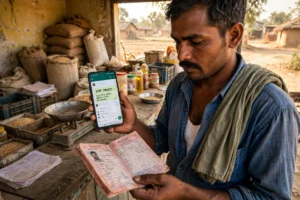
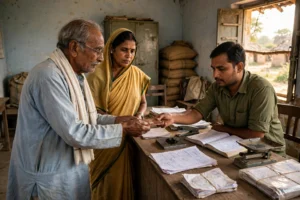
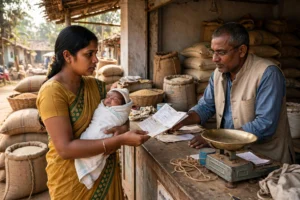
A spelling mistake in a name, a wrong date of birth, or a family member’s details that do not match their Aadhaar card can stop your monthly ration. At the fair price shop, when your fingerprint does not match on the biometric machine, the dealer will not give you grain. The most common reason for this is that the details printed on your ration card and the details on your Aadhaar card are not the same. In such a situation, you need to get a ration card correction done.
In this article, you will learn what can be corrected in a ration card, which documents you need, how to apply for a correction online and offline, how long it takes, and what to do if your application is rejected. This information applies across India, because the correction work is done on each state’s own Food Department portal.
What Is Ration Card Correction
Ration card correction means fixing wrong information printed on your ration card. When a card is made, sometimes the spelling of a name goes wrong, the date of birth is entered incorrectly, the gender is marked wrong, or an old mobile number stays on record. Sometimes the Aadhaar number is not even linked to the card. The process of fixing all such mistakes is called ration card correction.
This correction matters because ration distribution is now fully linked to Aadhaar. Every month, when you go to collect grain, your fingerprint is taken on the ePoS machine at the shop and matched with the Aadhaar record. If the name or date of birth on the ration card is different from Aadhaar, the match fails and your ration is blocked. That is why the details on the card must match the Aadhaar card character by character.
The correction work sits with the state government’s Food and Civil Supplies Department. The central NFSA portal (nfsa.gov.in) guides you to your state’s portal, but the actual correction happens on your state’s portal. Each state has a different portal, and the form may have a different name, but the method is almost the same everywhere.
What Can Be Corrected in a Ration Card
Not only a name — many details linked to the family and the card can be corrected. The list below covers every change you can apply for.
| Type of correction | What changes |
|---|---|
| Name correction | Fixing the spelling of any family member’s name |
| Date of birth correction | Correcting a wrongly entered date of birth as per Aadhaar |
| Gender correction | Fixing male or female wrongly marked on the card |
| Mobile number change | Removing the old mobile number and adding a new one |
| Aadhaar number linking or correction | Fixing a wrong Aadhaar number or linking one that is not linked |
| Address change | Entering a new home or locality address and changing the nearest fair price shop |
| Adding a new member | Adding a newborn baby or a newly married daughter-in-law to the card |
| Removing a member | Removing a daughter after marriage or a deceased member from the card |
| Change of head of family | Changing the head of the household (usually the eldest woman of the house is the head) |
Keep one thing in mind: adding a name and removing a name is slightly different from a correction. To add a new member, you have to fill a separate form (in many states this is Form 3), while to correct a mistake in a name, date of birth or mobile number, you fill the modification form (in many states this is Form 4). In Bihar this form is called Form Kha, and in Maharashtra Form 8 is used. The form name can change from state to state, but the work is the same.
Documents Needed for Correction
Before applying for a correction, keep all documents ready. An application with a wrong or incomplete document gets rejected. The table below shows which document is needed for which correction.
| For which work | Documents needed |
|---|---|
| Name or date of birth correction | Member’s Aadhaar card (with the correct details), birth certificate (for date of birth) |
| Adding a newborn baby | Child’s birth certificate, Bal Aadhaar card, head of family’s Aadhaar card and ration card |
| Adding a daughter-in-law after marriage | Marriage certificate or Gram Pradhan’s certificate, deletion certificate from the parental card (surrender certificate), daughter-in-law’s Aadhaar card |
| Address change | New address proof — electricity bill, LPG connection receipt or registered rent agreement |
| Mobile number change | New mobile number linked with Aadhaar (the OTP will come on this number) |
| Removing a member | Death certificate (for a deceased member) or application for removal after marriage |
For an online application, you have to upload scanned copies of the documents. Make sure the file is clear, not blurry, and within the size limit given on the portal (usually below 200 KB). A scanned copy is better than a photo taken from a mobile phone. Keep self-attested (self-signed) copies of all documents with you.
How to Do Ration Card Correction Online
In states where the online correction facility is available, you can apply from home on your mobile or computer. The method is almost the same in every state. Read the steps below carefully.
Step 1: Go to your state’s portal. Open the official portal of your state’s Food Department. If you do not know your state’s portal, go to nfsa.gov.in and open “Ration Card Details on State Portals” — select your state there, and you will reach your state’s portal.
Step 2: Log in. On the portal, choose the “Citizen Login” or “Ration Card Modification” option. Log in with your 12-digit ration card number and verify your identity with the OTP sent to the mobile number linked with the head of family’s Aadhaar.
Step 3: Select the type of correction. If you have to correct a name, date of birth or Aadhaar mistake, select the “Ration Card Modification” option. If you have to add a new member, select “Add Member”. Then select the member whose details need to be corrected.
Step 4: Enter the correct details. Write the name, date of birth or other details exactly as printed on your Aadhaar card. Even a difference of one letter can cause trouble later. So keep the Aadhaar card in front of you while filling the form.
Step 5: Upload documents and submit. Upload clear scanned copies of the asked documents in PDF or JPEG format. As soon as you submit the form, you will get an Acknowledgement or Reference Number. Keep this number safe — you will use it to check the status of your application.
Applying online on the official state portal is free. If you apply through a CSC (Common Service Centre), the centre may charge its fixed service fee — ask the fee before you submit. There is no need to pay any agent to get a correction done.
How to Do Ration Card Correction Offline
If your state does not have the online correction facility, or if your Aadhaar is not linked to a mobile number (so you do not receive OTPs), you will have to apply offline. The offline method is as follows.
Step 1: Get the form. Visit your nearest CSC (Jan Seva Kendra) or the Block Supply Office at your tehsil. Ask at the counter for the ration card correction form. In many states it is called Form 4 or the modification form.
Step 2: Fill the form and attach documents. Fill the form in your regional language. Attach self-attested photocopies of the head of family’s Aadhaar card, the Aadhaar card or birth certificate of the member whose details are to be corrected, and the surrender certificate in case of marriage.
Step 3: Biometric verification and receipt. The head of the family (usually the eldest woman of the house) has to verify her identity with a fingerprint on the ePoS machine. After that, you will get a printed receipt with your application number on it. Keep this receipt safe — this is the number you will need to track the status.
After submitting an offline application, the verification process is the same as for an online application. So once you have the receipt, you only have to wait and check the status from time to time.
State-wise Portals: Where to Apply for Correction
Below are the official portals of the major states. Apply for a correction only on your state’s portal. If your state is not in this list, look up your state on nfsa.gov.in under “Ration Card Details on State Portals”.
| State | Official portal | Form or service |
|---|---|---|
| Uttar Pradesh | fcs.up.gov.in | Form 4 correction / Form 3 addition |
| Bihar | epds.bihar.gov.in | Form Kha (Jan Seva Kendra / SDO office) |
| Maharashtra | rcms.mahafood.gov.in | Form 8 online citizen login |
| Madhya Pradesh | samagra.gov.in | Samagra eKYC and member modification |
| Gujarat | ipds.gujarat.gov.in | Citizen portal modification service |
| West Bengal | food.wb.gov.in | Form 4 online correction (Aadhaar OTP) |
| Rajasthan | food.raj.nic.in | Family update on Jan Aadhaar portal |
| Tamil Nadu | tnpds.gov.in | Modify Details / Add Member online |
| Andhra Pradesh | epds2.ap.gov.in | Grama Sachivalayam / T-number status |
How Long Does a Correction Take
After you submit the application, it is checked at two levels. First, the Area Supply Inspector of your area checks your documents and details — this usually takes 7 to 15 days. After that, the District Supply Officer (DSO) gives the final approval. The whole process usually takes 15 to 21 working days. This time can be a little less or more depending on the state and district — check your state’s portal for the correct time.
Once the correction is approved, your new details appear in the central NFSA records. If you added a new member, the extra grain for that member (5 kg per person per month on a PHH card) starts from the next month’s distribution cycle. After the correction, check your updated card on the state portal, and download your e-ration card if you want.
What to Do After the Correction
Even after the correction is approved, two things remain. First, visit your nearest fair price shop (FPS) and complete the biometric eKYC, so that the next time you collect ration, your fingerprint matches without any problem. Second, check the updated details of your ration card on the portal — whether the name, date of birth and members’ names are shown correctly or not. If any detail is still wrong, apply again at once or inform the Block Supply Office.
What to Do If Your Application Is Rejected
Sometimes a correction application gets rejected. The most common reasons are: a wrong document attached, a blurry scanned copy, a difference between Aadhaar and the form details, or a required document not attached. If your application was rejected, do not panic — first find out the reason for the rejection. You will see the reason in the status on the portal, or you can find out from the Block office.
Once you know the reason, apply again with the correct document. If you feel the application was correct and still got rejected, visit your Block or Tehsil Food Supply Office with your receipt and meet the officer. You can also file an online complaint on your state Food Department’s portal. If more than 30 days have passed with no reply, you can also call the national toll-free helpline 1967 for information.
Frequently Asked Questions
Q1: How do I correct the spelling of a name in my ration card?
Log in to your state Food Department portal, select the “Ration Card Modification” option, choose the member whose name is wrong, and write the name exactly as it is on the Aadhaar card. Upload a scanned copy of the Aadhaar card and submit the form.
Q2: How do I add a newborn baby’s name to the ration card?
Get the child’s birth certificate made and get a Bal Aadhaar card made. Then apply to add the name on the state portal or at a CSC centre. You will have to attach the head of family’s Aadhaar card and ration card. Children below 5 years of age are not fingerprinted.
Q3: How does a daughter-in-law’s name get added to her husband’s ration card after marriage?
First, her name must be removed from her parental ration card. Get the deletion certificate (surrender certificate) for this. Then apply to add her name to her husband’s card with the marriage certificate and her Aadhaar card. One person’s name cannot be on two ration cards at the same time.
Q4: How long does a correction take?
It usually takes 15 to 21 working days. First the Supply Inspector checks the application (7 to 15 days), then the District Supply Officer approves it. The exact time can change by state and district — check your state’s portal.
Q5: Is there any fee for ration card correction?
Applying online on the official state portal is free. If you apply through a CSC (Common Service Centre), the centre may charge its fixed service fee — ask the fee first. Do not pay any agent in the name of correction.
An independent information portal (not a government website)
Last Updated: 23 November 2026