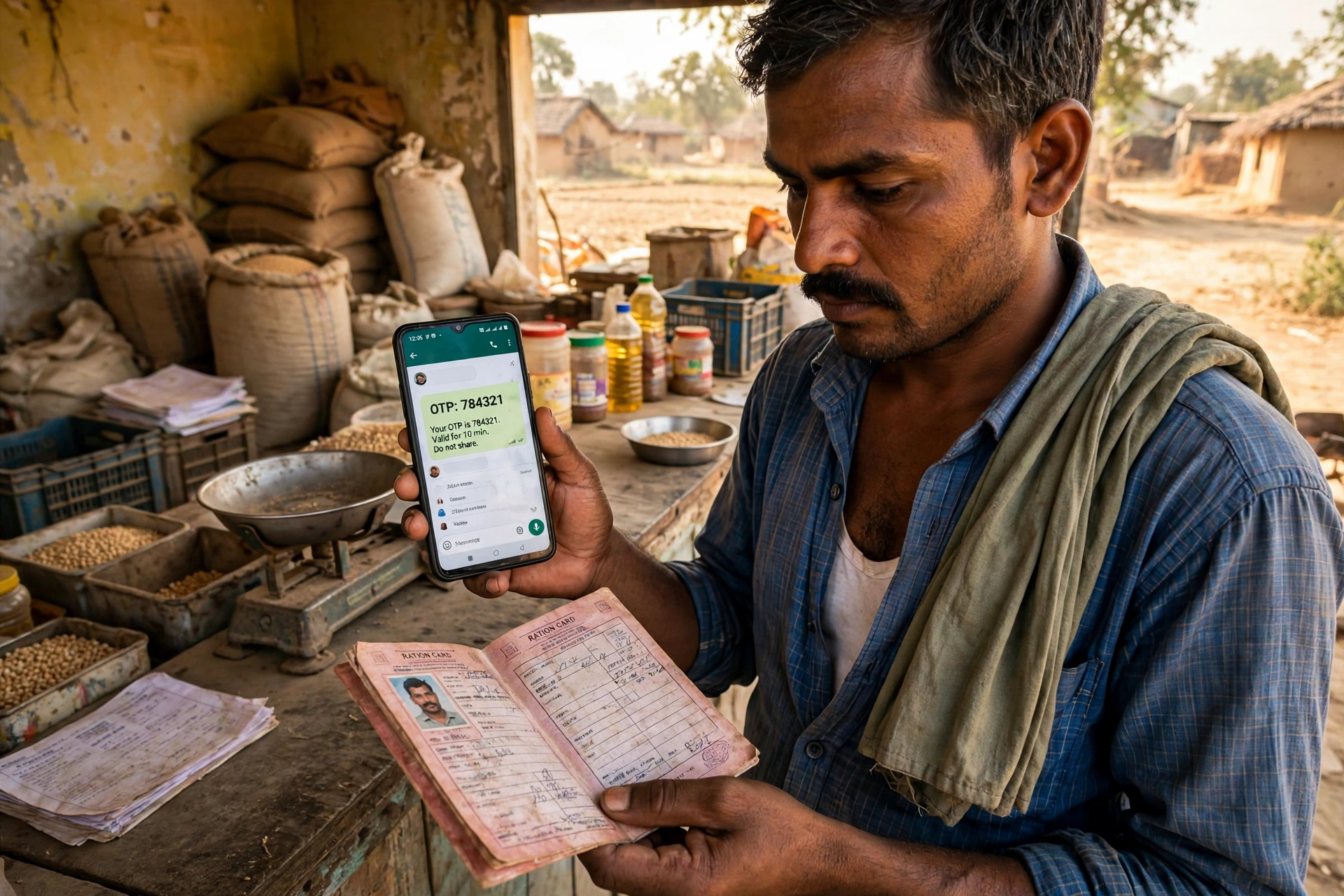
Your mobile number is the key to your ration card. Every OTP for checking your application status, for e-KYC, and for downloading your e-ration card goes to this number. If you have changed your SIM, lost your old number, or never linked a number at all, many ration card services simply stop working for you. This guide explains how to do a ration card mobile number update in 2026: online on your state food portal, on the Mera Ration 2.0 app, and offline at your fair price shop, food office or CSC centre. It also covers what to do when your old number is lost, because in that case the order of steps matters.
Why the mobile number in your ration card matters
The mobile number linked to a ration card is not just a contact detail. It is the number the public distribution system uses to prove that it is really you. When you log in to a state portal to check your ration card status, the portal sends a one-time password (OTP) to this number. When you download your e-ration card, the download is unlocked by an OTP on this number. When your Aadhaar e-KYC is done, the confirmation goes to this number. And every month, when ration is issued at your fair price shop, an SMS alert about the transaction is sent to this number, so you can see how much grain was given and catch any wrong entry by the dealer.
If the number on your card is an old one that you no longer use, all of these messages go to a dead number. You cannot log in, you cannot download your card, and you get no SMS when ration is taken in your name. That is also a safety problem: if someone else takes ration against your card, you will never know. Linking your current, active number closes that gap. The head of the family is the person whose Aadhaar is used for most of these verifications, so in most states the mobile number is linked against the head of family’s record. Keep the number active and in your own name, because the OTP must reach a phone you can actually hold in your hand.
Documents and things you need before you start
The mobile number update is mostly paperless, but keep these ready before you open the portal or visit the shop, so the process does not stop halfway.
- Ration card number: the 12-digit number printed on your ration card. This identifies your household in the state PDS database.
- Aadhaar card of the head of family: used to confirm that the person asking for the change is the real cardholder. In most online processes you only need the Aadhaar number; offline, carry the original card for biometric verification.
- New mobile number with an active SIM: the number must be able to receive SMS at once, because an OTP is sent to it during the process. Use a number you will keep for a long time.
- Old mobile number, if you still have it: some portals first send an OTP to the old number as a security check. If you have lost the old number, read the lost-number section below first.
- District and fair price shop details: a few portals ask for your district, and the offline route needs your FPS dealer name. Keep your ration card in hand.
There is no fee for updating the mobile number on an official government portal. The state portals and the Mera Ration 2.0 app do this free of cost. A CSC centre may charge a small service fee for doing the work for you, so ask the operator about the charge before you hand over any money.
How to update the mobile number online on the state portal
There is no single all-India website for this job. Ration cards are issued by the states, so the mobile number is updated on your own state Food and Civil Supplies portal. The exact menu names differ from state to state, but the steps are nearly the same everywhere.
- Open your state food portal. If you do not know its address, open nfsa.gov.in and use the “Ration Card Details on State Portals” directory to reach your state portal.
- Look for Citizen Services, or a similar menu, and choose the option called Mobile Number Update, Change Mobile Number, or Mobile Seeding.
- Enter your 12-digit ration card number and the Aadhaar number of the head of family. Some portals also ask for your district.
- Enter your new 10-digit mobile number and click on Send OTP or Generate OTP.
- Enter the 6-digit OTP that arrives on your new mobile number.
- Submit the form and save the acknowledgement or reference number shown on the screen. The number is usually updated in the PDS database within 24 to 48 hours.
A few big-state examples, so you can see the pattern. In Uttar Pradesh, the portal is fcs.up.gov.in, and the option sits under Citizen Services as Ration Card Mobile Number Update or Mobile Seeding. In Bihar, the work is done on epds.bihar.gov.in, under RC Correction or Member Details Modification, after logging in through the Jan Parichay SSO portal; you can also get it done at your Block Supply Office. In Maharashtra, the MahaFood RCMS portal (rcms.mahafood.gov.in) has a Citizen Services menu with a Register or Change Mobile Number option. In Rajasthan, ration card data is linked to Jan Aadhaar, so updating the mobile number in your Jan Aadhaar record (through sso.rajasthan.gov.in or an eMitra kiosk) updates the ration card as well, usually within 48 hours. In West Bengal, the WBPDS portal (wbpds.wb.gov.in) has a dedicated Form 11 for linking Aadhaar and mobile number with the ration card. In Delhi, the NFS portal (nfs.delhi.gov.in) has a Register or Change Mobile Number option under Citizen Corner. In other states, follow the same six steps on your own state portal, and if the exact option name is different, check the state portal, because menu names change when portals are updated.
How to update the mobile number on the Mera Ration 2.0 app
Mera Ration 2.0 is the official mobile app of the Department of Food and Public Distribution, Government of India, available on the Google Play Store and the Apple App Store. It works for beneficiaries in all states under the One Nation One Ration Card system, so it is a good option if your state portal is slow or confusing.
- Download Mera Ration 2.0 only from the official Play Store or App Store, never from a forwarded APK link.
- Log in with your 12-digit Aadhaar number or your ration card number, and complete the Aadhaar OTP check.
- Open Manage Profile, or Update Contact Details, from the menu.
- Enter your new mobile number and complete the OTP verification sent to that number.
- Save the change. The updated number is reflected across the central ONORC network.
Keep the app updated to its latest version, because older versions sometimes hide the profile option. If the app asks for an OTP on your old number and you no longer have it, the app route will not work for you, and you must first update the mobile number in your Aadhaar, as explained in the lost-number section below.
How to update the mobile number offline: FPS dealer, food office or CSC
If you have no internet access, or the online option is not available for your state, the offline route works everywhere. Take your ration card and the Aadhaar card of the head of family, and carry the phone with the new SIM in it.
At your fair price shop (FPS dealer): visit your assigned ration dealer during distribution hours and ask for mobile seeding on the ePoS machine. The dealer opens the Beneficiary Mobile Seeding option, you place your finger on the biometric scanner for verification, and the dealer types in your new 10-digit number. A test OTP is sent to the new number at once to confirm it works. Once confirmed, the ePoS machine prints a paper slip confirming the registration. Keep this slip safe.
At the food or supply office: in Bihar this is the Block Supply Office; in other states it is the Tehsil or District Food and Supply Office. Carry your ration card, the head of family’s Aadhaar card, and the phone with the new SIM. The officer updates the number in the system and gives you an acknowledgement. This is also the route to use when the head of family has changed, for example after a death in the family, because that change needs a name update along with the number, and it can take 7 to 15 working days.
At a CSC centre: a Common Service Centre can open your state portal and file the update for you. Carry the same documents and your phone. The centre may charge a small service fee, so confirm the amount first. Always check the acknowledgement number on the screen before you leave, and take a photo of it.
If your old mobile number is lost: update Aadhaar first
This is the step most people get wrong, so read it carefully. In several states, the ration card portal checks your new number against the mobile number stored in your Aadhaar record, and the OTP for the change is sent to the Aadhaar-linked number. If your old number is lost, switched off or disconnected, that OTP can never reach you, and the online update will keep failing. No amount of retrying on the portal will fix it, because the problem is not in the ration card system. It is in the Aadhaar record.
The correct order is: first update the mobile number in your Aadhaar, and only then update it in your ration card. Visit the nearest Aadhaar Seva Kendra or Aadhaar enrolment centre with your Aadhaar card and the phone carrying your new SIM. Fill the update form, give your new number, and complete the biometric check. The new number is linked to your Aadhaar, usually within a few days, and you get an acknowledgement slip. Once the Aadhaar record shows the new number, go back to your state ration card portal or the Mera Ration 2.0 app and do the mobile number update there. This time the OTP will arrive on the new number, and the update will go through. If you try the ration card update first and it fails, do not pay any agent who promises to do it for money. The Aadhaar centre route is the official way, and it is the only one that works when the old number is gone.
How to check that the mobile number is updated
Do not assume the update is done. Check it, so the next time you need an OTP, you are not surprised.
- On the state portal: open the “Know Your Ration Card” or “Card Details” section, enter your ration card number, and look at the registered mobile number field. Portals show it masked, for example ******4821, so check that the last digits match your new number.
- On the Mera Ration 2.0 app: open your profile and see the contact number shown there.
- By SMS: after your next ration is issued at the fair price shop, an SMS alert should arrive on your new number. If no SMS comes, the number may still be old in the system.
- At the fair price shop: ask the dealer to show the mobile number on the ePoS machine against your card.
If the portal still shows the old number after 48 hours, try the check again after a day, because state databases sync at different times. If it still shows the old number after a few days, visit the food office with your acknowledgement number and ask them to check the status.
OTP not received? Do this first
The most common problem is the OTP not arriving. Before you retry again and again, check these points. First, check that the phone has network signal and the SIM is active. Second, check whether Do Not Disturb (DND) is blocking government SMS on your number, and turn it off for transactional messages if needed. Third, confirm the number you entered is the same one linked to your Aadhaar, because in several states the two must match. Fourth, avoid the first week of the month, when PDS servers are under heavy load because ration is being distributed; trying after 6 PM or on a weekend often works. If the OTP still does not arrive, call the national PDS toll-free helpline 1967 and register a complaint, or visit your food office with your ration card and acknowledgement number.
Frequently asked questions
Is there any fee to update the mobile number in a ration card?
No. The update is free on all official state portals and on the Mera Ration 2.0 app. A CSC centre may charge a small service fee for filing it for you, so confirm the amount before you pay anything.
Can I update the mobile number in my ration card without the old number?
Yes, but not always online. If the old number is lost, first update the mobile number in your Aadhaar at an Aadhaar Seva Kendra, because the OTP is sent to the Aadhaar-linked number. After that, update the number on the state portal or the app. You can also do it offline at your FPS dealer with biometric verification.
How long does a ration card mobile number update take?
Usually 24 to 48 hours after a successful online or app update. Offline updates at the FPS dealer are often confirmed on the spot with a printed slip. A head-of-family change along with the number can take 7 to 15 working days.
How do I check which mobile number is linked to my ration card?
Open the “Know Your Ration Card” or “Card Details” section on your state food portal and enter your ration card number. The registered number is shown masked, for example ******4821. You can also see it in your profile on the Mera Ration 2.0 app.
Can I update the mobile number in my ration card from another state?
Yes, through the Mera Ration 2.0 app, which works across states under One Nation One Ration Card. For a state portal update, use your home state’s portal, because the card belongs to that state’s system.
Last Updated: 23 November 2026
An independent information portal (not a government website)