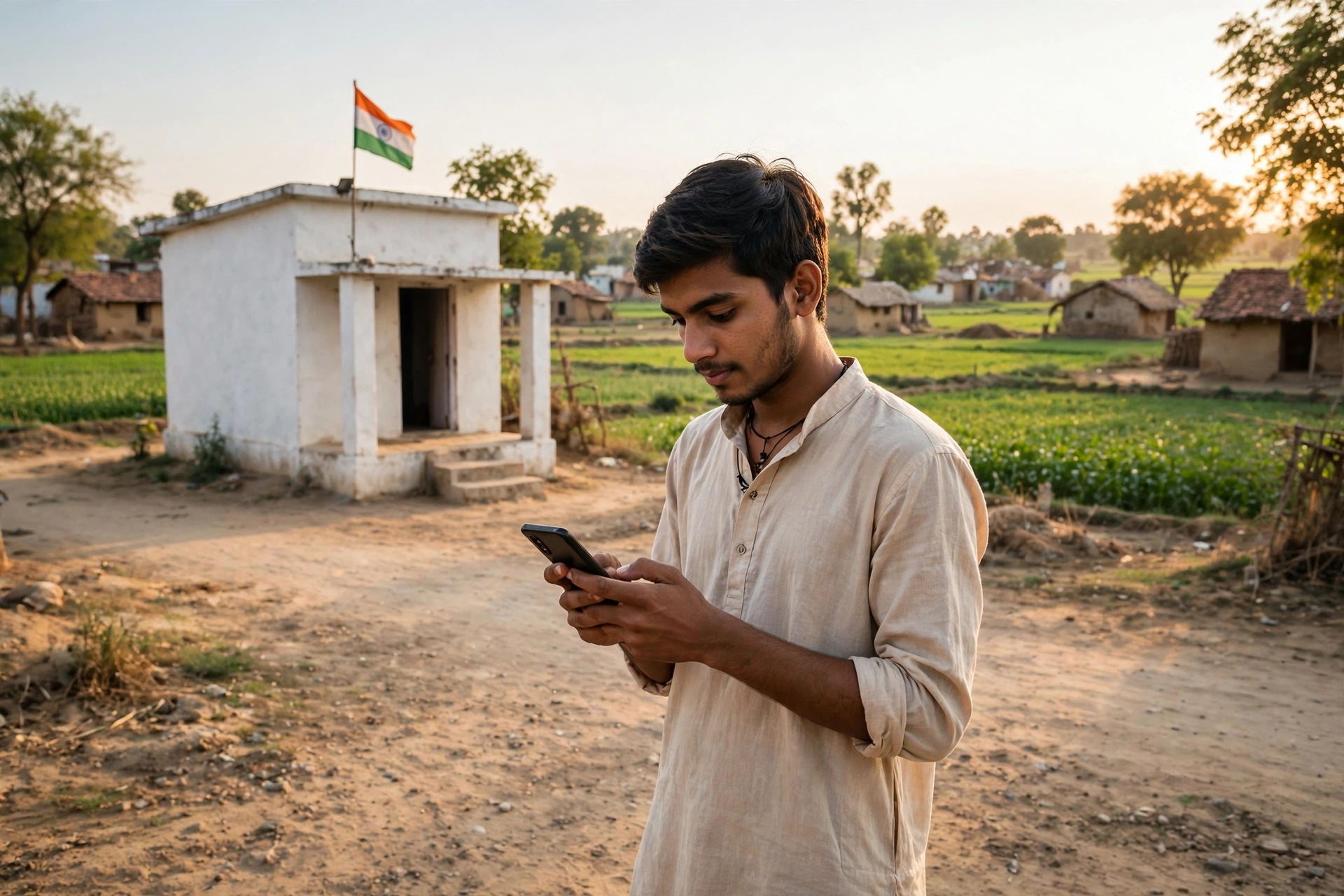
Has a new road really been built in your village? How much money did your panchayat receive, where was it spent, and who was paid for which work? These are questions every villager asks at some point. Until a few years ago, finding the answers meant visiting the panchayat office, asking for registers, and often returning empty-handed. That has changed. The government has moved the entire accounts of panchayats online, and in such a way that any citizen can check the full report of their own village panchayat from a mobile phone, sitting at home. In this article, we explain the portal that makes this possible — how to view reports without login, how to check payment status, where to find the work progress report, and what to do if a report looks wrong. You will also find the latest 2026 facts and answers to common questions.
What is the eGramSwaraj Portal?
eGramSwaraj is the official online portal of the Ministry of Panchayati Raj, Government of India. Its official address is egramswaraj.gov.in. The portal was launched by Prime Minister Narendra Modi on 24 April 2020, on National Panchayati Raj Day. It runs under the e-Panchayat Mission Mode Project (MMP), which is part of the revamped Rashtriya Gram Swaraj Abhiyan (RGSA).
In simple words, eGramSwaraj is a digital system where every Gram Panchayat in India prepares its plan, records its budget and accounts, and reports the progress of its works. Earlier, panchayat accounts were kept in paper registers, which left plenty of room for delay, error and misuse. Today the same work happens online — from planning to payment, every step is recorded digitally.
The biggest strength of the portal is that it is not meant only for officials. Ordinary citizens can view their panchayat’s fund reports, expenditure details, payment status and work progress without any login and without paying any fee. To know where your village’s money went, you no longer need anyone’s permission or recommendation.
eGramSwaraj at a Glance – Quick Facts
| Detail | Information |
|---|---|
| Portal name | eGramSwaraj |
| Official website | egramswaraj.gov.in |
| Ministry | Ministry of Panchayati Raj, Government of India |
| Launched on | 24 April 2020 (National Panchayati Raj Day) |
| Who it covers | All Gram Panchayats of India, and all citizens |
| Main functions | Planning, accounting, payments and monitoring of works |
| Fee for citizens | Completely free; no login needed to view reports |
| Login is for | Authorised panchayat officials only (Data Entry, Accountant, Administrator) |
| Payment system | Integrated with PFMS (Public Financial Management System) |
| Financial year | April to March |
| Mobile apps | eGram Swaraj app on Google Play Store, plus the Meri Panchayat app |
Why Was eGramSwaraj Started?
Every year the government gives thousands of crores of rupees to panchayats for basic facilities such as roads, drinking water, sanitation, street lights, school buildings and employment. But as long as the accounts were on paper, it was difficult to know whether the money was actually spent on work or only shown as spent in the records.
eGramSwaraj is the answer to that problem. On this portal, every panchayat has to prepare and upload its Gram Panchayat Development Plan (GPDP) online. Money is spent only on the works approved in the plan, and every payment is recorded online through PFMS. When a work is completed, its geo-tagged photograph has to be uploaded — a real photo with GPS location — proving that the work actually exists on the ground and not only on paper.
This system has brought three big benefits. First, panchayat working has become transparent — any citizen can see the accounts. Second, delays and irregularities in payments have reduced, because money is tracked directly through PFMS. Third, the government gets correct and fresh data of panchayats from across the country in one place, which helps in making better schemes.
How Big Is eGramSwaraj in 2026?
According to the government’s reply in the Rajya Sabha on 12 August 2026, in the financial year 2025-26, out of a total of 2,58,725 Gram Panchayats, 2,55,251 panchayats (98.65 percent) uploaded their Gram Panchayat Development Plan (GPDP) on eGramSwaraj. In the same financial year, 2,45,839 panchayats (95 percent) made payments of Rs 57,337 crore through the eGramSwaraj-PFMS system. By March 2026, total payments of more than Rs 3,00,000 crore had been made through this system.
The number of panchayats uploading their GPDP has grown steadily — according to the reply given in the Rajya Sabha on 25 March 2026, 2,55,256 panchayats uploaded their plans in FY 2023-24, 2,55,608 in FY 2024-25 and 2,55,173 in FY 2025-26. The FY 2025-26 figure was later updated to 2,55,251 in the reply given on 12 August 2026. These numbers show that eGramSwaraj is now the backbone of village governance, not a small experiment.
A new tool linked to the portal is also in the news in 2026 — SabhaSaar. It is an AI-enabled tool that converts the voice recording of Gram Sabha meetings into written minutes. According to the reply given in the Rajya Sabha on 12 August 2026, 1,35,956 Gram Panchayats had used this tool and more than 3,57,020 meeting minutes had been processed. This makes it easier to keep records of Gram Sabha meetings and to see how often meetings are held and what kind of participation they get.
16th Finance Commission and Big Money for Panchayats
A new phase of panchayat funding began in 2026. The 16th Finance Commission has recommended grants of Rs 4,35,236 crore for Rural Local Bodies for the award period 2026-27 to 2030-31. The grant is divided into two parts — Basic Grant and Performance Grant, in the ratio of 80:20. The Department of Expenditure, Ministry of Finance, issued the Operational Guidelines for implementing these grants on 21 May 2026.
This means that in the next five years, far more money will reach villages for development than before, and every rupee will be tracked through eGramSwaraj. So if you want to keep an eye on development works in your village, understanding this portal has become more important than ever. The performance grant part is linked to how well a panchayat performs, which means panchayats that work well and keep correct records will get more support in future.
Pradhan Mantri Viksit Gram Swaraj Yojana (PM VGSY) – The Big 2026 Announcement
On 28 October 2026, the Union Cabinet approved the Pradhan Mantri Viksit Gram Swaraj Yojana (PM VGSY). It is a Centrally Sponsored Scheme that will run from FY 2026-27 to 2030-31. Its total outlay is Rs 7,395.55 crore, with the Centre contributing Rs 4,869.48 crore and the States contributing Rs 2,526.07 crore. The scheme will cover 2.55 lakh panchayats.
The scheme is directly linked to eGramSwaraj. Its aim is that every Gram Panchayat prepares a holistic Gram Panchayat Development Plan (GPDP) every year — and that plan is prepared and uploaded ON the eGramSwaraj portal itself. The scheme will also strengthen the capacity of panchayats so that they can use the 16th Finance Commission grants properly and fully.
For an ordinary citizen, this means that over the next five years, the plan, the works and the account of every rupee of your panchayat will appear on eGramSwaraj in even more detail. If you learn to read this portal now, you will be able to track the plans made under PM VGSY from the very beginning.
What Can You See Without Login?
Many people think a government portal needs a user ID and password, but on eGramSwaraj that is not the case. Ordinary citizens can see the following information without registration and without login:
- Panchayat Profile — Gram Panchayat name, panchayat code, Sarpanch or Pradhan name, Secretary and other officials’ details.
- Fund Allocation and Expenditure Reports — how much money the panchayat received under which scheme and how much was spent.
- Payment Status — who was paid how much for which work, with voucher numbers.
- Geo-Tagging Report — GPS-location photos of completed and ongoing works.
- Financial Progress Report — monthly and annual summaries of budget use and expenditure.
- Beneficiary Report — details of beneficiaries under different schemes.
- Planning and Progress Reports — approved works, their cost and progress status.
All this information is available in the Reports section of the portal. You only have to select your state, district, block and Gram Panchayat. There is no fee, no OTP, and nobody asks for your personal details. If any website asks for money to show an eGramSwaraj report, it is fake.
How to Login on eGramSwaraj? (For Officials)
Login is only for authorised panchayat officials. Ordinary citizens do not need to login to view reports. If you are a Panchayat Secretary, data entry operator or accountant and need to login, the process is as follows:
Step 1: Open the official website egramswaraj.gov.in in your mobile or computer browser. Make sure the address ends with .gov.in, because there are several private websites with similar names.
Step 2: Click on the Login button on the homepage. You will see three options — Data Entry, Accountant and Administrator. Select the option that matches your role.
Step 3: On the login page, enter your User ID, Password and Captcha Code carefully. If the captcha is entered wrong, login will fail, so check the letters and numbers carefully.
Step 4: Click the Login button. After entering the correct details, your dashboard will open, from where you can view and update panchayat financial reports, vouchers, payment status and digital accounts.
Step 5: After finishing your work, always click Logout, so that nobody else can misuse your account. This is even more important if you login from a public computer or a cyber cafe.
The login ID and password are given to the panchayat by the state agency. If you are an official and your password is not working or you have forgotten your ID, contact your district panchayat office or the nodal agency of your state. There is no option for ordinary citizens to register themselves on the portal.
How to Check eGramSwaraj Payment Status Online?
This is the most used feature of the portal. If you want to know whether the payment for a work in your panchayat has been made, who received how much money, follow these steps:
Step 1: Open egramswaraj.gov.in in your browser.
Step 2: In the main menu, go to Accounting and click on All India Report.
Step 3: Select State wise Expenditure Report.
Step 4: First select the financial year — for example 2026-2027. Remember, the financial year runs from April to March, so the period from April 2026 to March 2027 is called FY 2026-27.
Step 5: Now select your State, District, Block and Gram Panchayat in order.
Step 6: The report will open. You will see the source of funds (such as 15th Finance Commission, 16th Finance Commission, MGNREGA or a state scheme), the allocated amount, the amount spent, and voucher-wise details of every payment. Clicking on a voucher shows its full details and PFMS status.
While reading the report, pay attention to two things. First, the gap between the allocated amount and the spent amount — if money came but was not spent, it will show as unspent balance. Second, the payment date and voucher number — both are useful when you raise a question or file a complaint.
How to Check Gram Panchayat Work Report?
The work report shows which works were approved in your panchayat, which are complete and which are still going on. The process is similar to the payment report:
Step 1: Open egramswaraj.gov.in and go to the Reports section.
Step 2: In the Planning menu, choose the Activity Details Report option.
Step 3: Select the financial year. To see reports of earlier years, select an old financial year — this shows whether works were completed on time or stuck for years.
Step 4: Select your state, district, block and Gram Panchayat.
Step 5: The report will show the list of approved works, the estimated cost of each work, the amount spent so far, and the status of the work (not started, in progress, completed).
The best way to read a work report is to check it together with the Geo-Tagging Report. The geo-tagging report has a real photo of the completed work with GPS location. If a road is shown as complete in the report, its photo should also be there. If there is no photo, or the photo shows something else, that is worth asking about.
How to Check the Beneficiary Report?
If you want to know who the beneficiaries of a scheme are, the portal has a Beneficiary Report option. The process is as follows:
Step 1: On the homepage of egramswaraj.gov.in, go to the Reports section and click on Beneficiary under Sponsored Schemes Data.
Step 2: Under Beneficiary Data Integration (Existing Approach), select Beneficiary Report.
Step 3: Choose between Panchayat Wise or Land Region Wise, whichever is suitable.
Step 4: Select the Scheme Name — for example Pradhan Mantri Awas Yojana-Gramin, PM-Kisan Samman Nidhi, Indira Gandhi National Old Age Pension Scheme or Jal Jeevan Mission. Then select the Plan Year and the State Name.
Step 5: Enter the captcha code and click Get Report. The beneficiary report for the selected scheme, year and state will open.
The beneficiary report is especially useful for families who want to check whether their name is on the list of a scheme. If your name should be on the list but is not there, first speak to the Panchayat Secretary and then raise the matter in the Gram Sabha.
Where Does Panchayat Money Come From?
To read a report well, it helps to understand where panchayat money comes from. The main sources are:
- Finance Commission Grants — grants from the central government. Under the 16th Finance Commission, Rs 4,35,236 crore has been recommended for Rural Local Bodies for 2026-27 to 2030-31. This includes a Basic Grant (80 percent) and a Performance Grant (20 percent).
- Centrally Sponsored Schemes — money from schemes such as MGNREGA, Pradhan Mantri Awas Yojana-Gramin (PMAY-G), Swachh Bharat Mission-Gramin and Jal Jeevan Mission.
- State Finance Commission Grants — grants given by the state government.
- Own Source Revenue — local taxes, fees, rent from panchayat property and similar income.
Every work in the report is shown with its funding source. Part of the basic grant is untied, which the panchayat can spend as per its own need, while the tied part must be spent only on fixed purposes — such as sanitation and drinking water. If you see in a report that tied funds were spent on some other work, that is wrong and can be questioned.
eGramSwaraj Mobile App and Meri Panchayat App
Portal information is not limited to computers — it is also available on mobile. The Ministry of Panchayati Raj has released the official eGram Swaraj app on Google Play Store. The app has been on the Play Store since April 2020 and is published by the ministry itself. From the app you can view the panchayat profile, fund allocation, expenditure reports and the status of geo-tagged works.
There is another official app of the ministry — Meri Panchayat. It has been developed by the National Informatics Centre (NIC) and works as a unified mobile platform for 80 crore rural residents, panchayat functionaries and other stakeholders. The app integrates with several portals of the ministry, such as eGram Swaraj, GPDP, AuditOnline, MGNREGA and Vibrant Gram Sabha. A new update of this app was also released in October 2026.
While downloading an app, be careful — download only the app whose publisher name is Ministry of Panchayati Raj. There may be fake apps with a similar name. If any app or website asks for money or your personal details such as bank details, it is not a government service.
How to Stay Safe From Fake Websites and Apps?
Several private websites also run in the name of eGramSwaraj, with addresses such as egramswaraj.com or egramswaraj.in. These are not the real portal — they are private information sites. The only real government portal is egramswaraj.gov.in. A government website address always ends with .gov.in or .nic.in.
Some important precautions:
- Never share your user ID, password, bank account number or OTP on any private site or app.
- Viewing reports is free — every site or person that asks for money for it is fake.
- Do not download APK files from unknown websites — download the app only from Google Play Store.
- Do not pay any agent to get a panchayat report — you can do this work yourself in two minutes, for free.
What to Do If the Report Looks Wrong?
An online report shows only what the panchayat has entered on the portal. If there is a difference between the report and the real situation in the village, do not panic — take the following steps in order:
Step 1 — Check on the ground: If a road is shown as complete in the report, go and see whether it is really built. Take photos with date and location. Note down the work name, work code and the amount shown in the report.
Step 2 — Talk to the panchayat: First, speak calmly to the Sarpanch or Panchayat Secretary. Many mistakes are only data entry errors, such as a wrong amount or a wrong work name, which get fixed quickly once pointed out.
Step 3 — Raise it in the Gram Sabha: The Gram Sabha is the assembly of all adult citizens of the village, where the panchayat has to present its plan and accounts. Take a copy of your report and ask questions — why was the work completed late, why did the expenditure exceed the estimate, from whom was the material bought and at what rate.
Step 4 — Written complaint: If the matter is not resolved locally, give a written complaint to the Block Development Officer (BDO) or the District Panchayat Officer. For MGNREGA-related matters, there is also a separate grievance system and helpline.
Step 5 — RTI and online grievance: Under the Right to Information (RTI) Act, you can ask for certified copies of records such as muster rolls, bills, measurement books and resolutions. The panchayat has to reply within a fixed time. You can also file a complaint on the central public grievance portal (CPGRAMS) and on state grievance portals.
Keep a copy of every complaint you submit, along with dates and acknowledgement numbers. While complaining, stick to the facts — the work name, date, amount and photos are your strongest argument.
Related Information on Other Panchayat Schemes
eGramSwaraj is not the only portal — information about many village development schemes is available on different government portals. For example, the most detailed data on employment and wages is on the MGNREGA portal, where job cards, muster rolls and wage payment status can be checked. Housing scheme beneficiaries can check their installment status on the PMAY-G portal. For readers from Madhya Pradesh, our portal also has the Panchayat Darpan MP 2026 Portal Guide, which explains panchayat performance and the Panchayat Advancement Index. For the urban housing list, see the PMAY Urban List 2026, and for MGNREGA job card information, read our VB-G RAM G 2026 MGNREGA Job Card article.
Among all these portals, the special thing about eGramSwaraj is that it gives the complete picture of a panchayat in one place — plan, money, payment and progress, everything. So whenever you need information about any village, this is the right place to start.
Frequently Asked Questions (FAQ) – eGramSwaraj Portal
1. Is login required to view reports on eGramSwaraj?
No. Ordinary citizens can view the panchayat profile, fund reports, payment status, geo-tagging reports and beneficiary reports without login, without registration and without any fee. Login is only for authorised panchayat officials.
2. What is the official website of the eGramSwaraj Portal?
The official website is egramswaraj.gov.in. It is the portal of the Ministry of Panchayati Raj, Government of India. Private websites with addresses such as egramswaraj.com or egramswaraj.in are not the government portal.
3. What login options are available on eGramSwaraj?
The login page offers three roles — Data Entry, Accountant and Administrator. After selecting your role, you login by entering your User ID, Password and Captcha.
4. How can I check the payment status of my Gram Panchayat?
Open egramswaraj.gov.in, go to Accounting and All India Report, select State wise Expenditure Report, then choose the financial year, state, district, block and Gram Panchayat. The full payment report will open with voucher details.
5. Is there a mobile app for eGramSwaraj?
Yes. The eGram Swaraj app is available on Google Play Store, published by the Ministry of Panchayati Raj. The ministry also has the Meri Panchayat app, which is linked with eGram Swaraj, GPDP, AuditOnline and MGNREGA.
6. What does the Gram Panchayat Work Report show?
The work report shows the list of approved works, the estimated cost of each work, the amount spent so far, the status of the work and geo-tagged photos. This shows which work is complete and which is still in progress.
7. Which financial years can I check on eGramSwaraj?
Reports are available financial year-wise. The financial year runs from April to March — for example, FY 2026-27 means April 2026 to March 2027. You can also view reports of earlier financial years.
8. What should I do if the information on the portal looks wrong?
First check on the ground and note the evidence with photos. Then speak to the Sarpanch or Panchayat Secretary, raise the matter in the Gram Sabha, and if needed, give a written complaint to the BDO or District Panchayat Officer. Certified records can also be sought under RTI.
9. Is there any fee to view reports on eGramSwaraj?
No, the service is completely free. If any website, app or person asks for money to show a report, it is fake.
Conclusion
eGramSwaraj has brought village governance within the reach of the common citizen. Launched on 24 April 2020, the portal now covers almost all Gram Panchayats of the country — in FY 2025-26, 98.65 percent of panchayats uploaded their development plan on it, and payments of Rs 57,337 crore were made through this system. Under the 16th Finance Commission, panchayats will receive Rs 4,35,236 crore over the next five years, and the account of every rupee will appear on this portal.
So if you want to know where your village’s money was spent, there is no need to make rounds of the panchayat office. Open your mobile, go to egramswaraj.gov.in, select your panchayat and view the report. And if something looks wrong in the report, do not stay silent — ask questions in the Gram Sabha, because an aware citizen is the biggest strength of village development.
Official links: eGramSwaraj Portal – egramswaraj.gov.in | Ministry of Panchayati Raj – panchayat.gov.in
Last Updated: 8 November 2026
Disclaimer: GramSuvidha is a private information portal, not a government website. The information given here is only for general awareness. For any official work, please verify the information from egramswaraj.gov.in or the concerned government office.