If you applied for the Pradhan Mantri Awas Yojana (Urban), you must have one question in mind — did my name come in the list or not? Lakhs of families living in cities are searching for their name in the pmay urban list 2026. The good news is that you do not need to go anywhere now — you can check your name from home on the government’s official portal.
In this article, we will tell you how to see your name in the PMAY-Urban 2.0 beneficiary list — by name, by Aadhaar number and by application ID. Along with that, you will learn what the four verticals are, how much assistance is given, who can apply, and what to do if your name is not found. There is an FAQ section at the end too. So let us understand everything, one step at a time.
Scheme at a Glance (Quick Facts)
| Detail | Information |
|---|---|
| Scheme name | Pradhan Mantri Awas Yojana – Urban 2.0 (PMAY-U 2.0) |
| Beneficiaries | Urban EWS, LIG and MIG families |
| Central assistance | Up to Rs 2.5 lakh per house |
| Official portals | pmay-urban.gov.in, pmaymis.gov.in |
| Ways to check the list | By name, Aadhaar number or application ID |
| Application | Online via Citizen Assessment (open) |
What Is PMAY-Urban 2.0?
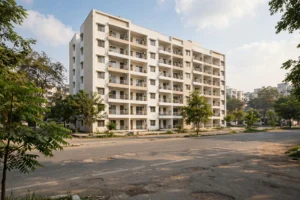
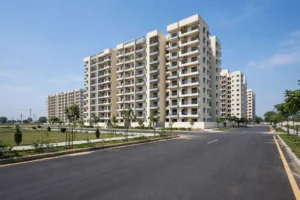
The Pradhan Mantri Awas Yojana – Urban (PMAY-U) is for families living in cities who do not own a pucca house. In the first phase of the scheme, lakhs of houses were built, and now under PMAY-Urban 2.0 more families are being added. Eligible EWS, LIG and MIG families get central assistance of up to Rs 2.5 lakh to build, buy or rent a house.
The scheme runs in four verticals (components):
- BLC (Beneficiary Led Construction): For those who own land — assistance to build a new house or improve an existing one.
- AHP (Affordable Housing in Partnership): The government and private developers together build affordable houses.
- ARH (Affordable Rental Housing): Affordable rental houses for the urban poor and migrant workers.
- ISS (Interest Subsidy Scheme): Subsidy on home loan interest — relief of up to Rs 2.67 lakh.
What Is New in PMAY-Urban 2.0?
PMAY-Urban 2.0 is not just an extension of the old scheme — several new facilities have been added. The biggest change is the new pmay-urban.gov.in portal, where everything from application to dashboard is available in one place. The old MIS portal (pmaymis.gov.in) is also active, so work can be done on either.
The government has also launched the “Angikaar 2026” campaign, whose goal is to spread awareness about the scheme among beneficiaries — so that no eligible family is left out due to lack of information. On the PMAY-Urban dashboard (dashboard.pmay-urban.gov.in), city-wise progress can be seen. The list of houses built under the BLC component is public on the BHUVAN dashboard along with house photos — transparency is far greater than before.
How to Check Name in the Beneficiary List? (Step-by-Step)
Method 1: Search by Name
- Open the official website pmaymis.gov.in (or the new portal pmay-urban.gov.in and its PMAY MIS tab).
- In the menu, click “Search Beneficiary”.
- Choose the “Search by Name” option.
- Enter your full name — the same spelling given in the application. Searching works with even the first three letters.
- Enter father’s name and, if asked, select state and city.
- Fill the captcha and press the “SHOW” button.
- A list of matching names will appear — identify your name by father’s name, gender and city.
- Click your name, enter your mobile number and verify with OTP — full details will appear.
Method 2: Search by Aadhaar Number
In “Search Beneficiary”, choose “Search by Aadhaar” and enter your 12-digit Aadhaar number. This is the most accurate method, because an Aadhaar number never repeats.
Method 3: Search by Application ID
If you carefully kept the Assessment ID / Application ID received at the time of application, you can directly see your status with it.
Full BLC component list: The list of houses under the BLC component can also be seen on the BHUVAN dashboard with house photos and construction status — select state, district and date range and press “Load the Report”.
Name Not Found in the List? What to Do
1. Check the spelling again — The most common reason for a name not appearing is a spelling difference. Enter exactly the spelling given in the application. A shortened name (“Ram” vs “Ramesh”) or a difference in initials also changes the result.
2. Search by Aadhaar — If the name search fails, searching by Aadhaar number is the most reliable.
3. Understand the status messages:
| Status | Meaning | What to do |
|---|---|---|
| Approved | Application accepted, subsidy in process | Wait for subsidy disbursement |
| Under Verification | ULB or state is verifying | Be patient, check periodically |
| Pending at ULB | Local verification by urban body | Visit ULB if more than 15 days |
| Rejected | Application declined | See the reason, reapply after correction |
| Not Found | Name not appearing | Retry with spelling/Aadhaar or visit ULB |
4. Offline method: Visit your Municipal Corporation, Nagar Palika or ULB office — carry your Aadhaar card, application receipt and registered mobile number. Get your status verified at the help desk.
Note: A name temporarily not appearing during system updates is common — do not panic; the name reappears once the update is complete.
Who Can Apply? (Eligibility)
- Must be an Indian citizen
- The applicant or family should not own a pucca house anywhere in India
- Family includes husband, wife and unmarried children
- Aadhaar is mandatory for all members
- Must be an urban resident of a notified city/town
Annual income limits:
| Category | Annual household income |
|---|---|
| EWS | Up to Rs 3 lakh |
| LIG | Rs 3 – Rs 6 lakh |
| MIG-I | Rs 6 – Rs 12 lakh |
| MIG-II | Rs 12 – Rs 18 lakh |
How to Apply Online?
- Open pmaymis.gov.in.
- Click “Citizen Assessment”.
- Select your category and complete Aadhaar verification.
- Fill in personal and income details.
- Upload the required documents.
- Submit the form and keep the reference number safe.
Offline applications can also be made at Common Service Centres (CSC) or municipal offices/ULBs.
Documents Required
- Aadhaar card (of all members)
- PAN card
- Income certificate or salary slips
- Address proof — electricity bill, voter ID or ration card
- Bank account details for subsidy
- Self-declaration affidavit and passport-size photo
Note: Errors in the income certificate and Aadhaar details are the two most common reasons applications get rejected or delayed. Verify both before and after applying.
The Journey from Application to House
Many people do not know how the process moves forward after applying. The full journey looks like this:
- Application: Fill the form online (Citizen Assessment) or at a CSC/ULB office.
- Aadhaar verification: Aadhaar of all members is checked.
- ULB verification: The urban local body does a local check of your eligibility (income, no pucca house).
- State approval: After verification, the state government approves the list.
- Name in list: Once approved, your name starts appearing in the beneficiary list.
- Assistance released: Money or a house is given as per the chosen component (BLC/AHP/ARH/ISS).
In this entire process, the reference/assessment number is your identity — keep it safe, because you will need it every time you check status.
Frequently Asked Questions (FAQ)
1. How to check name in pmay urban list 2026?
On pmaymis.gov.in, in “Search Beneficiary”, search by name, Aadhaar number or application ID. Click the name and see full details with mobile OTP.
2. How much assistance is given in PMAY-Urban 2.0?
Eligible families get central assistance of up to Rs 2.5 lakh. Under the interest subsidy (ISS), relief of up to Rs 2.67 lakh on home loans is possible.
3. Are applications open right now?
Yes. New applications are being taken through Citizen Assessment on pmaymis.gov.in.
4. Why does name search not give the right result?
The most common reason is a spelling difference. Enter the spelling from the application, or search by Aadhaar number — that is the most accurate method.
5. What is the difference between PMAY-Urban and PMAY-Gramin?
PMAY-Urban is for cities (list on pmaymis.gov.in), while PMAY-Gramin is for villages (list on pmayg.dord.gov.in). Their eligibility and process are different.
6. What does “Pending at ULB” mean?
It means your urban local body (Municipal Corporation/Nagar Palika) is doing a local verification. If it has been more than 15 working days, visit the ULB office.
7. Can tenants apply?
The ARH (Affordable Rental Housing) component focuses on affordable rental houses for the urban poor and migrant workers. Choose the option as per your category in Citizen Assessment.
8. What to do if the application is rejected?
See the reason for rejection on the portal — in most cases it is an income certificate or Aadhaar error. You can reapply after correction.
9. Which is the new PMAY-Urban 2.0 portal?
The new portal is pmay-urban.gov.in, where beneficiary search happens from the PMAY MIS tab. The old pmaymis.gov.in is also active — the list can be checked on both.
10. Where does the BLC component list appear?
The list of houses approved under BLC (Beneficiary Led Construction) can be seen on the BHUVAN dashboard with house photos and construction status. Select state, district and date range and press “Load the Report”.
Note: GramSuvidha is a private information portal, not a government website. Before taking any final decision related to application or status, please verify the information on the official portals pmaymis.gov.in or pmay-urban.gov.in.