
Last Updated: 22 October 2026
Introduction
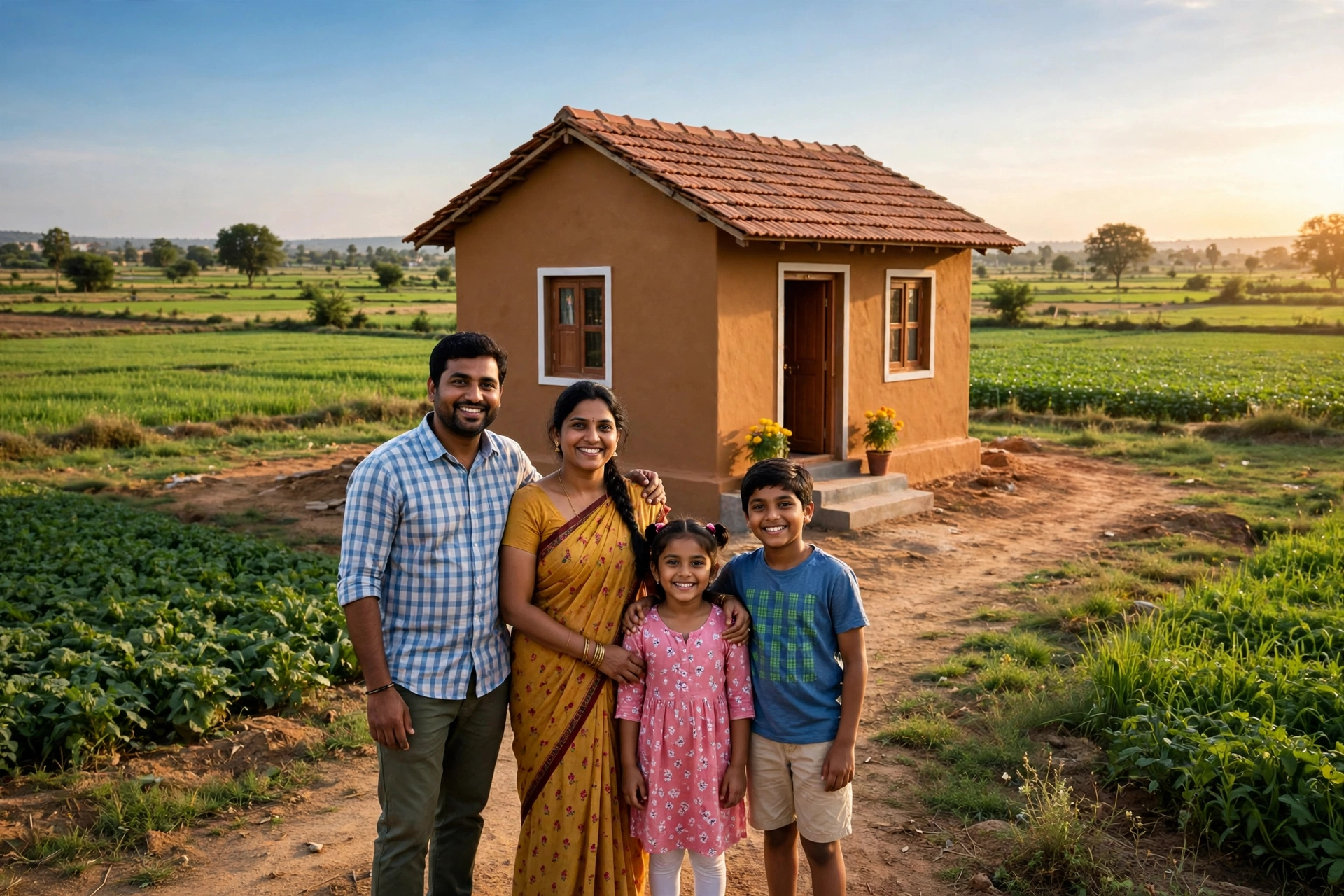
If you are dreaming of building your own pucca (permanent) house in 2026, this post is written for you. PM Awas Yojana has become a ray of hope for crores of families across India — but even today, many people do not know where and how to check their name in the PM Awas Yojana list 2026, or what the correct way to join the scheme is.
In this post you will learn: what the scheme really is and how its rural and urban parts differ; how much financial help you get; the eligibility conditions and required documents; the complete step-by-step process for Awas Yojana online apply; the correct way to check your name in the PM Awas Yojana list; and the common mistakes in applications that get forms rejected. Let us understand each point in detail, one by one.
What Is PM Awas Yojana?
Pradhan Mantri Awas Yojana is the central government’s “Housing for All” mission. Its urban component (PMAY-Urban) started in 2015, while its rural component (PMAY-Gramin) was implemented in 2016 as a restructured form of the old Indira Awas Yojana. The rural component is run by the Ministry of Rural Development, and the urban component comes under the Ministry of Housing and Urban Affairs.
The core objective of the scheme is to give a pucca house to homeless families, families living in kutcha (temporary) or dilapidated houses, and economically weaker urban families. Here “pucca house” means a house of at least the prescribed minimum area with basic facilities such as a clean cooking space, so that the family can live with dignity.
For 2026, it is important to know that the government has recently expanded the scope of the scheme — a target has been set to benefit 2 crore additional houses in rural areas and 1 crore families in urban areas under PMAY-U 2.0. In other words, the scheme is fully active right now, and if you have not yet joined it, this is the right time.
What Is the Difference Between PMAY-Gramin and PMAY-Urban?
The two components are often treated as one and the same, but there are important differences:
- Target group: PMAY-Gramin is for homeless families and families in kutcha/dilapidated houses in villages, while PMAY-Urban is for EWS (economically weaker section), LIG (lower income group) and MIG (middle income group) families in cities.
- Form of assistance: In the rural component, direct cash assistance for house construction comes into the bank account (DBT); in the urban component, there is central assistance plus a provision for interest subsidy on home loans.
- Medium of application: In rural areas, applications are made mainly through the gram panchayat and block level, while in the urban component the Awas Yojana online apply facility is available on the official portal.
- Beneficiary list: The rural list is seen on pmayg.dord.gov.in and the urban list on pmay-urban.gov.in.
How Much Money Do You Get Under PM Awas Yojana?
Now the question whose answer is searched the most — how much financial assistance does the scheme give? The amount differs between the rural and urban components:
- PMAY-Gramin (rural): Rs 1.20 lakh in plain areas and Rs 1.30 lakh in hilly, difficult or special-category areas. This amount is sent directly to the beneficiary’s bank account in instalments, according to the stages of house construction (foundation, walls, roof, etc.). In addition, there is Rs 12,000 extra assistance for toilet construction under the Swachh Bharat Mission, and a provision of 90/95 days of unskilled wages under MGNREGA. Convergence with other government schemes is also done for facilities such as LPG connection and electricity connection.
- PMAY-Urban 2.0 (urban): Eligible beneficiaries get assistance of up to Rs 2.50 lakh in total — this includes Rs 1.50 lakh central assistance (in instalments) and interest subsidy of up to Rs 1 lakh on a home loan. The urban component includes parts such as BLC (beneficiary-led construction), AHP (affordable housing in partnership), ARH (affordable rental housing) and ISS (interest subsidy).
Note: assistance amounts and rules can be revised from time to time, so before applying, do check the latest information on the official portal.
Eligibility for PM Awas Yojana
To get the benefit of the scheme, these conditions must be met:
General conditions:
- The applicant must be a citizen of India and 18 years of age or older.
- No member of the family should own a pucca house anywhere in the country.
- The house is allotted in the name of the woman member or jointly in the names of husband and wife — women get special priority.
Rural (PMAY-G) — special conditions:
- A family that is homeless or lives in a kutcha/dilapidated house with 0–2 rooms, as per the SECC 2011 / Awaas+ survey.
- Priority is given to widows, Scheduled Castes/Scheduled Tribes, persons with disabilities, senior citizens and minority communities.
- Exclusions (deprivation criteria): owners of motor vehicles or mechanised agricultural equipment, holders of Kisan Credit Cards up to a large limit, government employees, income-tax payers, or families with more than the prescribed limit of irrigated/unirrigated land are generally not considered eligible.
Urban (PMAY-U 2.0) — special conditions:
- The applicant lives in a city and the family does not own a pucca house.
- Income criteria by category: EWS (annual income up to about Rs 3 lakh), LIG (Rs 3–6 lakh) and MIG (Rs 6–9 lakh).
- Priority to families buying or building a house for the first time.
- A family that has already taken the benefit of a government housing scheme will not be eligible.
Documents Required for PM Awas Yojana
Keep these documents ready when applying:
- Aadhaar card (of all adult members of the family)
- Bank passbook or cancelled cheque (the account must be active for DBT)
- MGNREGA job card (for rural applicants)
- Income certificate or affidavit (for urban EWS/LIG applicants)
- Caste certificate (where applicable)
- Land papers — when building a house on your own land (BLC component)
- Mobile number (better if linked with Aadhaar) and passport-size photo
Tip: the name, date of birth and address must be the same in all documents. A mismatch between the name on the Aadhaar and the bank account is one of the most common reasons for rejection.
How to Apply for Awas Yojana Online — Step by Step
Urban areas (PMAY-U 2.0) — online application process:
- Open the official portal pmay-urban.gov.in.
- On the homepage, click the “Apply for PMAY-U 2.0” option.
- Enter your Aadhaar number and complete registration or login with OTP verification.
- Fill in personal information, family details, income and current housing status in the application form.
- Upload the requested documents as clear scans in the prescribed format and size.
- Before submitting the form, check all the information once again.
- Note down the Application ID you receive after submission — with this you will be able to check your status and your name in the list later.
Rural areas (PMAY-Gramin) — application process:
In rural areas, applications are made mainly through the gram panchayat and block level. Contact your panchayat secretary or Gram Rozgar Sahayak (GRS) — they will get your details entered in the Awaas+ survey/list. In many states, a self-survey facility is also given through the AwaasApp. Help with the application can also be taken from the nearest Common Service Centre (CSC). Detailed information about the scheme is available on pmayg.dord.gov.in.
Remember: applying for the scheme is completely free. If anyone asks for money in the name of the application, do not give it.
How a New Name Gets Into the List: the Awaas+ 2024 Survey
- The family’s data is entered in the Awaas+ 2024 survey (trained surveyors visit house to house; in many states self-survey is done through AwaasApp).
- After the survey, the Gram Sabha checks and approves the list.
- Approved families are added to the Permanent Waiting List (PWL).
- When the state gets its target from the Centre, houses are sanctioned by picking names from the PWL.
October 2026 Update: What’s New in the PMAY-G List?
According to the latest information available till October 2026, about 3.92 crore houses have been sanctioned under PMAY-G, and 3.12 to 3.19 crore houses have been completed. More than Rs 4 lakh crore has been transferred directly to beneficiaries’ bank accounts through DBT.
Big announcement in Andhra Pradesh (4 October 2026): The Centre released Rs 3,600 crore to Andhra Pradesh for 3 lakh new rural houses under PMAY-G 2.0. In Burripalem, Guntur, 177 houses are being built with 3D-printing technology — one of the fastest construction methods being used.
Awaas+ 2024 survey in its final phase: The new survey is in the process of approval by Gram Sabhas. Families that missed the old survey can still get their data entered — contact your panchayat secretary or use the AwaasApp self-survey. New names are joining the Permanent Waiting List (PWL), and the 2026-27 targets will be allotted to panchayats after that.
Note: these figures keep changing over time — always check the freshest numbers on the PMAY-G reports page.
How to Check Your Name in the PM Awas Yojana List
After applying, the most important task is to check your name in the PM Awas Yojana list. The method is different for the two components:
3 Ways to See the Rural List (PMAY-G)
Method 1: See the whole village’s list — the easiest (no registration number needed)
- Open the reports portal report.pmayg.dord.gov.in (go to Awaassoft – Reports on pmayg.dord.gov.in).
- In the “H. Social Audit Reports” section, choose “Beneficiary details for verification”.
- Select your state, district, block, gram panchayat, financial year and scheme (Pradhan Mantri Awaas Yojana Gramin).
- The full list of the panchayat will open — search for your name and your father’s/husband’s name in it.
Tip: for the financial year, choose “PMAYG Cumulative progress till date” so that you see the complete list up to today. You can also download the list as Excel or PDF.
Method 2: By registration number (the fastest)
Your PMAY-G registration number is printed on your sanction letter. If you have it:
- Open pmayg.dord.gov.in.
- In the “Stakeholders” menu, choose “IAY/PMAYG Beneficiary” (direct page: awaassoft.pmayg.dord.gov.in).
- Enter your registration number, fill the captcha and submit.
- Your full record — sanction amount, instalments, house status — will open on the screen.
Method 3: Search by name (Advanced Search)
If you do not have the registration number, choose Advanced Search on the same Beneficiary page — you can search by state, district, block, panchayat and name, BPL number, bank account number or father’s/husband’s name.
What the Columns in the List Mean
| What the list says | What it means |
|---|---|
| Registration number | Your identification number — instalments and status are tracked with this |
| Sanctioned Amount | The total amount sanctioned for your house |
| Installment Paid | How many instalments have been released so far |
| Amount Released | How much money has reached your bank account so far |
| House Status | Which stage the house is in — sanctioned, under construction, completed, etc. |
If your name is in the list but an instalment is stuck, check the FTO (Fund Transfer Order) status in your record with the registration number — it shows whether the money has left the government account.
Steps to see the urban list (PMAY-U):
- Open pmay-urban.gov.in.
- Click the “Search Beneficiary” option.
- Search by entering your Aadhaar number, application number or registered mobile number.
State-wise note: Many states also publish the beneficiary list on their own rural development or housing department portals. If the list does not open on the central portal, you can also check on the official website of your state’s rural development department. Keep your application/registration number safe — it is needed for both the list and the status. Remember that the beneficiary list keeps getting updated from time to time, so if your name does not appear today, check again after some time.
Common Mistakes in Applications — How to Avoid Rejection
Many eligible applicants’ forms get stuck because of small mistakes. Keep these points in mind:
- Name mismatch: The name and date of birth in the Aadhaar card, bank account and application form must be the same.
- Wrong mobile number: OTPs and information come to that number — always enter a number that is active.
- Blurry documents: Scans or photos must be clear and readable, otherwise the form may be returned during verification.
- Hiding information: Hiding a pucca house already owned in the family’s name, or housing assistance received earlier, can lead to cancellation of the application.
- Fake agents: Stay away from people who ask for money to get your name entered in the list — the selection process is transparent and free.
- Incomplete form: Check every column again before submitting; correcting a form once submitted can be difficult.
PM Awas Yojana List 2026 — Important Points to Remember
- Applying for the scheme and checking the list are completely free — beware of people who ask for money, and file a complaint if needed.
- Always use only the official portals pmayg.dord.gov.in (rural) and pmay-urban.gov.in (urban). Avoid fake websites with similar-sounding names.
- If your name is not in the list, contact your gram panchayat, block office or municipal body office and get your details verified.
- The assistance amount comes directly to your bank account through DBT — middlemen have no role in it.
Where to Get Help (Helpline)
- PMAY-G (rural) toll-free: 1800-11-6446; email: support-pmayg@gov.in
- PMAY-Urban toll-free: 1800-11-3377
- For payment-related issues, the PFMS helpdesk: helpdesk-pfms@gov.in
- If your name is removed without reason or anyone asks for money, file a complaint on pgportal.gov.in
Frequently Asked Questions (FAQ)
How do I check my name in the PM Awas Yojana list?
Rural beneficiaries can see the list on pmayg.dord.gov.in under Stakeholders – IAY/PMAYG Beneficiary by selecting state, district, block and panchayat. Urban beneficiaries can search for their name on pmay-urban.gov.in under Search Beneficiary using their Aadhaar number or application number.
How much assistance do you get under PMAY-Gramin?
Rs 1.20 lakh in plain areas and Rs 1.30 lakh in hilly/difficult areas, paid in instalments according to the stages of construction, directly into the bank account. In addition, there is Rs 12,000 for a toilet and MGNREGA wage provision.
Can people living in rented houses apply?
Yes — if neither you nor your family owns a pucca house anywhere in the country and you meet the income and eligibility conditions, you can apply under the urban component (PMAY-U 2.0).
What is the income limit in PMAY-U 2.0?
The criteria are: annual income up to about Rs 3 lakh for EWS, Rs 3–6 lakh for LIG and Rs 6–9 lakh for MIG. Also, the family must not own a pucca house anywhere.
What should I do if my name is not in the list?
First check your status again with your application number — the list is updated from time to time. If the name still does not appear, contact your gram panchayat (rural) or municipal body/housing office (urban) and get your details verified.
Is there any application fee for PM Awas Yojana?
No, the application is completely free. Do not give money to any person or website, and use only the official government portals.
Why is pmayg.nic.in not opening?
The rural housing portal has now moved to the new address pmayg.dord.gov.in. Old addresses (pmayg.nic.in, awaassoft.nic.in, rhreporting.nic.in) have been discontinued for many reports — always use the new portal.
How do I check my name without a registration number?
Open the “Beneficiary details for verification” report on the reports portal report.pmayg.dord.gov.in — you only need to select your state, district, block and panchayat; no number is required.
My name was in the survey, but it is not showing in the list — what should I do?
First select “PMAYG Cumulative progress till date” for the financial year and check again. If the name still does not appear, ask your panchayat secretary whether the Gram Sabha approved your name and whether you are in the Permanent Waiting List (PWL).
What is the latest status of PMAY-G in October 2026?
According to the latest information, about 3.92 crore houses have been sanctioned and 3.12–3.19 crore houses completed. On 4 October 2026, Andhra Pradesh was sanctioned 3 lakh new rural houses. Always check the freshest figures on the PMAY-G reports page.
Also Read
- PM Kisan 24th Installment 2026: Date, Eligibility and Status Check
- How to Make an Ayushman Card (2026): Benefits, Eligibility, Full Process
- How to Check Your Name in the Ration Card List (2026): Full Process
Disclaimer
This is a private information portal, not a government website. GramSuvidha is not affiliated with any government department or website. For the final and official information related to the scheme, please refer only to government portals such as pmayg.dord.gov.in or pmay-urban.gov.in.




2 thoughts on “PM Awas Yojana 2026: How to Check Your Name in the List”
Comments are closed.