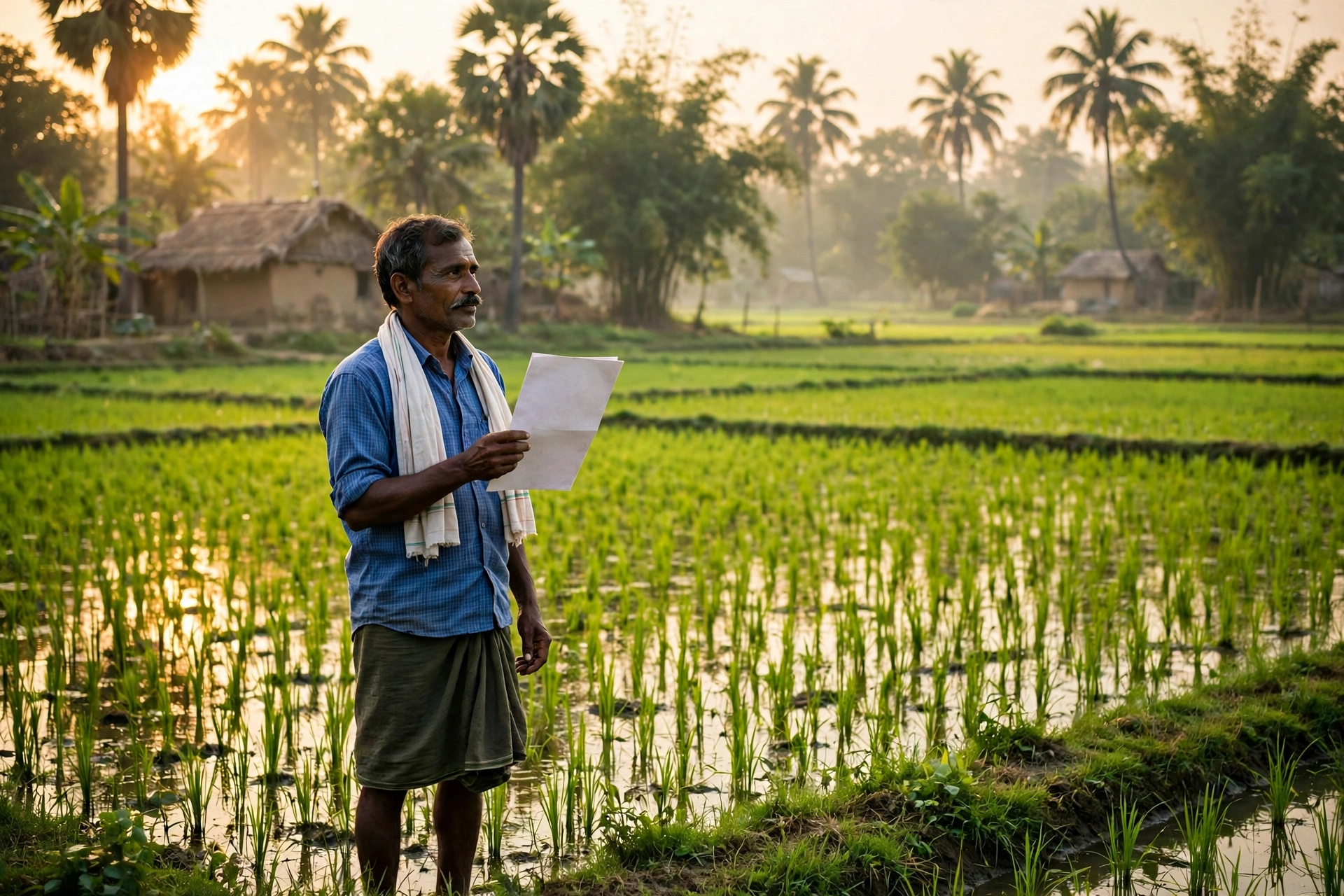
Do you own ancestral land in a village in West Bengal, or are you planning to buy a plot or farmland there? Then one question comes before everything else — in whose name is the land actually recorded, where can that record be found, and how much can it be trusted? For years, getting an answer meant repeated visits to the BLRO office, depending on middlemen, and often not even knowing whether the paper in hand was genuine. The good news is that today the same information can be seen on your phone, from home, in just a few minutes. In this guide we explain everything about West Bengal’s official land records portal in simple language — what a Khatian is, how to view it for free, how to download a digitally signed certified copy, how to pay khajna online, how Mutation and Warish transfer work, and what to do if your name or plot appears wrong on the portal.
After reading this guide, you will not need any middleman. You will know yourself which copy is only for information and which copy a bank, a court or the registry will accept. We also cover the seven most common problems people face on this portal — such as a record not being found, a wrong name spelling, or a khajna receipt not appearing after payment — and their solutions. Read the details below carefully, because in land matters even a small mistake can hold up your work for weeks or months.
Banglarbhumi 2026 — At a Glance
| Detail | Information |
|---|---|
| Portal name | Banglarbhumi — Land & Land Reforms and Refugee Relief & Rehabilitation (L&LR & RRR) Department, Government of West Bengal |
| Official website | banglarbhumi.gov.in |
| Total Khatians | About 4.3 crore Khatians |
| Mouzas covered | More than 42,000 Mouzas |
| Viewing a Khatian | Free, without login — through Know Your Property |
| Certified e-Porcha | Login required, small fee — digitally signed copy |
| Main services | Khatian / RoR viewing, Plot (Dag) search, RS-LR information, Mutation, Warish transfer, khajna payment, Mouza maps |
| Mobile app | Jomir Tothya — available on Android |
| Deed / registration search | Separate portal — wbregistration.gov.in |
What is Banglarbhumi?
Banglarbhumi is the official online land records portal of the Government of West Bengal. It is run by the state’s Land and Land Reforms Department. The portal holds the land records of the state’s villages and towns in digital form. Here you can find out in whose name a plot of land is recorded, how large it is, what kind of land it is, and whether any khajna is due on it.
Earlier, to see a land record, villagers had to visit the BLRO (Block Land and Land Reforms Officer) office. Long queues, paper files and weeks of waiting were common. Today the same record is available online. The portal holds about 4.3 crore Khatians and data for more than 42,000 Mouzas, which means the record of almost every plot in the state can be found here.
One thing must be understood clearly — the information shown on Banglarbhumi is only for information. The copy shown on the screen has no legal weight. For a bank loan, court work, registration or the sale of land, you need a digitally signed certified copy, called a certified e-Porcha, which is downloaded from the portal after logging in and paying a small fee. In this guide we explain both methods separately, so that you do not delay your work by submitting the wrong copy.
Khatian, RS-LR and e-Porcha — What is the Difference?
Three terms appear again and again in land papers — Khatian, RS-LR and e-Porcha. People often treat them as the same thing, but they are three different things. Understanding them matters, because submitting the wrong paper to a bank or the registry can get your application returned.
| Document | What it is | What it is used for |
|---|---|---|
| Khatian (RoR) | Record of Rights — the basic land rights record. It lists the owner’s name, Dag (Plot) number, Khatian number, area and the classification of the land. | To view and verify ownership details. Can be viewed free online. |
| RS-LR information | Information from the Revisional Settlement and Land Records — details of old and new survey records, which trace the history of the land. | To match old records, check disputes, or verify earlier ownership. |
| e-Porcha | A digitally signed certified copy of the Khatian, issued online with the department’s digital signature. | Bank loans, court matters, registration and official work. This is the legally valid copy. |
In simple words, the Khatian is the book in which the land’s account is written, RS-LR is the old history of that book, and the e-Porcha is a certified photocopy of a page from that book, stamped by the government. The Khatian is enough to check information, but for any official work only the e-Porcha will do.
How to View a Khatian Free on Banglarbhumi (Step-by-Step)
Viewing your land’s Khatian on Banglarbhumi is completely free — no login and no fee are needed. You only need the district, block, Mouza and the Khatian or Dag number of the land. The full method is as follows:
- Open the official website banglarbhumi.gov.in. Make sure you are on the correct government website — avoid private websites with similar names.
- On the homepage, choose the Know Your Property option.
- Select your District, Block and Mouza.
- Now choose the search method — by Khatian Number or by Plot Number (Dag Number). Enter whichever number you have.
- If you want to search by the owner’s name, a name-search option may also be available — enter the name with the same spelling as in the record.
- Fill in the Captcha and click Search.
- Your land’s Khatian will appear on the screen — check the owner’s name, Dag number, area and land classification.
- You can view this information on the screen, or save a print or screenshot for your own records. Remember, this copy is only for information.
If you do not have the Khatian number, first try searching by the Dag (Plot) number. You can find the Dag number in old papers, a khajna receipt, or the record of neighbouring land. If you have neither number, get the Khatian number from your Mouza’s BLRO office — it is entered in the record register there.
How to Download a Certified e-Porcha
When you need the record for a bank loan, court work, registration or the sale of land, the on-screen copy will not work. For that you need a certified e-Porcha — a digitally signed copy issued by the department online. The method is as follows:
- Go to banglarbhumi.gov.in and log in to the portal, or create a new account. You will need your mobile number and email for login.
- After logging in, choose the Certified Copy / e-Porcha service — on the portal it appears as ‘Signed ROR/PI/PLM Copy(s)’ or ‘ROR Request’.
- Select the district, block and Mouza, and enter the Khatian or Dag number.
- When the correct Khatian is found, select it and proceed with the application.
- Pay the small prescribed fee online. One October 2026 source puts the fee for an RoR certificate at around ₹20 — but fees can change from time to time, so always go by the current fee shown on the portal before paying.
- After successful payment, download the digitally signed e-Porcha and keep a printout safely.
- Save the verification details given on the downloaded copy, so that its genuineness can be checked if needed.
Note that login is required for a certified copy, while no login is needed only to view information. If the copy does not download even after payment, first save the payment receipt or Transaction ID, then contact the portal’s Help or Grievance option. Filing a complaint without a receipt can be difficult.
How to Pay Khajna (Land Revenue) Online
Khajna is the annual land revenue charged on land. Paying it on time matters, because if khajna is due, work such as Mutation or a sale can get stuck. The method to pay khajna online from the Banglarbhumi portal is as follows:
- Go to banglarbhumi.gov.in and choose the Land Revenue (Khajna) Application service for khajna payment.
- Select the district, block and Mouza, and enter your Khatian number.
- Your land’s details and the khajna due will appear on the screen — match the amount, owner’s name and Dag number carefully.
- Once the details are correct, pay online — by UPI, net banking or card.
- After successful payment, download the receipt and keep it safely. This receipt will be needed later for Mutation, a sale or a loan.
If the amount due looks higher than you expected, do not pay immediately — first check the dues details at the BLRO office, because sometimes old dues or a wrong entry can also appear. Consider the work complete only after you have the receipt; do not stop at just seeing a “Payment Successful” message.
How to Get a Mutation (Dakhil-Kharij / Name Change) Done
After buying, selling or inheriting land, the most important work is Mutation, called Dakhil-Kharij in Bengal. It means removing the old owner’s name from the government record and entering the new owner’s name. Until Mutation is done, the record will continue to show the land in the old owner’s name.
- First keep the necessary papers ready — the registered Sale Deed or inheritance papers, identity proof, the old Khatian and the khajna receipt.
- Open the Mutation (Dakhil-Kharij) service on banglarbhumi.gov.in and fill in the application.
- Enter the land details carefully — district, block, Mouza, Khatian and Dag numbers.
- Upload the required documents and submit the application. Note down the Application Number and keep it safe.
- The application status can be checked on the portal using the application number. A hearing or verification process may take place at the BLRO office, so stay in touch with the office after applying.
- Once the Mutation is approved, check the new Khatian — your name should be entered correctly in it.
Mutation can take time, so it is best to apply immediately after the sale. Do not apply and forget — keep checking the status every few days, and if any objection is raised or extra papers are asked for, respond quickly.
How Does a Warish (Inheritance) Transfer Work?
When the owner of a land passes away, the land comes into the names of the legal heirs. This process is called Warish Transfer. It is a form of Mutation, but instead of a sale paper, inheritance papers are needed.
- First prepare the list of heirs — the death certificate of the deceased, the Warish (heir) certificate, and the identity proofs of all heirs.
- If there is a Will, keep a copy of it too.
- Fill in the Warish / Inheritance Transfer application on banglarbhumi.gov.in.
- Enter the land details and the names of all heirs correctly.
- After the documents are submitted and the BLRO office verification process is complete, the heirs’ names are entered in the record.
- Once the work is complete, check the new Khatian and take a certified copy of the e-Porcha for your records.
If there is a dispute among the heirs about the division, settle the division first — a Warish Transfer on disputed land can get stuck. The work moves faster when all heirs agree.
How to View a Mouza Map
A Mouza map shows the geographical position of the land — where each Dag is located, what its boundaries are, and whose land is nearby. Viewing the Mouza map before buying land helps a great deal, because it shows where the Dag written on paper actually lies.
- Open the Mouza Map Request or ‘Mouza Map Availability Details’ service on banglarbhumi.gov.in.
- Select the district, block and Mouza.
- View the Mouza map on the screen — identify your land by its Dag number.
- If the map is available, download or save it, and match it with the land on the ground.
Sometimes the Mouza map may show an old survey. If the map and the actual position of the land differ, check the latest map at the BLRO office and consider the demarcation process for the land.
How to View Records on the Jomir Tothya App
If you do not have a computer, the same records can be seen through the Jomir Tothya Android app, which shows the same records as the Banglarbhumi portal. This app is made specially for viewing records from a mobile phone.
- Download the Jomir Tothya app from the Google Play Store — make sure the publisher of the app is official.
- Open the app and select the district, block and Mouza.
- Enter the Khatian number or Dag number and search.
- View the record on the screen — it is the same information shown on the website.
- For a certified copy, use the website, because downloading a certified e-Porcha and paying for it is safer through the website.
The information shown on the app is also only for information — it too has no legal weight. The biggest advantage of the app is that you can check the record even while standing on the field in the village.
Fees — What is Free and What Costs Money?
| Service | Fee | Login needed? |
|---|---|---|
| Viewing Khatian / RoR (Know Your Property) | Free | No |
| Plot (Dag) search and RS-LR information | Free | No |
| Viewing a Mouza map | Free | No |
| Certified e-Porcha download | Small fee — one October 2026 source says around ₹20; check the current fee on the portal | Yes |
| Khajna payment | As per the khajna due (a service charge may apply separately) | As per the application |
| Mutation / Warish application | As per the current fee shown on the portal | Yes |
Fees can change from time to time. So before any payment, go by the current fee shown on the portal — do not pay on the basis of a fee given in an old blog or video.
Deed and Registration Search — a Separate Portal, Do Not Confuse Them
Many people treat Banglarbhumi and registration search as the same thing, but they are two different jobs. Banglarbhumi shows the land rights record (RoR / Khatian), while the deed of a land sale and the registration record sit with a different department.
For deed and registration-related searches, West Bengal has a separate portal — wbregistration.gov.in, run by the Directorate of Registration and Stamp Revenue. The safest way before buying land is to check both places: view the Khatian on Banglarbhumi to see who the record names as owner, and check the registration history on wbregistration.gov.in. If the name or details differ in the two places, stop the purchase and first get them matched at the BLRO and registration offices.
7 Common Problems and Their Solutions
1. “Record Not Found” or “Data Not Found” is shown
First check whether the district, block and Mouza have been selected correctly. Even one wrong digit in the Khatian or Dag number will mean no record is found. If you are searching by name, enter the spelling exactly as it is in the record. If it still does not appear, check the record at the BLRO office — the record may not yet have been digitised, or that Mouza’s data may still be waiting to be updated.
2. The name spelling is wrong
If the name spelling differs from the Aadhaar card or Sale Deed, do not leave it as it is. Take the identity proof, Sale Deed and old Khatian to the BLRO office and apply for a name correction. Even a spelling difference can hold up work at a bank or the registry.
3. The area shown is wrong
If the area in the record is less or more than the actual land, match it with the old Khatian, Sale Deed and khajna receipt. If there is a difference, apply at the BLRO office for checking and correction — measuring the land (demarcation) may also be needed.
4. The land is shown, but the owner’s name is old
This means Mutation was not done after the purchase or inheritance. Apply for Mutation or Warish Transfer immediately (see the steps above). Until the name changes in the record, official work will keep showing the old name.
5. No receipt appeared after khajna payment
First check the Transaction ID and whether the money was deducted from your bank account. If the money was deducted but no receipt came, check the payment status on the portal and raise a complaint through the Help or Grievance option with the Transaction ID. Do not pay again until you have the receipt, or the money may be deducted twice.
6. The website does not open, or the Captcha does not work
Try again after some time — sometimes the server load is high. Try a different browser, and check your internet connection. If the problem remains, try viewing the record through the Jomir Tothya app.
7. The certified e-Porcha does not download
Check that the login is correct, and save the payment receipt. If the copy still does not come after a successful payment, contact the portal’s support service with the Transaction ID. Remember that the information-only copy cannot take the place of a certified copy.
Which Papers Should You Keep Ready?
- Identity proof — Aadhaar card or Voter ID
- Old Khatian or khajna receipt (for the Khatian / Dag number)
- Sale Deed — for Mutation after a purchase
- Death certificate and Warish certificate — for Warish Transfer
- Khajna payment receipt
- Mobile number and email — for login and certified copies
Stay Safe — Points to Remember
- Always use only the official website banglarbhumi.gov.in.
- If any agent or middleman promises “instant Mutation” or a “guaranteed record” and asks for money, be careful — the official fee is shown on the portal itself.
- Never share your login password or OTP with anyone.
- Before buying land, check all four things — the Khatian, the certified e-Porcha, the Mouza map, and the deed history on wbregistration.gov.in.
- Never submit the on-screen copy to a bank, court or registry — only the certified e-Porcha is valid there.
Frequently Asked Questions (FAQ)
1. Is it free to view a Khatian on Banglarbhumi?
Yes, viewing a Khatian through Know Your Property is completely free, and no login is needed for it. Login and a small fee are needed only to download a certified e-Porcha.
2. What is the difference between Banglarbhumi and e-Porcha?
Banglarbhumi is the name of the portal, and e-Porcha is the digitally signed certified Khatian copy obtained from that portal. The information shown on the screen is only for information; the e-Porcha alone is valid at banks, courts and the registry.
3. What do I need to view a Khatian?
You need the district, block, Mouza and the Khatian number or Dag (Plot) number. If you do not have the Khatian number, you can also search by Dag number.
4. What should I do if no record is found on Banglarbhumi?
First check the numbers and spelling, then try another method (Dag number or name). If it still does not appear, check the record at your Mouza’s BLRO office.
5. How long does a Mutation (Dakhil-Kharij) take?
We cannot give one fixed time limit, because it depends on the verification and the office process. After applying, keep checking the status with the application number, and submit any papers asked for quickly.
6. Can I get a certified copy from the Jomir Tothya app?
The record can be viewed on the Jomir Tothya app, but for a certified e-Porcha it is safer to use the website. The information shown on the app also has no legal weight.
7. Which places should I check before buying land?
Check all four — the Khatian on Banglarbhumi, the certified e-Porcha, the Mouza map, and the deed history on wbregistration.gov.in. Also check the khajna dues. If there is a difference anywhere, get it sorted before buying.
Land Record Guides for Other States
If you also own land in other states, read these guides too: for Maharashtra, the Mahabhulekh 7/12 2026 Guide; for Karnataka, the Bhoomi RTC Karnataka 2026 Guide; for Bihar, the Bihar Khatian 2026 Guide and the Bihar Online Lagan 2026 Guide. For ration card information in West Bengal, see the Smart PDS 2.0 West Bengal Guide.
Disclaimer: This article is published by a private information portal, not a government website, for general information only. Before any official land-related work, check the current information on banglarbhumi.gov.in or contact your BLRO office.
Last updated: 7 November 2026