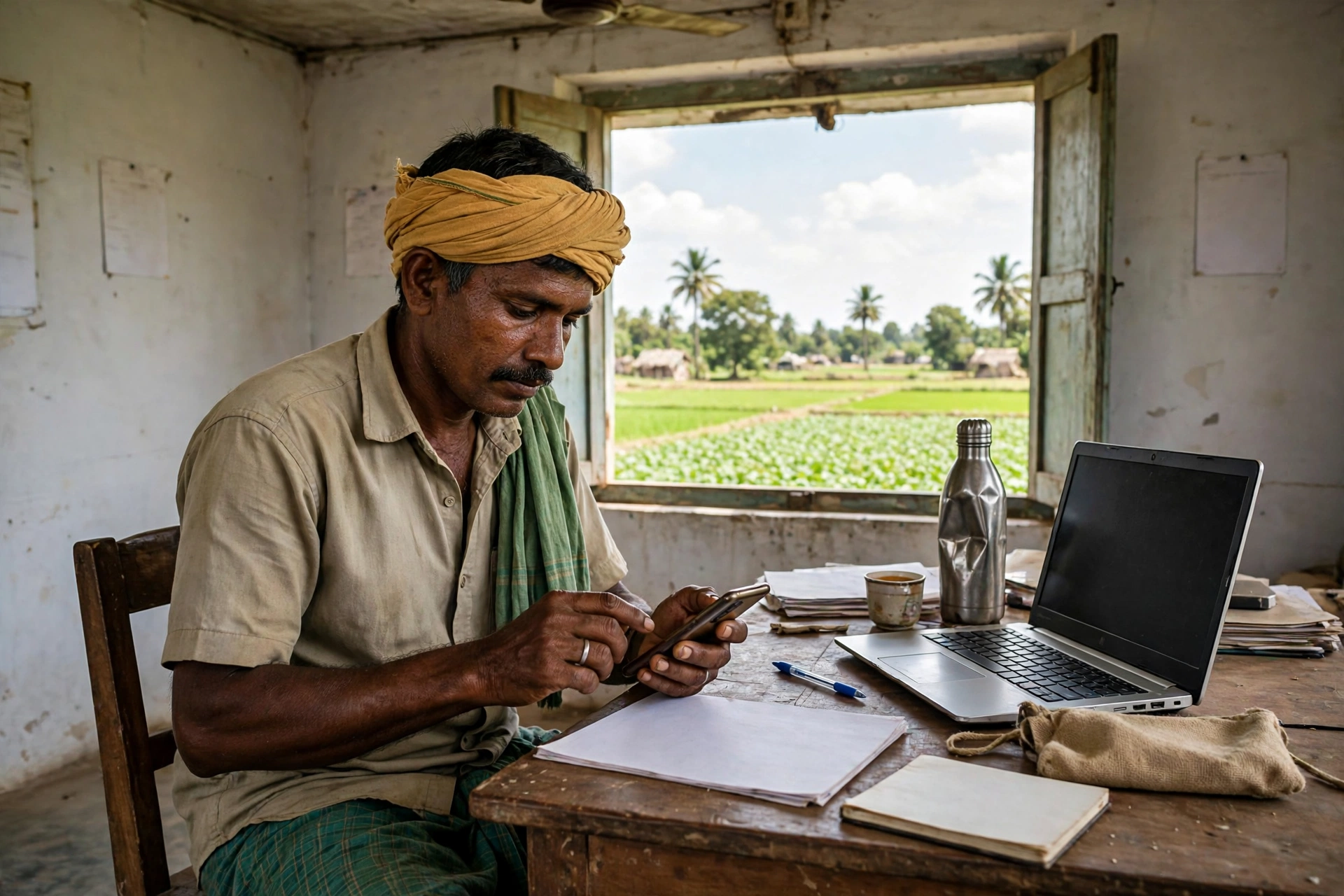
A farmer in Karnataka needs help — a subsidy on seeds, a horticulture scheme, a benefit for animal husbandry, or his PM-Kisan instalment. He goes to one office, and they ask for documents. He goes to a second department, and they ask for the same documents again. A third scheme means the same run all over again. Year after year, the same story repeated itself. To end this trouble, the Government of Karnataka built a portal where a farmer’s details are recorded once, and every department works from that same record. That portal is the FRUITS Portal Karnataka.
In this guide, we explain in simple language what the FRUITS Portal is, how it is linked to PM-Kisan, who can register, how online and offline registration works, how to get your FRUITS ID and check your status. We also cover the mistakes that make farmers get stuck again and again — so that your work gets done in the first attempt itself.
FRUITS Portal Karnataka 2026: At a Glance
| Detail | Information |
|---|---|
| Portal name | FRUITS Portal Karnataka |
| Full form | Farmer Registration and Unified Beneficiary Information System |
| Official website | fruits.karnataka.gov.in |
| Launched by | Government of Karnataka |
| Developed by | DPAR e-Governance Department, with NIC |
| For whom | Farmers of Karnataka (agriculture, horticulture, sericulture, animal husbandry, fisheries) |
| Registration fee | Free (there is no fee on the portal — if anyone asks for money, be careful) |
| What you get after registration | FRUITS ID (FID) — a single identity number for the farmer |
| Linked schemes | PM-Kisan and schemes of the agriculture, horticulture, sericulture, animal husbandry and fisheries departments |
| Helpline | 080-22208333, 080-22209331, 080-22209332 |
| fruitshelpdesk@karnataka.gov.in |
What Is the FRUITS Portal? Explained in Simple Words
FRUITS stands for Farmer Registration and Unified Beneficiary Information System. In simple words, it is a single, verified digital record of all farmers in Karnataka. The DPAR e-Governance Department of the Government of Karnataka developed it together with the National Informatics Centre (NIC).
Earlier, the situation was like this: the Agriculture Department, Horticulture Department, Sericulture Department, Animal Husbandry Department and Fisheries Department — each department asked for a farmer’s details in its own way. The same farmer had to submit his Aadhaar card, land papers and bank account details again and again for every scheme. FRUITS ends this hassle: the farmer’s details are recorded once on this portal, his land details are linked with the Bhoomi (land records) system, and then all departments use that same record to give benefits.
One more important thing — FRUITS is not only a registration portal. It also records which benefits a farmer has already received under which scheme. This helps the government see whether the help is reaching the right person, and it also stops errors such as the same person getting a benefit twice.
Clearing a common confusion: Hearing the name FRUITS, many people think it is a scheme about fruits. That is not true at all. FRUITS here is an abbreviation — it has nothing to do with fruit or vegetables. It is a farmer registration portal.
Benefits of the FRUITS Portal for Farmers
The biggest benefit of registering on FRUITS is that a farmer’s single identity — the FRUITS ID — works across all agriculture schemes. Apart from that, there are these benefits:
- Register once, use everywhere: For agriculture, horticulture, sericulture, animal husbandry and fisheries schemes, no separate registration is needed for each one.
- No repeated submission of documents: Once the details are recorded, departments use the same record.
- Aadhaar-linked payments: Benefits go directly to the Aadhaar-linked bank account, so there is less room for middlemen and errors.
- Link with PM-Kisan: In Karnataka, the FRUITS record helps in verifying farmer identity and land details for PM-Kisan beneficiaries. If your PM-Kisan instalment is stuck, incomplete or wrong details in FRUITS can be one of the reasons.
- One record of all benefits received: Whatever a farmer has received under any scheme so far stays recorded in one place.
- Offline facility also available: A farmer without a smartphone or internet can register by visiting the nearest Raitha Samparka Kendra (RSK) or taluka agriculture office.
Who Can Register on the FRUITS Portal?
These are the conditions for registration on FRUITS:
- The applicant must be a resident of Karnataka.
- The applicant must be a farmer — connected with agriculture, horticulture, sericulture, animal husbandry or fisheries.
- The applicant must have an Aadhaar number — registration begins with Aadhaar itself.
- For a farmer who owns land, land records (RTC) are needed. This information is linked with the Bhoomi record.
- If the farmer wants benefits under a special category (such as Scheduled Caste or Scheduled Tribe), the certificate for that category will also be needed.
Note: FRUITS is not only for farmers who own land. Other people connected with farming can also register — but the land record will be linked only for those who own land. There is a separate arrangement for sharecroppers and joint owners, explained below.
Documents Required for FRUITS Portal Registration
Keep these things ready before filling the form, so that you do not have to stop midway:
- Aadhaar card — the name must be filled exactly as on the Aadhaar card.
- Mobile number — linked with Aadhaar, because the OTP comes on it.
- Land papers (RTC) — survey number and land details.
- Residence certificate
- Age proof / date of birth proof
- Income certificate (where a scheme asks for it)
- Bank account details — account number and IFSC.
- Passport-size photograph — the portal gives an option to upload a photo; there is also an option to take the photo from EPIC or the ration card.
- Voter ID (EPIC) and ration card details — as identity proof.
- Caste certificate — only if you want benefits under that category.
- Email ID — if you have one; if not, the work still goes ahead, and the form asks about this.
How to Register on FRUITS Portal Karnataka Online? Step-by-Step
Online registration happens in two parts — first a Citizen Account is created, then the farmer registration form is filled. The full process is given below:
Step 1: Open the official website fruits.karnataka.gov.in. Type the address yourself — do not click on links sent by strangers.
Step 2: On the homepage, click on “Citizen Login”. You can also open the login page directly: fruits.karnataka.gov.in/OnlineUserLogin.aspx
Step 3: New users should click on the “Citizen Registration” tab.
Step 4: Enter your Aadhaar number and your name as per Aadhaar, and click “Submit”.
Step 5: A page to create an account will now open. Your name will be filled automatically. Here, enter your mobile number and say whether you have a valid email ID or not.
Step 6: Click “Proceed”. An OTP will come on your mobile. Enter the OTP and create a strong password. Do not tell the password to anyone.
Step 7: After the account is created, click on “Take Me to the Login Page”. Now log in with your mobile number and the new password.
Step 8: After logging in, go to the Registration tab and click on “Online Registration”. The farmer registration form will open.
Step 9: In the form, fill these details — farmer details, place of residence details (district, taluk, village), land status, approving department, identification details (EPIC, ration card), owner land details, account details, address proof details, and upload a photo. Then click “Save Draft”, check all the details again, and finally do the Final Submit.
After submission, your details go to the concerned officer for approval. The land details are matched with the Bhoomi record. After the officer’s approval, your registration is complete and you get your FRUITS ID (FID).
Offline Registration: Through RSK or Taluka Office
If you cannot fill the online form, there is no need to worry. You can register by visiting these places:
- The nearest Raitha Samparka Kendra (RSK)
- The nearest taluka agriculture office
- The nearest horticulture department office
Go there, fill the form and submit the required documents. After submitting the form, you will be given an acknowledgment receipt and a FRUITS number. Keep this receipt safe — this number will be needed for every scheme in the future.
How to Find Your FRUITS ID (FID) and How to Log In
After registration is complete, every farmer gets a FRUITS ID. This ID is your identity — it is asked for whenever you apply for any scheme in the future.
To log in: Go to fruits.karnataka.gov.in, open “Citizen Login”, enter your mobile number and password, and click “Login”. Remember — your mobile number itself is your User ID.
If you have forgotten your Login ID: On the portal there is an option to search your Login ID by selecting district, taluk, hobli, role and department. This ID is available only after your name has been included in the FRUITS database.
How to Check FRUITS PM-Kisan Status
This is the part that explains why “fruits pmkisan” is being searched so much these days. In Karnataka, there is a separate portal for PM-Kisan-related information — fruitspmk.karnataka.gov.in. Here you can see your instalment and payment status.
Steps to check the status:
- Open the website fruitspmk.karnataka.gov.in.
- On the homepage, look for the Check Status link (in the MIS Report section).
- Enter your PMKID or Aadhaar number.
- Click “Submit” — your PM-Kisan payment status will appear on the screen.
Apart from this, the instalment status of PM-Kisan can also be seen directly on pmkisan.gov.in under “Beneficiary Status” — there the check is done with the Aadhaar number, registration number or mobile number. It is good to match the information from both places. If your details in FRUITS are incomplete, or the land record is not linked, your PM-Kisan instalment can get stuck — so first keep your details in FRUITS complete and correct, and also complete your PM-Kisan eKYC.
FRUITS vs FRUITS-PMK vs Farmer ID — What Is the Difference?
These three names sound alike, and that is where the most confusion happens. Understand it clearly:
| Name | What it is | Where it is used |
|---|---|---|
| FRUITS | Karnataka’s farmer registration portal (fruits.karnataka.gov.in) | For all agriculture schemes of Karnataka — the farmer’s single identity (FRUITS ID) |
| FRUITS-PMK | Portal linked to PM-Kisan in Karnataka (fruitspmk.karnataka.gov.in) | To check PM-Kisan instalment and payment status |
| Farmer ID (AgriStack) | The central government’s farmer registry for the whole country — in Karnataka, this work is done through FRUITS | Farmer ID is needed for PM-Kisan, Kisan Credit Card, crop insurance and MSP procurement |
For farmers in Karnataka, the simple point is this: your land record and identity sit in FRUITS, and that same information is linked with schemes like PM-Kisan. If someone asks you for a “Farmer ID”, first ask whether they want Karnataka’s FRUITS ID or the central government’s AgriStack Farmer ID — and give only the correct information.
How to Update Your Details in FRUITS
The good news is that details can be changed even after registration. According to the portal, you can update these things:
- Land details
- Phone number
- Address
- Name (if the name has changed in Aadhaar, as per Aadhaar)
- Gender (if entered wrongly earlier)
- Bank account details
- Caste
- Date of birth
To change information, log in, go to the relevant section, and fill and submit the new details. Keep in mind that the name and date of birth must always match the Aadhaar card — if the details differ from Aadhaar, verification gets stuck.
How Do Joint Owners Register?
If land is in the name of more than one person, it is recorded as a single record in Bhoomi. In such cases, registration in FRUITS can be done in three ways:
- The joint record as a whole — one FRUITS ID will be created, in the name of one of the joint owners.
- Each first owner separately, with self-declaration — the land extent will be attached to each owner as per the declaration.
- Joint owners separately, with equal share — each owner will have an equal share recorded.
Choose the right option as per your situation. If you do not understand, go to the RSK and fill the form after asking the officer — choosing the wrong option can make correction difficult later.
Common Problems and Their Solutions (Troubleshooting)
1. OTP is not coming: First check whether the mobile number you gave is linked with Aadhaar or not — the OTP comes only on the Aadhaar-linked number. If the network is weak, wait a little and try again. If the number was entered wrongly, correct it at the account-creation step itself.
2. Name is not matching (name mismatch): Fill the name in the form exactly as printed on the Aadhaar card — including the spelling. If the name is wrong in Aadhaar, first get Aadhaar corrected, then fill FRUITS.
3. Land record (RTC) is not found: Enter the survey number and hobli/village information correctly. If the record still does not come up, check your land details in the Bhoomi record — there may be an error in the name or survey number there.
4. Registration is stuck in “Pending Approval”: This means the officer’s approval is awaited. Wait for a few days. If it takes too many days, visit the taluka agriculture office or RSK and ask with your acknowledgment receipt.
5. Forgot the password: Look for the password-reset option on the login page — the new password will be created with an OTP on your registered mobile. Do not share your password with anyone.
6. The website is not opening: The portal sometimes runs slow or is closed for maintenance. Try again after some time or at a different hour. Do not register through any other website found on Google — the correct address is only fruits.karnataka.gov.in.
7. Photo is not uploading: Keep the photo size and format as the portal asks. There is an option to take the photo from EPIC or the ration card — you can also try that option.
8. Bank account details were entered wrongly: Log in and update the bank details. Do this quickly to stop an instalment going to the wrong account — correction becomes difficult after the instalment is released.
Stay Careful: Beware of Fake Websites and Agents
- FRUITS registration is free. If any person or website asks you for money in the name of registration, it is fake.
- The correct website is only fruits.karnataka.gov.in. Do not enter your Aadhaar and bank details on look-alike websites.
- Do not tell your OTP and password to anyone — even a bank or a government officer never asks for your OTP.
- Even while taking help from a CSC centre or RSK, enter the OTP yourself; do not tell it to anyone else.
- If someone asks for money in the name of “getting your instalment released”, immediately complain on the helpline 080-22208333 or at the nearest agriculture office.
Official Links
| Work | Official link |
|---|---|
| FRUITS Portal (registration and login) | fruits.karnataka.gov.in |
| Citizen Login | fruits.karnataka.gov.in/OnlineUserLogin.aspx |
| Citizen Registration | fruits.karnataka.gov.in/OnlineUserRegistration.aspx |
| FRUITS PM-Kisan status | fruitspmk.karnataka.gov.in (Check Status — MISReport/CheckStatus.aspx) |
| Feedback / grievance | fruits.karnataka.gov.in/Feedback.aspx |
| PM-Kisan official portal | pmkisan.gov.in |
| Helpdesk email | fruitshelpdesk@karnataka.gov.in |
FRUITS Portal Karnataka — Frequently Asked Questions (FAQ)
Q1: What is the FRUITS Portal?
FRUITS — Farmer Registration and Unified Beneficiary Information System — is a portal of the Government of Karnataka where a single digital record of the state’s farmers is created. It was developed by the DPAR e-Governance Department together with NIC.
Q2: What is FRUITS ID and why is it important?
The FRUITS ID (FID) is the farmer’s identity number given after registration. This same ID works in the schemes of the agriculture, horticulture, sericulture, animal husbandry and fisheries departments, and it also helps in checks linked to PM-Kisan.
Q3: What is needed to register on the FRUITS Portal?
Aadhaar number, an Aadhaar-linked mobile number, land papers (RTC), bank account details, a photograph, residence proof and identity proof (EPIC/ration card). A caste certificate is also needed for benefits under a special category.
Q4: Is there any fee for FRUITS registration?
No. Registration on the FRUITS Portal is free. If anyone asks for money, it is fake — complain on the helpline 080-22208333.
Q5: How do I check my FRUITS PM-Kisan status?
Open fruitspmk.karnataka.gov.in, click on Check Status, and enter your PMKID or Aadhaar number and submit. The instalment status of PM-Kisan can also be seen on pmkisan.gov.in under Beneficiary Status.
Q6: Can I change my details after registration?
Yes. After logging in, you can update land details, phone number, address, bank account, caste, date of birth and name (as per Aadhaar).
Q7: I do not own land. Can I register on FRUITS?
People connected with farming can register, but linking a land record needs an RTC. For your situation and the right option, it is best to ask at the RSK or the taluka agriculture office.
Q8: What is the difference between FRUITS and Farmer ID (AgriStack)?
FRUITS is Karnataka state’s farmer registration portal, while Farmer ID is the farmer registry for the whole country under the central government’s AgriStack scheme. In Karnataka, a farmer’s details are recorded and verified through FRUITS itself.
Also Read
- PM Kisan 24th Installment Status — Check Whether Your Instalment Has Arrived
- PM Fasal Bima Yojana 2026 — Crop Insurance Benefits and How to Apply
- Kisan Credit Card Yojana 2026 — Low-Interest Loans for Farming
- Karnataka Drought Relief 2026 — Relief Information and Status
- Gruha Lakshmi Yojana Status 2026 — Karnataka’s Gruha Lakshmi Scheme
- Farmer Registry 2026 — How a Missing Farmer Registry Entry Can Block Your PM-Kisan Instalment
Disclaimer: This article is for information only. GramSuvidha is a private information portal, not a government website. Before taking benefit of any scheme, please confirm the information from the official website fruits.karnataka.gov.in or the nearest agriculture office.